NETGEAR is aware of a growing number of phone and online scams. To learn how to stay safe click here.
Forum Discussion

Grlathrt
Sep 19, 2023Aspirant
Unable to Access admin page
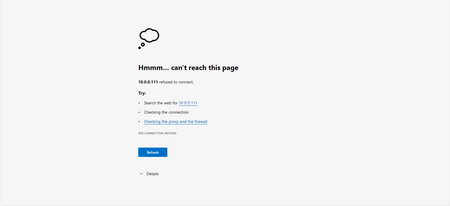
Trying to access a ReadyNAS system that I bought second hand, and when I try to go to the local admin page the webpage can't access it (See Screenshot), I tried Chrome and Edge I can see it through R...
NiveditaP3
Sep 19, 2023NETGEAR Expert
Hello Grlathrt
And welcome to the NETGEAR Community! 🙂
Please make sure your NAS is getting proper internet connection. Change the Ethernet port and cable and try once.
You can also try performing OS reinstall. OS-reinstall is a safe method and the data is not impacted at all. It re-installs the firmware from the internal flash to the disks. The OS reinstall boot mode can be useful when the system crashes and corrupts some configuration files. OS reinstall boot mode also resets some settings on your storage system, such as Internet protocol settings and the administrator password, to defaults. Please try sign in with default username as "admin" and password as "password"
Have a lovely day,
Nivedita Pa
Netgear Team
Related Content
NETGEAR Academy

Boost your skills with the Netgear Academy - Get trained, certified and stay ahead with the latest Netgear technology!
Join Us!
