NETGEAR is aware of a growing number of phone and online scams. To learn how to stay safe click here.
Forum Discussion

Campus
Jun 22, 2016Luminary
Avoid Seagate ST8000VN0002 - Horrible noise issue!
Hi, I have installed four of the Seagate ST8000VN0002 in my RN716x and just finished the resync of all disks. Unfortunately I now have an annoying beeping/humming noise when the disks are idling....

nsne
Oct 27, 2016Virtuoso
Just wanted to update this thread to reflect that Seagate is aware of the problem and finally has a firmware update to correct the ubiquitous noise issue in these drives. The firmware takes SC60 and updates it to SC61.
Unfortunately, Seagate hasn't made this update publicly available. You have to call Seagate support to request it. And you'll really have to press for it. Tier 1 will first deny that any firmware update exists, then they'll try to send you to their general downloads page. Or you can just PM me.
At any rate, I can attest that after days and days of the whine the drive is now blissfully quiet in my 314.

vys
Nov 29, 2016Tutor
Here you go: https://www.dropbox.com/s/hwi8up5wxthsuwb/NASHDD-MakaraPlus-STD-SATA-512E-SC61.zip?dl=0
I used the USB bootable option. Run seaflashin -i to find your drive (/dev/sgX). seaflashin -d /dev/sg2 -f NASHDD-MakaraPlus-SATA-StdOEM-SC61.LOD
Remember to to place NASHDD-MakaraPlus-SATA-StdOEM-SC61.LOD onto the Bootable USB flash drive once it's created. This is what the -f flag is looking for.
This did resolve my noise issues on 2 drives.
- nsneNov 29, 2016Virtuoso
Is there any way to flash the firmware on these drives using a ReadyNAS and the eSATA port? I'm in an all-Mac environment at home and have limited access to Windows machines — especially ones with spare SATA ports.
- DaftHonkDec 07, 2016Aspirant
OMG, thank you so much. I'm using the drives in a home-built NAS - but with 5 of them the sound was nearly deafening. Using the CFS option to locate and detect the culprits I was able to sit and listen to them silence in sequence down to nothing.
 KezoozDec 21, 2016Star
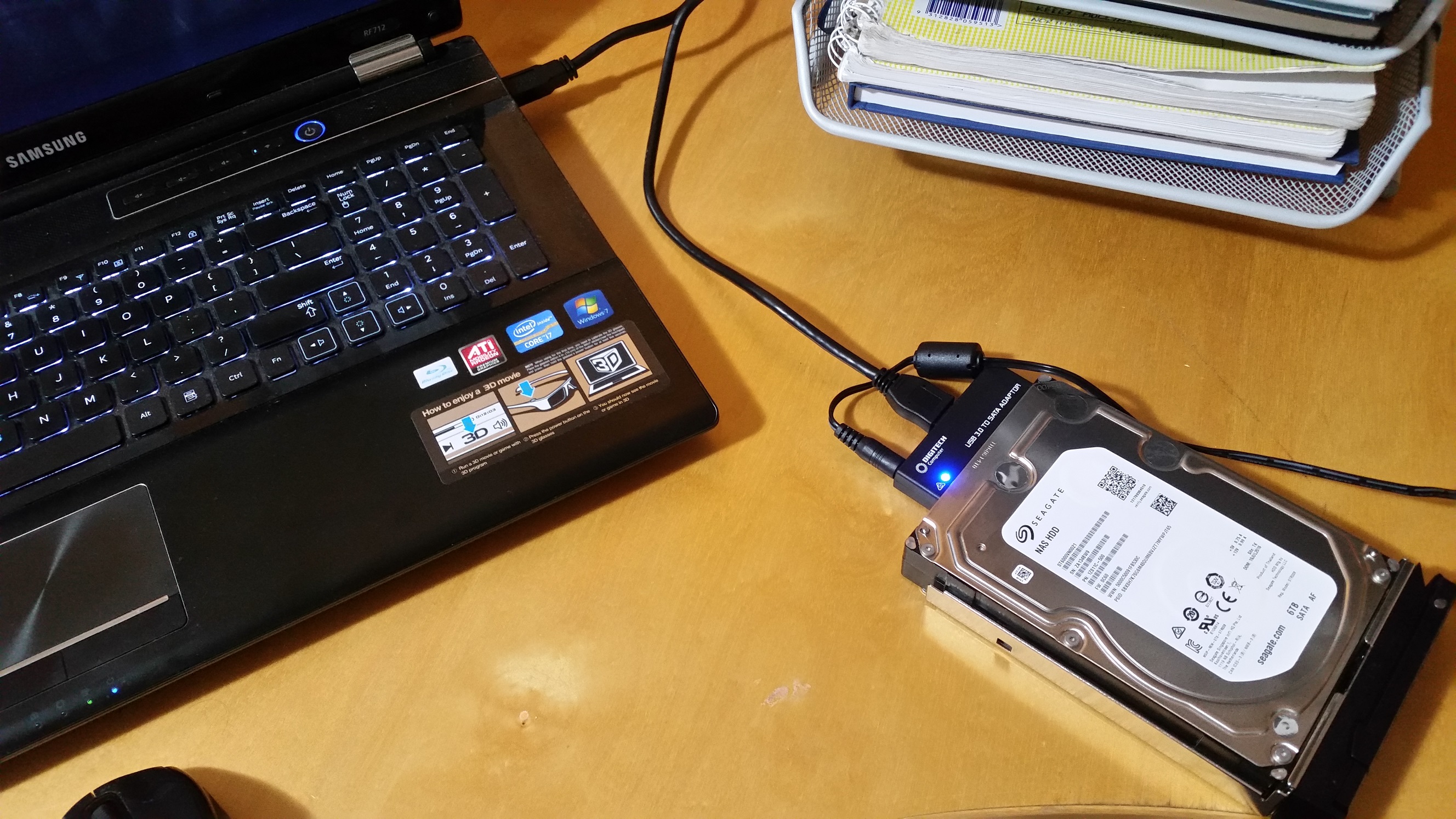
Hi. I have been trying to upgrade the firmware on my x4 Seagate 6TB NAS HDD - ST60000VN0021 from SC60 to SC61 without any luck. Below is how I have connected the SATA drive via USB.
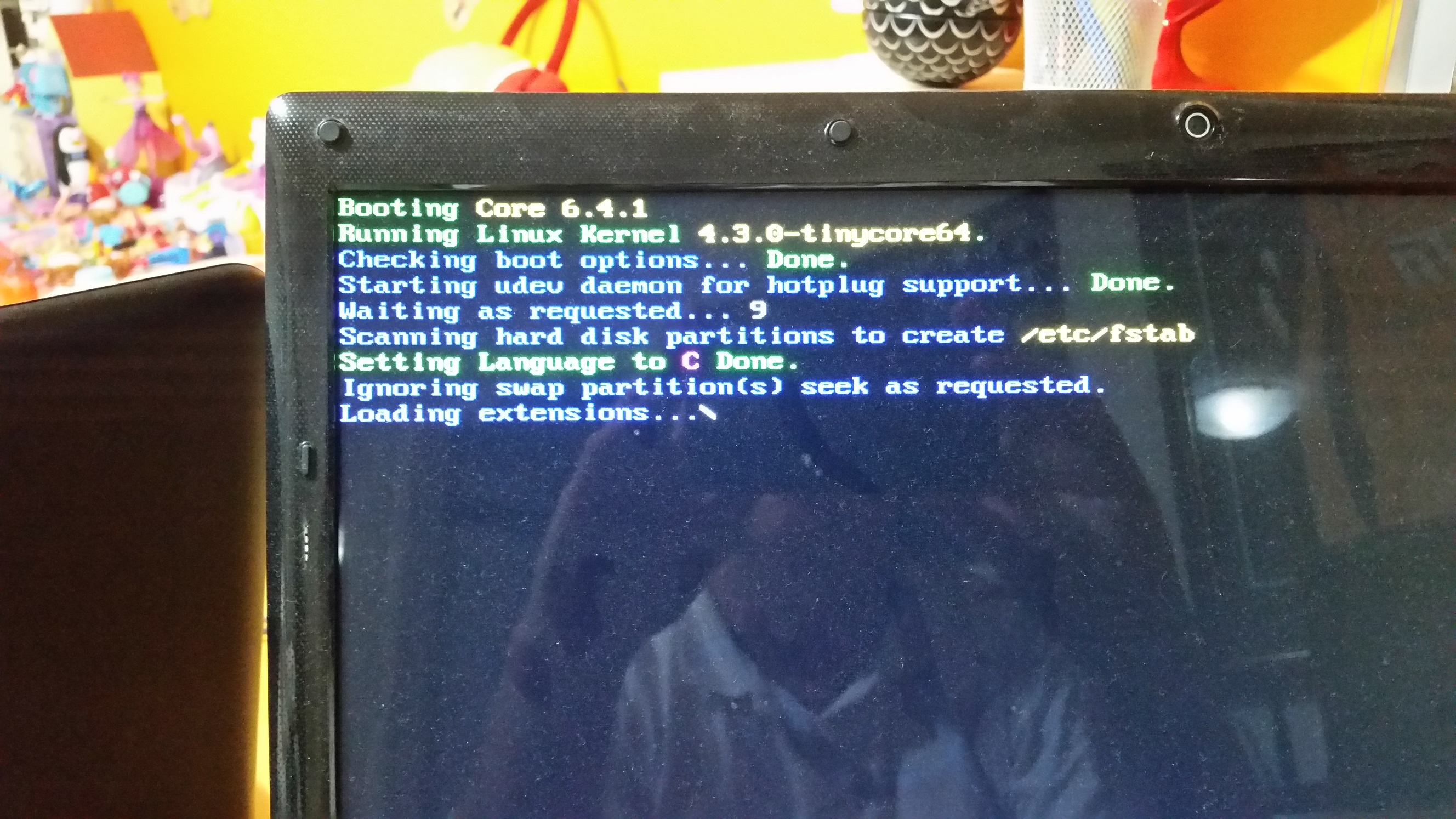
I have created the bootable USB drive as instructed but when I reboot the computer I keep getting the following message which seems to always stall. I have even left over night to see in something would happen.
Hoping someone could help me over come this problem of updating the firmware.
Related Content
NETGEAR Academy

Boost your skills with the Netgear Academy - Get trained, certified and stay ahead with the latest Netgear technology!
Join Us!
