NETGEAR is aware of a growing number of phone and online scams. To learn how to stay safe click here.
Forum Discussion

Campus
Jun 22, 2016Luminary
Avoid Seagate ST8000VN0002 - Horrible noise issue!
Hi, I have installed four of the Seagate ST8000VN0002 in my RN716x and just finished the resync of all disks. Unfortunately I now have an annoying beeping/humming noise when the disks are idling....

Kezooz
Dec 21, 2016Star
Hi. I have been trying to upgrade the firmware on my x4 Seagate 6TB NAS HDD - ST60000VN0021 from SC60 to SC61 without any luck. Below is how I have connected the SATA drive via USB.
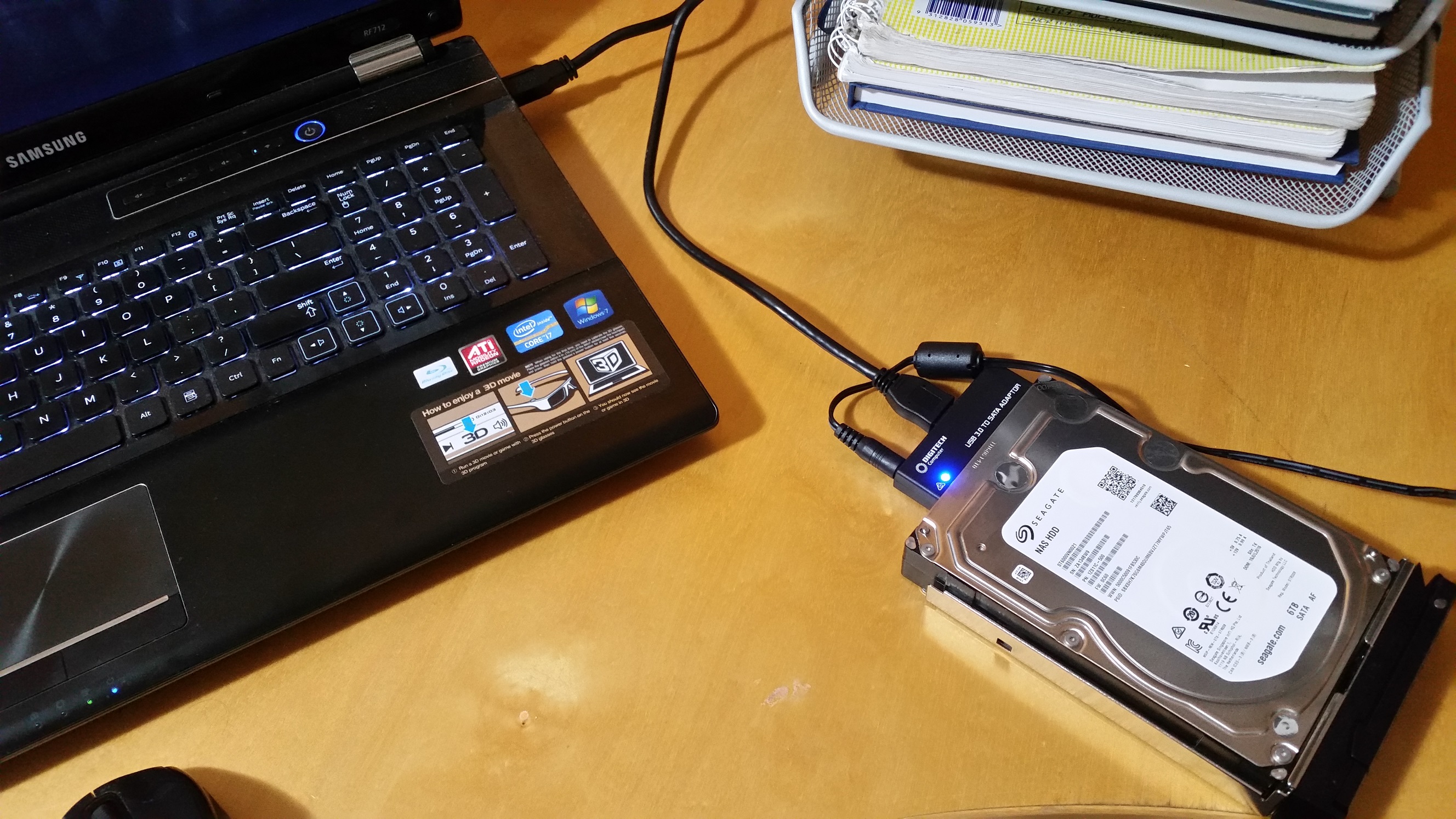
I have created the bootable USB drive as instructed but when I reboot the computer I keep getting the following message which seems to always stall. I have even left over night to see in something would happen.
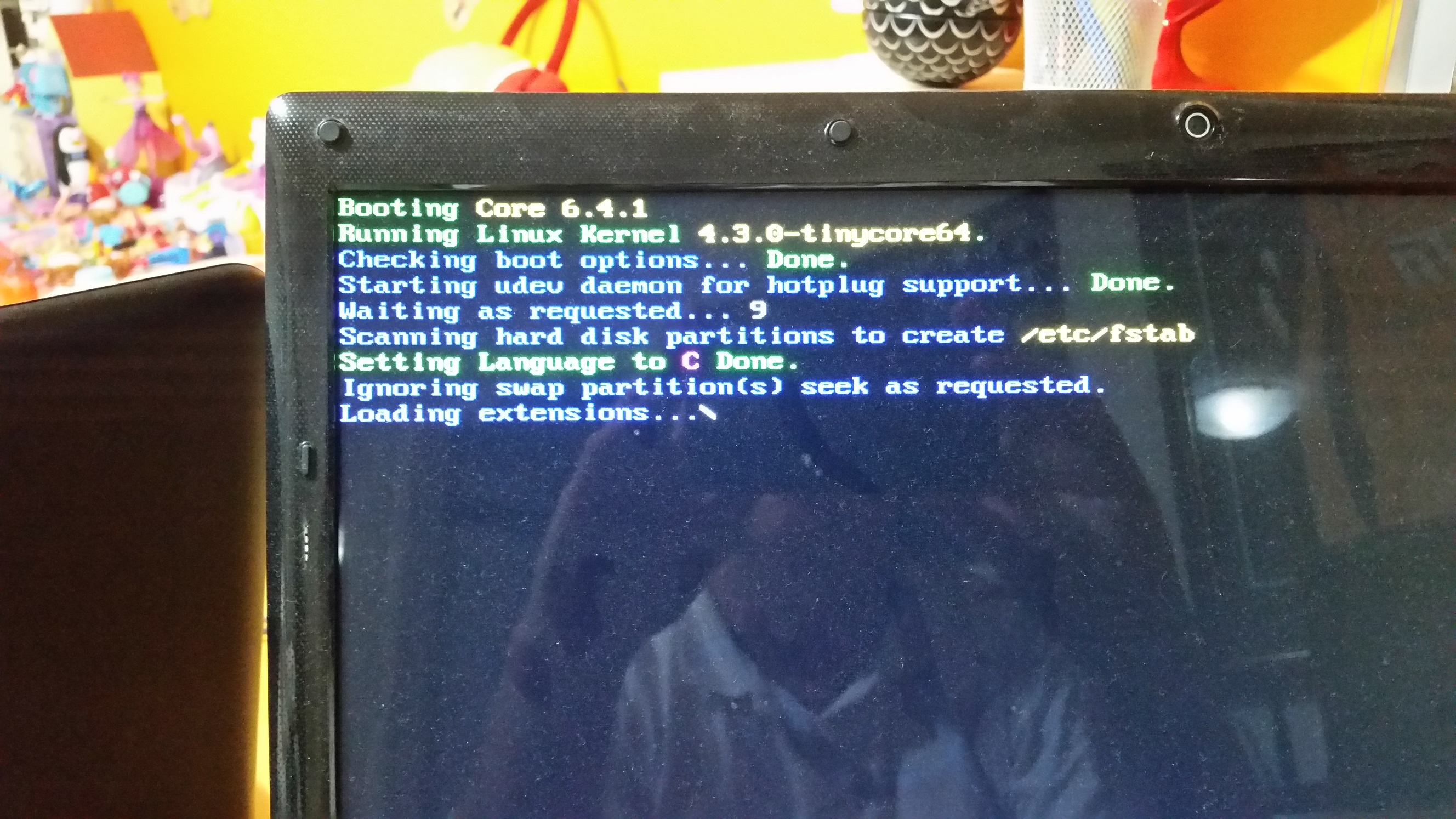
Hoping someone could help me over come this problem of updating the firmware.

nsne
Dec 21, 2016Virtuoso
Kezooz, the HDD you're updating has to be connected to SATA on the motherboard – not USB or even eSATA. I don't know of any laptops that would permit this. I went out and bought a cheap desktop PC on Craigslist primarily because of HDD firmware updates like this one.
 vysDec 21, 2016Tutor
nsne wrote:Kezooz, the HDD you're updating has to be connected to SATA on the motherboard – not USB or even eSATA. I don't know of any laptops that would permit this. I went out and bought a cheap desktop PC on Craigslist primarily because of HDD firmware updates like this one.
Not true. I used a very similar SATA to USB adapter using a PC laptop and it worked fine.
Related Content
NETGEAR Academy

Boost your skills with the Netgear Academy - Get trained, certified and stay ahead with the latest Netgear technology!
Join Us!
