NETGEAR is aware of a growing number of phone and online scams. To learn how to stay safe click here.
Forum Discussion

winchesterstoke
Feb 15, 2017Aspirant
Blue Flashing Night to NAS
I have a NAS RN10200 (which I got second hand). I've put a 2 and a 3 Tb disk in and tried to start the NAS... The blue light comes on but then after a short while now flashed continually? The sec...
xiao123
Feb 16, 2017NETGEAR Expert
Did you mean the act light flashing? when you operate with nas, such as upload files to it, or the nas is syncing, the act would flash, its a normal phenomenon.
winchesterstoke
Feb 16, 2017Aspirant
Hi, and thanks.
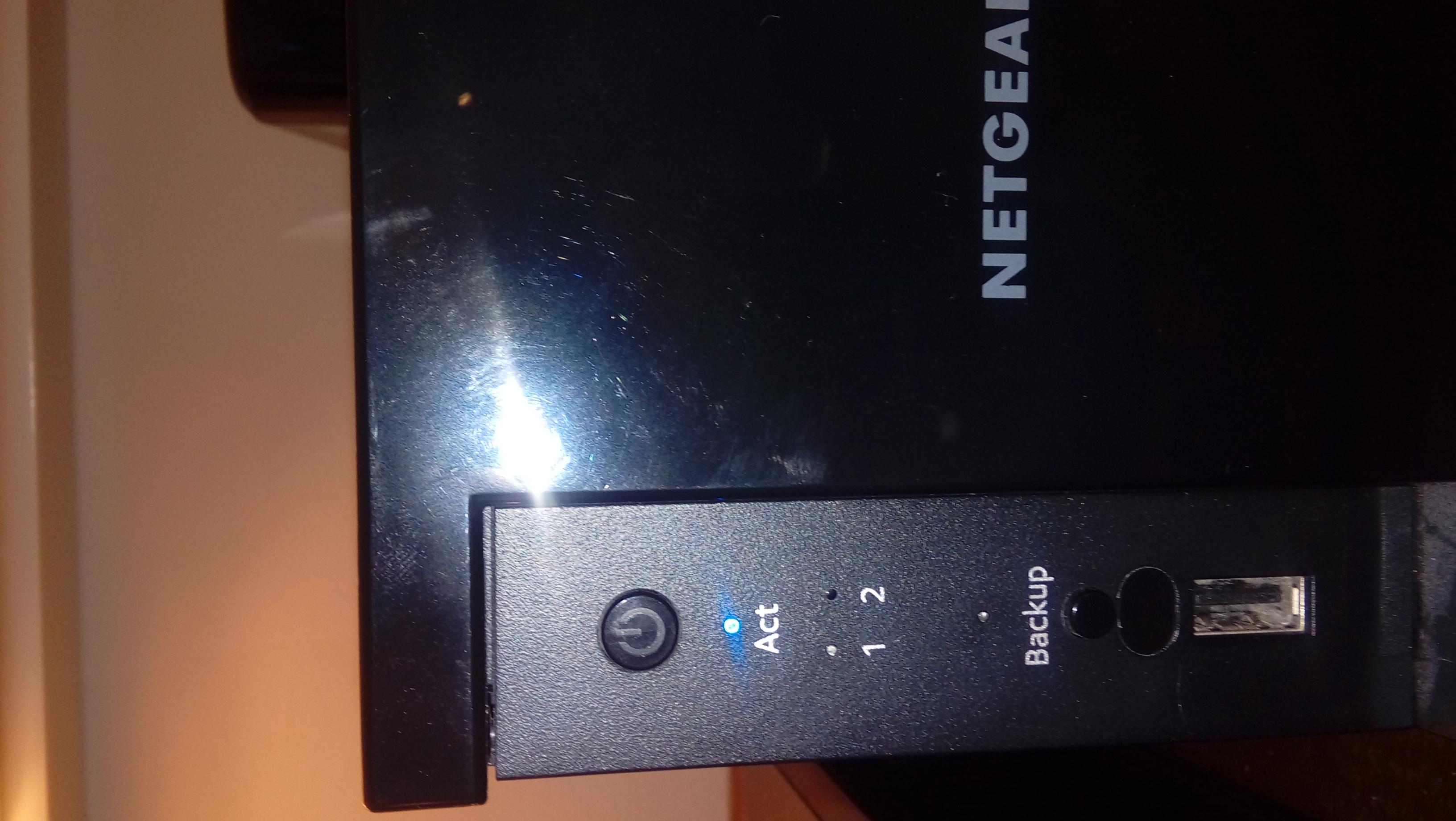
Just to try and make the clear: the blue light showing in this picture says "Act" with a blue light, and then above shows a flashing blue light,
I have left this NAS on for ~6 hours and it's not started apart from the blue lights.
Any idears please?
Thanks
- mdgm-ntgrFeb 16, 2017NETGEAR Employee Retired
So you're looking to wipe the disks and set the NAS up for the first time?
Have you tried a factory default (wipes all data, settings, everything)?: https://kb.netgear.com/22892/How-do-I-access-the-boot-menu-on-my-ReadyNAS-102-202-212-or-312- winchesterstokeFeb 21, 2017Aspirant
Thanks! I can now get a biy thirther!
Cheers!
- winchesterstokeFeb 22, 2017Aspirant
Hi, I still have a (big) problem!
I have done a factory reset and I thought I was now OK...but not.
I've done the rest (I believe?) reset but something is not good:
I then (in Windows) select "Setup" when saying "New ReadtNAS Discovery" - it now looks OK (after I'd done the reset and given it some time).
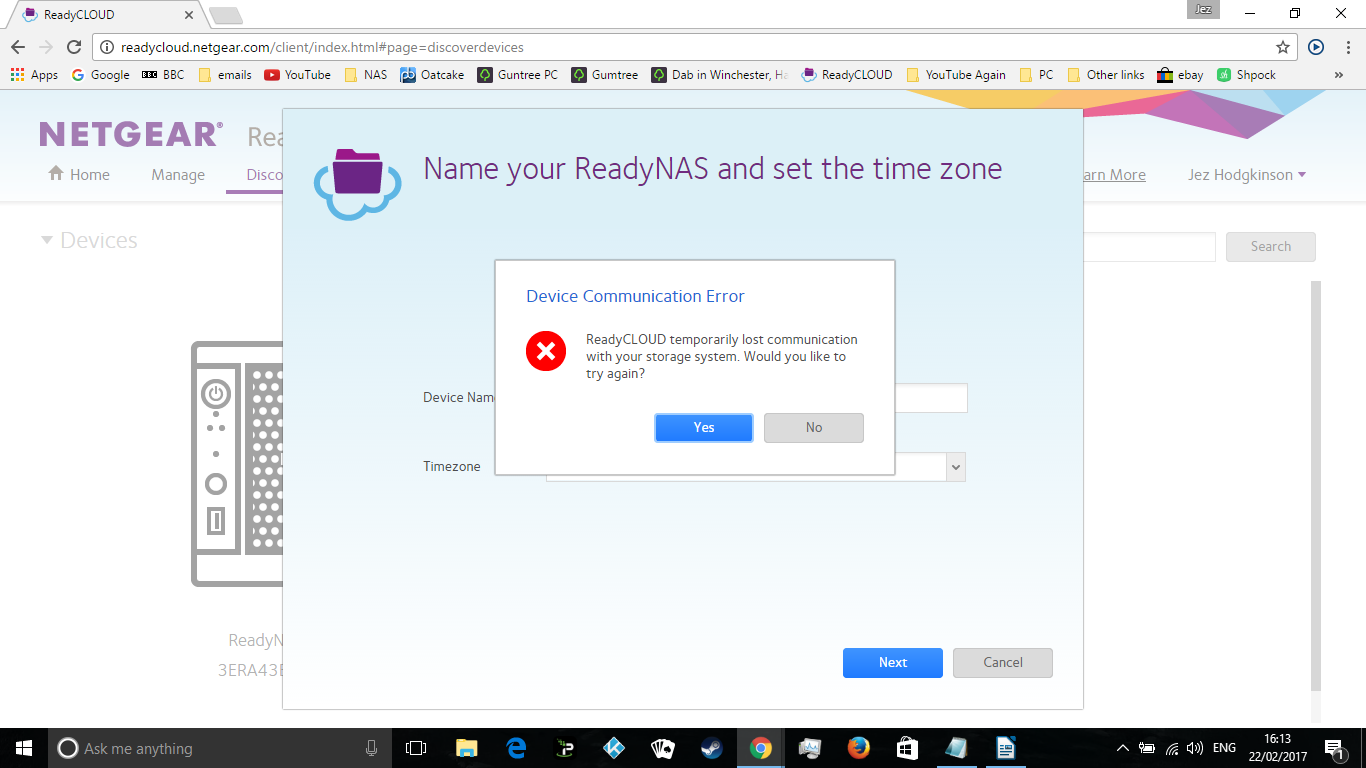
I then "Setup with ReadyCLOUD (Default)" . then "Next".
Then I get:
Any help please?
Thanks!
 StephenBFeb 22, 2017Guru - Experienced User
Log into the NAS directly (the so-called "offline" method). Use https://nas-ip-address/admin (using the real NAS ip address of course).

Related Content
NETGEAR Academy

Boost your skills with the Netgear Academy - Get trained, certified and stay ahead with the latest Netgear technology!
Join Us!
