NETGEAR is aware of a growing number of phone and online scams. To learn how to stay safe click here.
Forum Discussion

NASguru
Nov 03, 2016Apprentice
First impressions of RN626X and then some
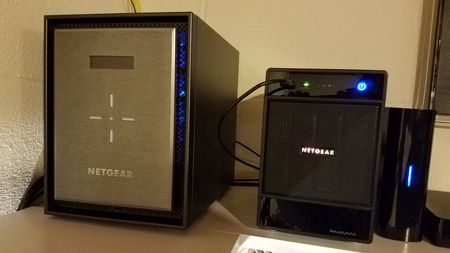
I finally made the jump from my old Ultra 4 Plus to the new RN626X and so far it's a very nice leap forward. I did have some challenges getting started which probably could have been avoided if I re...

StephenB
Nov 03, 2016Guru - Experienced User
NASguru wrote:
- No Volume maintenance? Disk scrubbing with Auto Parity Fix? Online File System Consistency Check? Is none of that necessary now? Is that what Bit Rot does?
Oops - thought I answered this one too.
There's a volume settings wheel on the volume tab that lets you schedule scrub, disk test, balance, and defrag. Balance is a btrfs thing.
NASguru
Nov 03, 2016Apprentice
StephenB wrote:
NASguru wrote:
- No Volume maintenance? Disk scrubbing with Auto Parity Fix? Online File System Consistency Check? Is none of that necessary now? Is that what Bit Rot does?
Oops - thought I answered this one too.
There's a volume settings wheel on the volume tab that lets you schedule scrub, disk test, balance, and defrag. Balance is a btrfs thing.
Got it and I totally missed that gear icon. Sort of hidden a bit if you just glance over it. Thanks!
- mdgm-ntgrNov 04, 2016NETGEAR Employee Retired
Thanks for your feedback.
- NASguruNov 04, 2016Apprentice
mdgm wrote:Thanks for your feedback.
No problem, you would happen to know if there is way to turn off power down notices when it's set by the schedule? I previously wrote the following:
- NAS is set to a power on/off schedule but I'm unable to turn off the Power Alert when it's a result of the schedule. I really don't need an email on it every day it shuts down due to the power schedule. Is there a setting I'm missing?

Related Content
- Jan 01, 2016Retired_Member
NETGEAR Academy

Boost your skills with the Netgear Academy - Get trained, certified and stay ahead with the latest Netgear technology!
Join Us!
