NETGEAR is aware of a growing number of phone and online scams. To learn how to stay safe click here.
Forum Discussion

123vern
Feb 17, 2023Aspirant
Nas 2100 reset problem
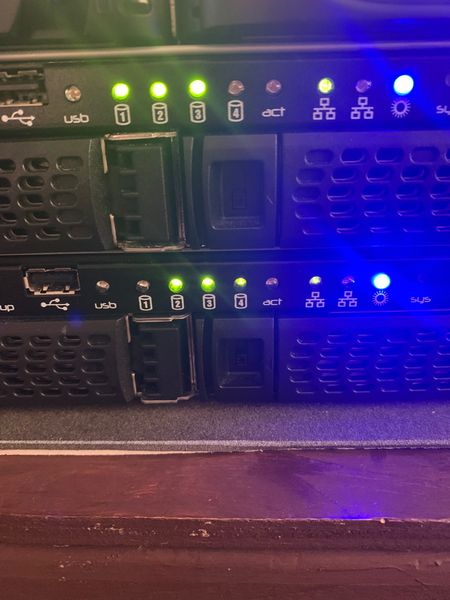
Hi before I go to the shed and get my sledge hammer I thought I would reach out to people far more knowledgeable than me. I have been for the past 12 hrs trying to reset my new to me 2100 series nas...
123vern
Feb 17, 2023Aspirant
Hi again I have pressed the off button and this has com up that isn’t my net mine is 192.168.1.xx
123vern
Feb 17, 2023Aspirant
Press admin and it says not accessible from this computer?
Cheers
 StephenBFeb 17, 2023Guru - Experienced User
123vern wrote:
Press admin and it says not accessible from this computer?
Well, of course it won't be if the IP address the NAS is using isn't on your subnet.
If RAIDar isn't showing the disks resyncing, then try doing an OS reinstall (not a factory default) from the front panel. Instructions are on pages 12-13 here:
- 123vernFeb 17, 2023AspirantHi and thanks I can get into it now but when I press admin page the browser I get security can’t access site download brave and still no good any hints
Thx- StephenBFeb 17, 2023Guru - Experienced User
123vern wrote:
Hi and thanks I can get into it now but when I press admin page the browser I get security can’t access site download brave and still no good any hints
ThxAre you seeing SSL version or cipher mismatch?
If so, there is quite a bit of info here: https://community.netgear.com/t5/New-ReadyNAS-Users-General/Workaround-for-ERR-SSL-VERSION-OR-CIPHER-MISMATCH-problem-for/m-p/2198243
The short answer:
Use one of these for initial access
- IE
- Edge in IE mode
- FireFox 94.0.2
- Current Firefox with TLS 1.0 allowed (see end of linked in thread)
Then install this add-on to add support for TLS 1.2 to the NAS:
Related Content
NETGEAR Academy

Boost your skills with the Netgear Academy - Get trained, certified and stay ahead with the latest Netgear technology!
Join Us!
