NETGEAR is aware of a growing number of phone and online scams. To learn how to stay safe click here.
Forum Discussion

comicrage
Jul 24, 2021Aspirant
ReadyNas 312 Swapped with 8TB WD, Netgear Storage is not accessible from this computer
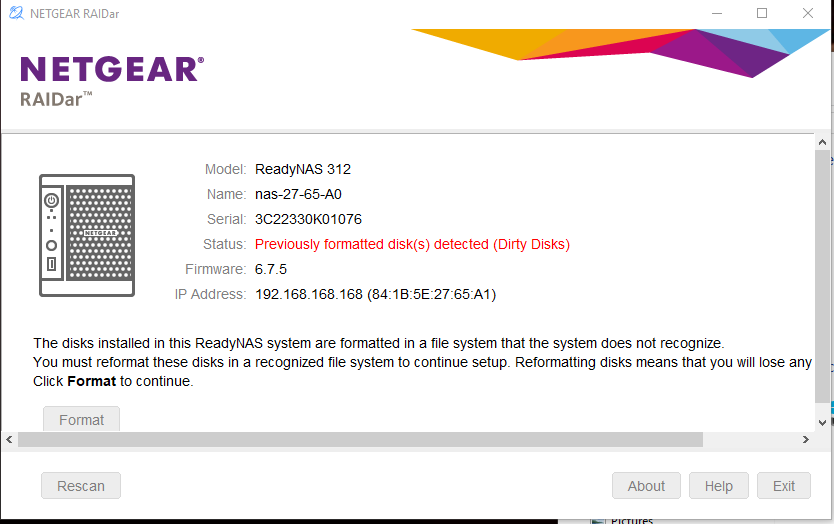
HI, I am a ReadyNas newbie, not a wiz. I got a ReadyNas Duo 312, that previously had 2 1TB SATA drives and working. I decided to buy 2 8TB SATA drives Seagate IronWolf 8TB NAS Internal Hard Driv...

StephenB
Jul 24, 2021Guru - Experienced User
You installed two new disks together, so the system did a fresh factory install. That switched the system to use DHCP - which won't work with a direct connect.
Options are to
- change your PC lan connection to be consistent with 192.168.168.x networks. For instance, use static IP 192.168.168.100, with a gateway of 192.168.168.1, and a subnet mask of 255.255.255.0. Then access https://192.168.168.168/admin
- connect the NAS to your router.
- power down the NAS, and install the original two disks. Power up. Then replace one at a time (waiting for the resync to complete on he first before hot-swapping the second). You likely will need to reformat both of the two Ironwolfs on the volume page again, in order to trigger the resync.
Related Content
NETGEAR Academy

Boost your skills with the Netgear Academy - Get trained, certified and stay ahead with the latest Netgear technology!
Join Us!