Forum Discussion

GLSkipper
Jan 13, 2017Tutor
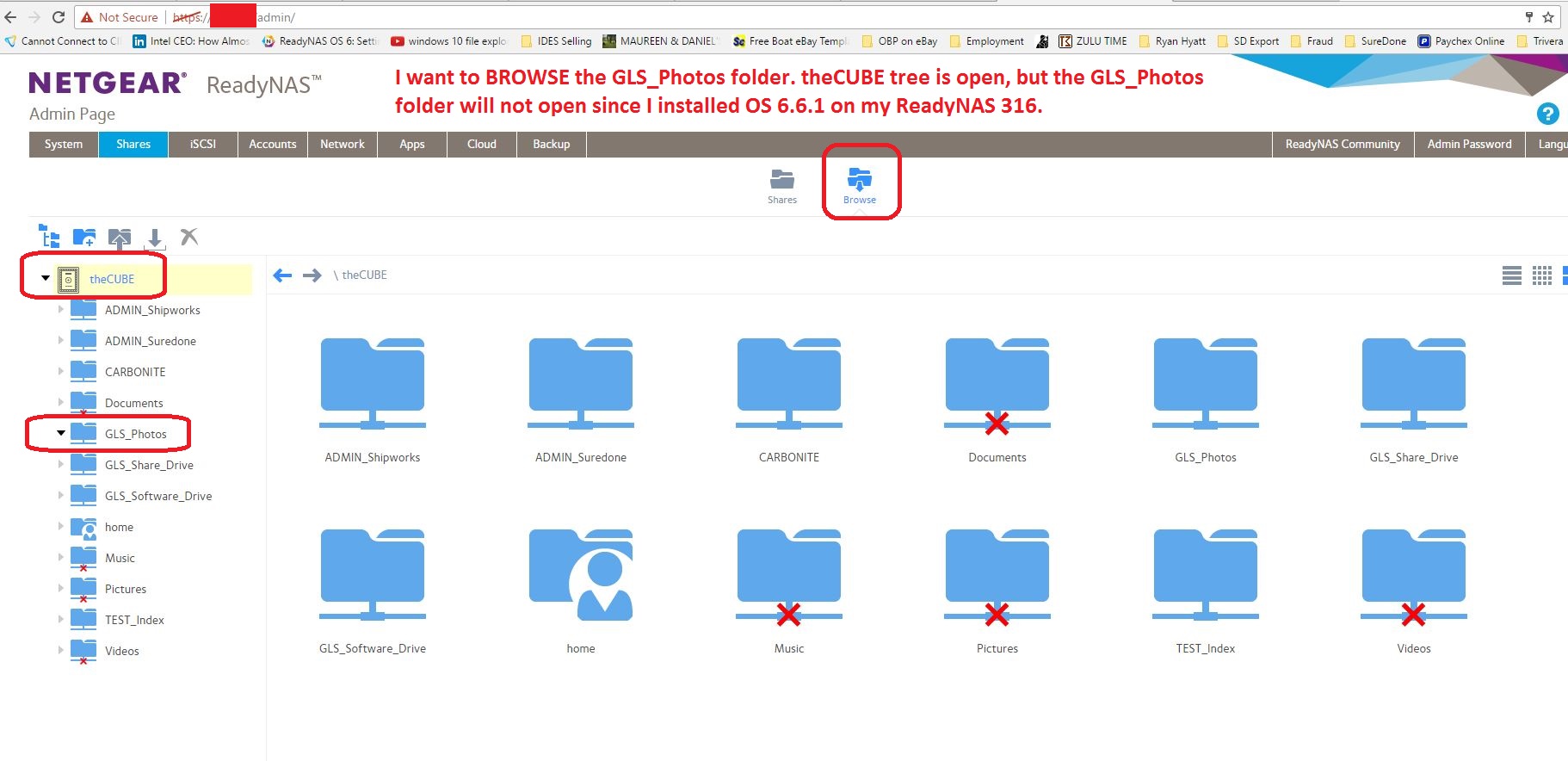
ReadyNAS Cannot browse shares after upgrade to OS 6.6.1
Good evening; Using ReadyNAS 316 with OS 6.6.0. Last night I upgraded to firmware 6.6.1 and rebooted all the servers and clients on my network. Today when I log into ReadyNAS via HTTP I canno...
 Jan 16, 2017
Could you please check if there's a domian user called "Admin" or "admin" in your AD? If yes, it's the problem, because it's with the same name as the NAS local "admin". It's a known issue in 6.6.1. And already fixed in 6.7.0 T build.

ohiomedic
Jan 14, 2017Aspirant
I'm still able to browse my share through the tab on the admin page. However prior to the update I wasn't able to access the .apps folder via the tab and had to goto https://localip/browse.html#path=%2Fdata%2F.apps in the address bar. After the new update that no longer works so I can no longer access the .app folder.
 GLSkipperJan 14, 2017Tutor
Hi Ohiomedic;
I see from your posts on your issue that you are having a similar issue.
I too can browse the folders from windows, but I need to be able to browse the folders from the admin page in my ReadyNAS, especially when I am trying to recover files.
I am new to this hardware and new to the forum. Please let me know if you discover any way to browse the folders from admin.
Thanks.
- FramerVJan 15, 2017NETGEAR Employee Retired
Hi GLSkipper,
Do you still have access to the share via SMB? Have you tried to disable HTTP access under System>Settings; power off the NAS then re-enable it?Regards,
- GLSkipperJan 16, 2017Tutor
Good morning FramerV;
Thank you for your reply. Yes, I still have access to the entire share using Windows Explorer via SMB. This means I can at least access our data. Because I am using the ReadyNAS in AD mode, I need to access the Admin section via HTTP.
Today we are in production mode, so I'll have to wait until after hours to attempt the HTTP disable and power cycle. I'm not clear what disabling HTTP will accomplish. That is how I access the admin section of the ReadyNAS. However, I also have HTTPS on, so if I turn off HTTP, I think I should be able to get in by HTTPS.
I'll check for any replies tonight before I proceed after hours.

Related Content
NETGEAR Academy

Boost your skills with the Netgear Academy - Get trained, certified and stay ahead with the latest Netgear technology!
Join Us!
