NETGEAR is aware of a growing number of phone and online scams. To learn how to stay safe click here.
Forum Discussion

Allard72
Jun 10, 2016Aspirant
0x80070035 fault after upgrade 6.5
After upgrade to 6.5 of My readynas Duo v2, No access to any NAS folders Access via Readycloud or connecting admin via IP is no problem. Directly from computers with Windows 7 and 10 or my Home ...
Bdxdev
Sep 01, 2016Aspirant
Same problem here guys, please help!!!!!!

StephenB
Sep 01, 2016Guru - Experienced User
Bdxdev wrote:
Same problem here guys, please help!!!!!!
I suggest you start your own thread, perhaps with some screenshots showing more exactly what you are doing.
Also provide your NAS model and the firmware installed (6.5.1???).
- BdxdevSep 01, 2016Aspirant
Same problem and same screenshot like this thread.
Ready Nas 104 - No problem on OSX, no way to access from explorer in windows 10, i can login only in webadmin panel
Firewall Disabled, same workgroup, i'm going to be crazy :O - StephenBSep 01, 2016Guru - Experienced User
Bdxdev wrote:
Same problem and same screenshot like this thread.
Ready Nas 104 - No problem on OSX, no way to access from explorer in windows 10, i can login only in webadmin panel
Firewall Disabled, same workgroup, i'm going to be crazy :OSo what happens on the windows pc if you open CMD and enter
net use * /delete
net use t: \\nasipaddress\data /user:admin nasadminpassword
If the first command asks for confirmation, let it proceed.
For the second, fill in the reall ip address and the real NAS admin password. It's very easy to mistype (slash direction and spaces both matter).
If it works, the NAS data volume will be mounted on the PC as drive T.
- BdxdevSep 01, 2016Aspirant
System said:
System error 86
Wrong Password!
I've typed the same admin panel password. - BrianL2Sep 01, 2016NETGEAR Employee Retired
Hi Bdxdev,
After executing the command posted by StephenB, kindly add the administrator page admin credential in your PCs Credential Manager -> Windows Credentials.
Hope this helps!
Kind regards,
BrianL
NETGEAR Community Team - BdxdevSep 01, 2016Aspirant
Credential Added but same error. No way :(
- BrianL2Sep 01, 2016NETGEAR Employee Retired
Hi Bdxdev,
Okay. Are you using ReadyCLOUD? If you are, can you confirm if your ReadyCLOUD accounts are also being used as e-mail addresses of your local ReadyNAS users (Accounts->Users)?
Kind regards,
BrianL
NETGEAR Community Team - BdxdevSep 01, 2016Aspirant
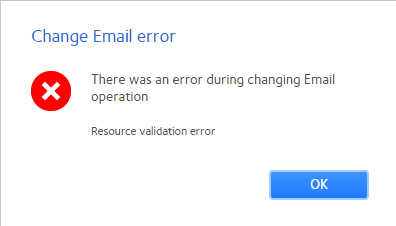
yes is the same, I've tried to change on readycloud but I have an Error!
- BdxdevSep 01, 2016Aspirant
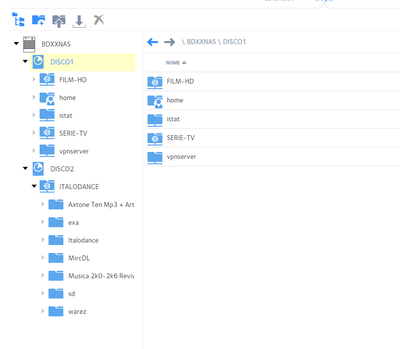
where i can find the name of the volume data?
- BdxdevSep 01, 2016Aspirant
i've tried this name, same error :( but why?
- BdxdevSep 01, 2016Aspirant
After password reset works! Thank you for your time! :)
- BrianL2Sep 01, 2016NETGEAR Employee Retired
Hi Bdxdev,
Which password has been reset? Also, tell us which have procedure have fixed your access issue.
Kind regards,
BrianL
NETGEAR Community Team - BdxdevSep 02, 2016Aspirant
The admin password of my nas.
- JennCSep 02, 2016NETGEAR Employee Retired
Hello Bdxdev,
Thank you for letting us know the status of the issue you have raised.
Please continue posting any suggestions, comments or questions you have about your product. Your contribution is greatly appreciated.
Regards,


Related Content
NETGEAR Academy

Boost your skills with the Netgear Academy - Get trained, certified and stay ahead with the latest Netgear technology!
Join Us!
