NETGEAR is aware of a growing number of phone and online scams. To learn how to stay safe click here.
Forum Discussion

chasg
Feb 28, 2017Aspirant
can't access config/admin page, and LCD always says "spinning up"
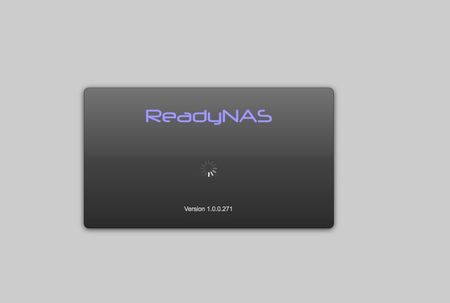
Hi All, I suddenly can't open the config page on any web browser (Mac, PC, Chrome, Safari, Firefox), and, concurrently, the LCD on the front of my ReadyNas NV+v2 always shows "spinning up" (I don...

FramerV
Mar 05, 2017NETGEAR Employee Retired
Hi chasg,
I would suggest that you do a back-up of you files for now.
Once done, try to do a disk check on your drives.
How many drives do you have installed?
Regards,
 chasgMar 06, 2017Aspirant
Hi FramerV, I really appreciate the reply.
All drive slots in the NAS are full:
- 3 x 4TB WD RED drives
- 1 x 3TB RED drive
They are in X-RAID2 configuration, about 2TB free space left of a total of 10TB available. Backing it up is not an option, I don't have a drive large enough (most space I've got free is 6TB).
Is a disk check risky? Can I run it without risking the data? I ran a volume scan on the last boot, all drives passed.
Yesterday it became unavailable on the network again (RAIDar didn't see it, I couldn't load the config page, the shares weren't showing on the network), and the display on the front of the unit said "Spinning Down" this time (vs "spinning up"). I had to pull the power in order to reboot it again.
Thanks again for any help.
Chas
 StephenBMar 06, 2017Guru - Experienced User
You could try paid support (my.netgear.com), asking for per-incident support. This might be a filling OS partition (hard to say).
chasg wrote:
Backing it up is not an option, I don't have a drive large enough (most space I've got free is 6TB).
This is risky, since RAID is not enough to keep your data safe. Even if you can't manage to back it all up, I think you should back up what you can (most critical files first).
- chasgMar 10, 2017Aspirant
Ah, I didn't know Netgear did support for old products, I'll get in touch.
I'm sure the OS is having a problem, I'd love to just do a reinstall, is that possible?
And your advice is appreciated, I'll start filling that 6TB drive with whatever I can from the NAS.
Related Content
NETGEAR Academy

Boost your skills with the Netgear Academy - Get trained, certified and stay ahead with the latest Netgear technology!
Join Us!
