NETGEAR is aware of a growing number of phone and online scams. To learn how to stay safe click here.
Forum Discussion

Shah079012
Feb 27, 2017Aspirant
lost access to READYNAS ULTRA 6
Hi everyone I have a very tricky proble and I have tried a million ways to fix it. here goes
ReadyNAS Ultra6, up till recently has been active and working on my network just fine but recently w...
- Feb 27, 2017
The default admin password for RAIDiator 4 is 'netgear1' (no quotes)

Shah079012
Feb 28, 2017Aspirant
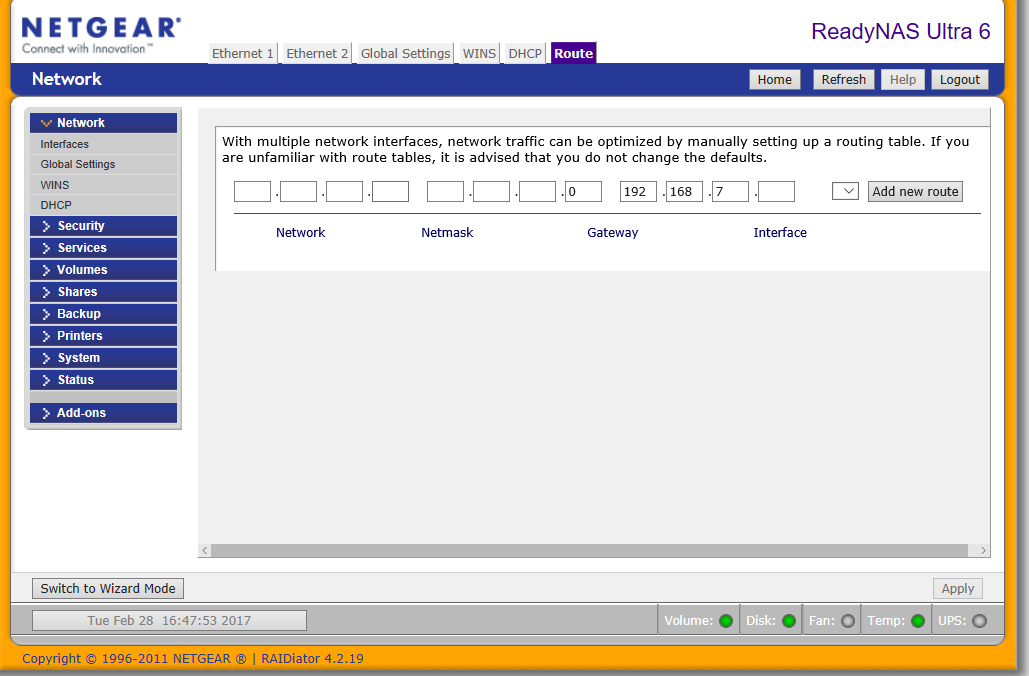
is it perhaps something to do with this?
Shah079012
Feb 28, 2017Aspirant
PS I have tried updating tot he newest firmware but the "check for update" uner "remote" fails and it appears there is no newer firmware version available anyway according to
http://kb.netgear.com/20684/ReadyNAS-Downloads
- Shah079012Feb 28, 2017Aspirant
if it helps also the
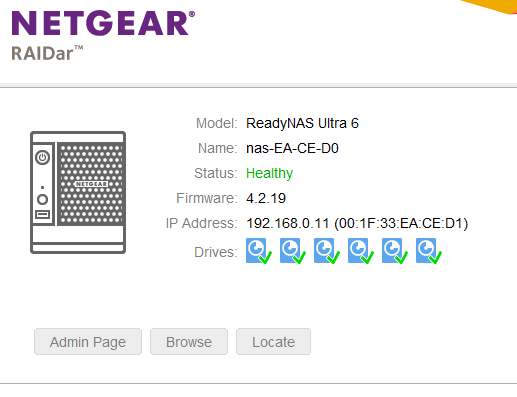
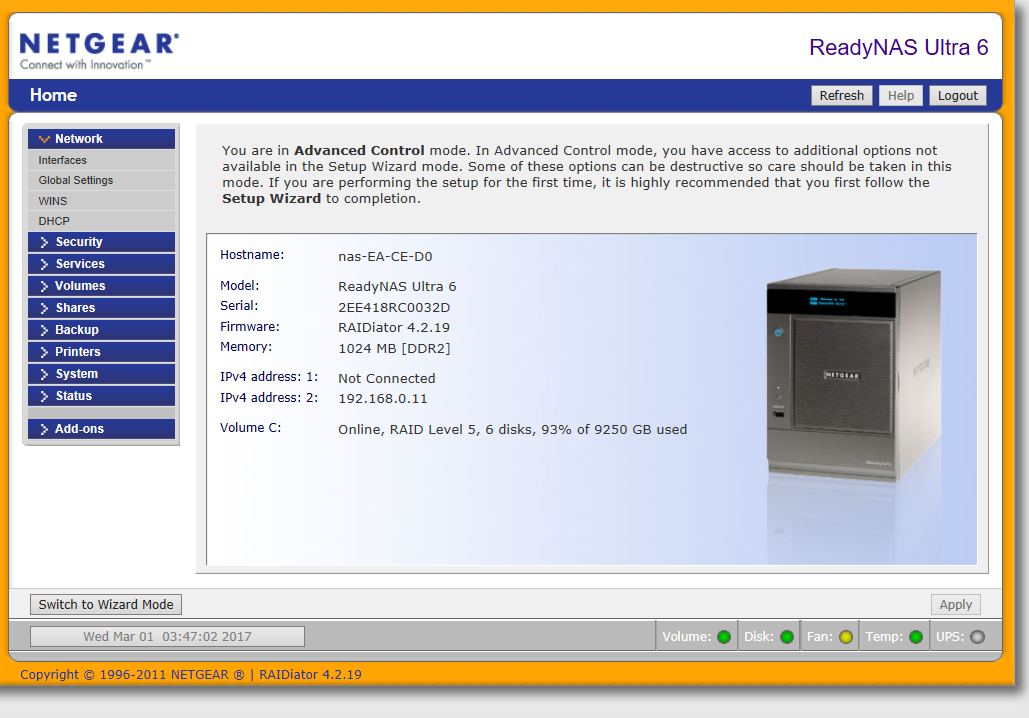
IP of the drive (per RaidAr) is 192.168.0.11
IP of the drive (per windows via direct cabling) is 192.168.168.168
I am still to work out what to manually assign the I.P. to as per the instructions as I am a little hazy on how the I.P. thing works according to the instructions below,.........
. Make a note of the existing IP address range that is used on the LAN. This can be done from a Windows PC which is currently working on the LAN.
Open a command prompt, Click Start > type CMD.
In CMD type ipconfig and hit enter..png)
In this example the existing network subnet is 192.168.1.0/24, a host IP address in the range of 192.168.1.2 through to 192.168.1.254 will allow a host access to the network.
The network subnet in your network can be different, the values used here are just for example and will not work in every network. StephenBFeb 28, 2017Guru - Experienced User
The best approach here is to reserve an address for the NAS in your router. That combines all the benefits of the a static address with the benefits of router management.
So I'd look there first.
Don't mess with the route page.
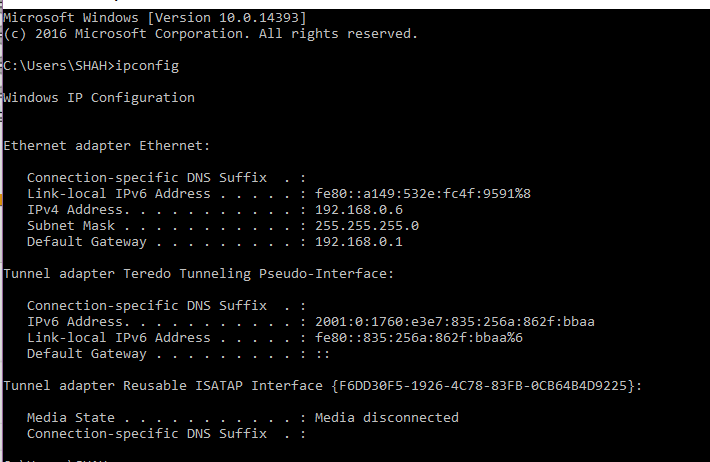
Your screen shot shows 192.168.0.x for the ReadyNAS, but your PC is clearly using is 198.168.1.x. So something is wrong with your overall setup. Can you tell us more about what your network looks like (routers, access points, switches). It looks like you might have two routers deployed (at least two DHCP servers).
- Shah079012Feb 28, 2017Aspirant
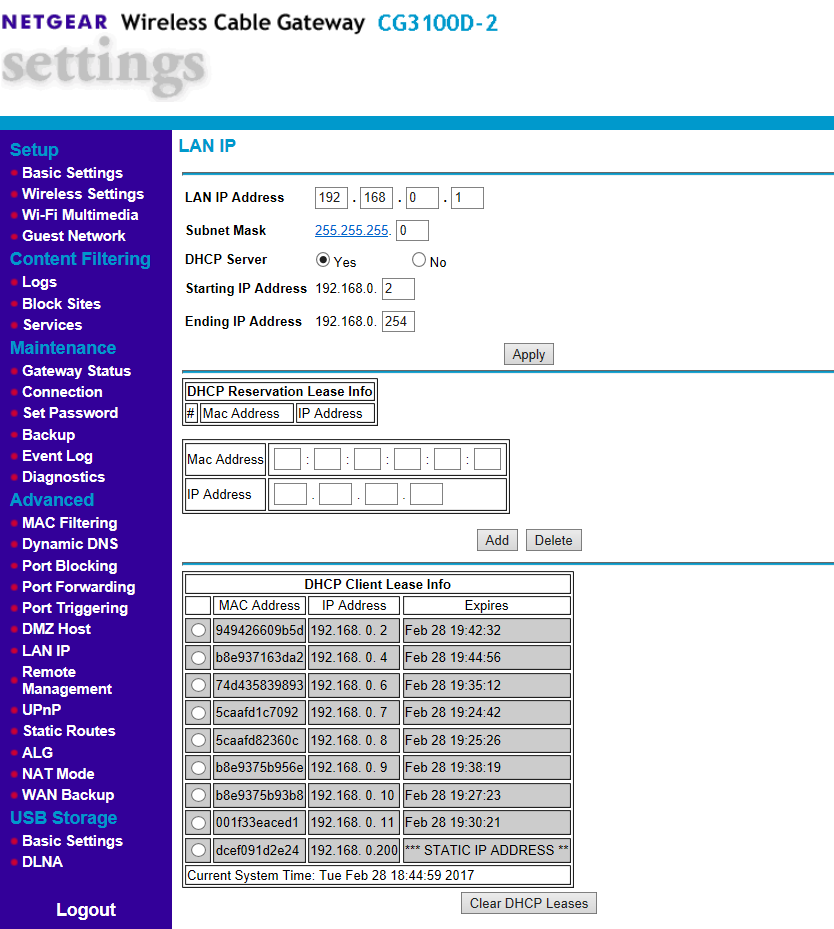
Hi Stephen, thanks for your reply, set is as follows (Screenshots below)
Netgear router which is connected to the net (and functioning correctly)
ReadyNAS Ultra 6 conencted to router
Desktop PC - also connected to router
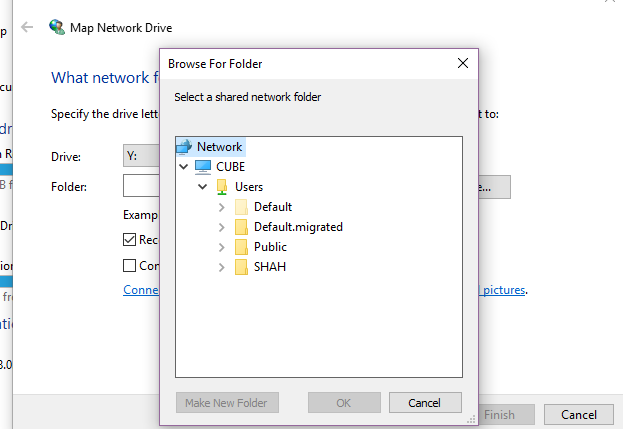
Raidar resutls of drive when connected in the above configuration (after os reset) raidar can see the drive but the drive itself but it is no longer accessable (where it has been for years) as a drive, and wont map
Related Content
NETGEAR Academy

Boost your skills with the Netgear Academy - Get trained, certified and stay ahead with the latest Netgear technology!
Join Us!
