NETGEAR is aware of a growing number of phone and online scams. To learn how to stay safe click here.
Forum Discussion

Rahul_CR
Apr 22, 2021Follower
NAS RN42400 Password reset
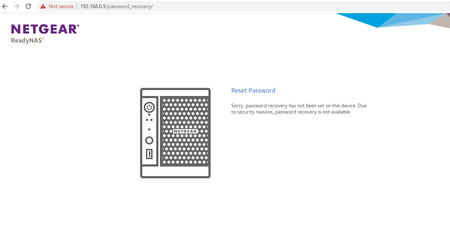
Hi, I am new to this NAS, Its been already used by an ex- employee. He had done some configurations made on it and there's still some unused data in it. Now I try to log in through the console(Brow...

StephenB
Apr 22, 2021Guru - Experienced User
Rahul_CR wrote:
Tried with the hard reset, But the device stuck on BOOT MENU nothing happend.
A "hard reset" - also known as a factory default - will delete all the data on the NAS (reformatting the disks and starting from scratch). If that is your intent, then you can use the procedure for factory default in the manual - pages 97-98 here: https://www.downloads.netgear.com/files/GDC/READYNAS-100/ReadyNAS_%20OS6_Desktop_HM_EN.pdf
You can also just remove the disks and zero them (or unformat them). If you then put them back in the NAS and power up, it will do a factory install.
Rahul_CR wrote:
The password is incorrect message is displayed
If the goal is to simply reset the password, you can use the OS reinstall procedure (on the same pages in the manual). That will reset the password back to password. It will also reset the network configuration to use DHCP with no bonding, and it will disable volume quota (on the volume settings wheel).
Also, check that the old admin password was not saved in the browser, as applying the old password automatically can also give you that message.
Related Content
NETGEAR Academy

Boost your skills with the Netgear Academy - Get trained, certified and stay ahead with the latest Netgear technology!
Join Us!
