NETGEAR is aware of a growing number of phone and online scams. To learn how to stay safe click here.
Forum Discussion

greb
Sep 26, 2016Aspirant
Re: IP Address "This Site Can Not Be Reached"
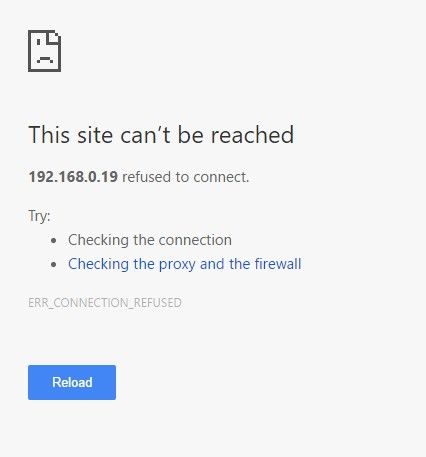
Hi, I've similar problems. I can't access the frontview of my ReadyNas Duo any more. Didn't have problems for years. About 1 week ago I was not able to access the data any more. I rebooted severa...
- Oct 11, 2016
Well it seems there was also a problem with the root filesystem. Backing up the contents of the root filesystem, creating a fresh filesystem and restoring the contents of the root filesystem was done.
The system is working fine now on 4.1.15.The 36 ATA errors would be due to the WD Blue disk not supporting TLER and running 4.1.6 (the last Sparc firmware release to not support using WD drives that don't support TLER).
I think the drive bay is probably fine. But I guess keep an eye on the system for a while.


StephenB
Sep 28, 2016Guru - Experienced User
Do you have a backup?
Also, does the duo use a static IP address?
- mdgm-ntgrSep 29, 2016NETGEAR Employee Retired
It seems that disk 1 failed, but the parity disk is fine.
The Duo is running 4.1.6 (the last Sparc firmware that doesn't support using disks that don't support using TLER).The replacement disk is a WD Blue (I would have suggested getting e.g. WD RED).
I think there's a fair chance that drive bay 1 may be faulty but we'd know more after you've completed your backup and tried a factory reset. I'm not sure whether the ATA errors on the new disk are due to it not supporting TLER or whether they would suggest a problem with the drive bay.
The ATA error count of over 4000 for the old disk was huge so I'd suspect the drive bay may have failed. Not being able to look at the logs does mean that I'm guessing.
This is a fairly difficult situation to troubleshoot on our vintage systems on the Sparc platform. We don't have this issue with any of our models that we've announced since we announced the Duo way back in 2008.Considering the system's age it may be about time you got a new ReadyNAS e.g. a RN212.
- mdgm-ntgrOct 11, 2016NETGEAR Employee Retired
Well it seems there was also a problem with the root filesystem. Backing up the contents of the root filesystem, creating a fresh filesystem and restoring the contents of the root filesystem was done.
The system is working fine now on 4.1.15.The 36 ATA errors would be due to the WD Blue disk not supporting TLER and running 4.1.6 (the last Sparc firmware release to not support using WD drives that don't support TLER).
I think the drive bay is probably fine. But I guess keep an eye on the system for a while.
Related Content
NETGEAR Academy

Boost your skills with the Netgear Academy - Get trained, certified and stay ahead with the latest Netgear technology!
Join Us!
