NETGEAR is aware of a growing number of phone and online scams. To learn how to stay safe click here.
Forum Discussion

christianrogari
Nov 22, 2020Aspirant
ReadyNas 10200 - replacing bad disk on a RAID 1 configuration?
Hello to everyone, I'm having some problems on my ReadyNas 10200, already configurated in Raid1 with a Single HDD a couple of years ago, after added the second HDD a few days ago. Before adding the...

Sandshark
Nov 23, 2020Sensei
I don't know why you opened a new topic for what you already started in another. The progression you saw, as was explained in the other thread, is perfectly normal, at least up until the completion of the sync. The wording of the messages may make it sound otherwise, but it's not an indication of anything amiss.
You went from a healthy, intentionally non-redundant volume to a degraded (not redundant) volume that is intended to be redundant. The NAS simply changed the definition of exactly the same redundancy state based on the desired final condition and then started the sync process to establish the redundancy.
The only issue here is that the RAID sync did not complete properly. It has absolutely nothing to do with the process you followed or the messages you saw along the way, which were all quite normal. One possibility is that the new drive is faulty. The old one may have developed a problem duing the sync, but I think you'd see much worse symptoms (a dead volume) if that were the case.
Powering down the NAS and testing each drive using a PC and vendor tools is a good next step. I actually always do that before I ever add a drive to an array. There may also be clues in the downloadable log .zip file.
Sandshark
Nov 24, 2020Sensei
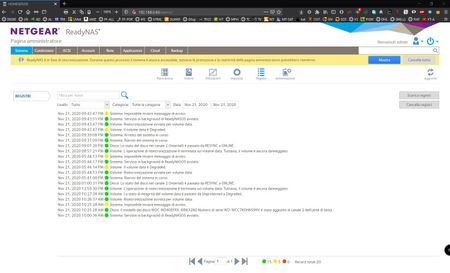
Yes, that .zip file. In English, it's the "Logs" page, but from your snapshopt above, that's what it is in Italian.
Related Content
NETGEAR Academy

Boost your skills with the Netgear Academy - Get trained, certified and stay ahead with the latest Netgear technology!
Join Us!
