NETGEAR is aware of a growing number of phone and online scams. To learn how to stay safe click here.
Forum Discussion

7eDigital
Jan 06, 2013Aspirant
This share operation failed. Code: 1002030814
ReadyNAS NV+ v2 with RAIDiator 5.3.7
Error Code: 1002030814
I'm having an issue with my ReadyNAS that causes an error code every time a permissions option is changed I get error code: 1002030814. I have had this issue a couple days after getting the device setup, but all permission settings were applied without issue. Now it seems that settings are no longer being applied. I have tried resetting the permissions, but nothing seems to work. I'm trying to figure out whats causing this, and I don't want to work around the problem by logging in with SSH and manually setting the permissions.
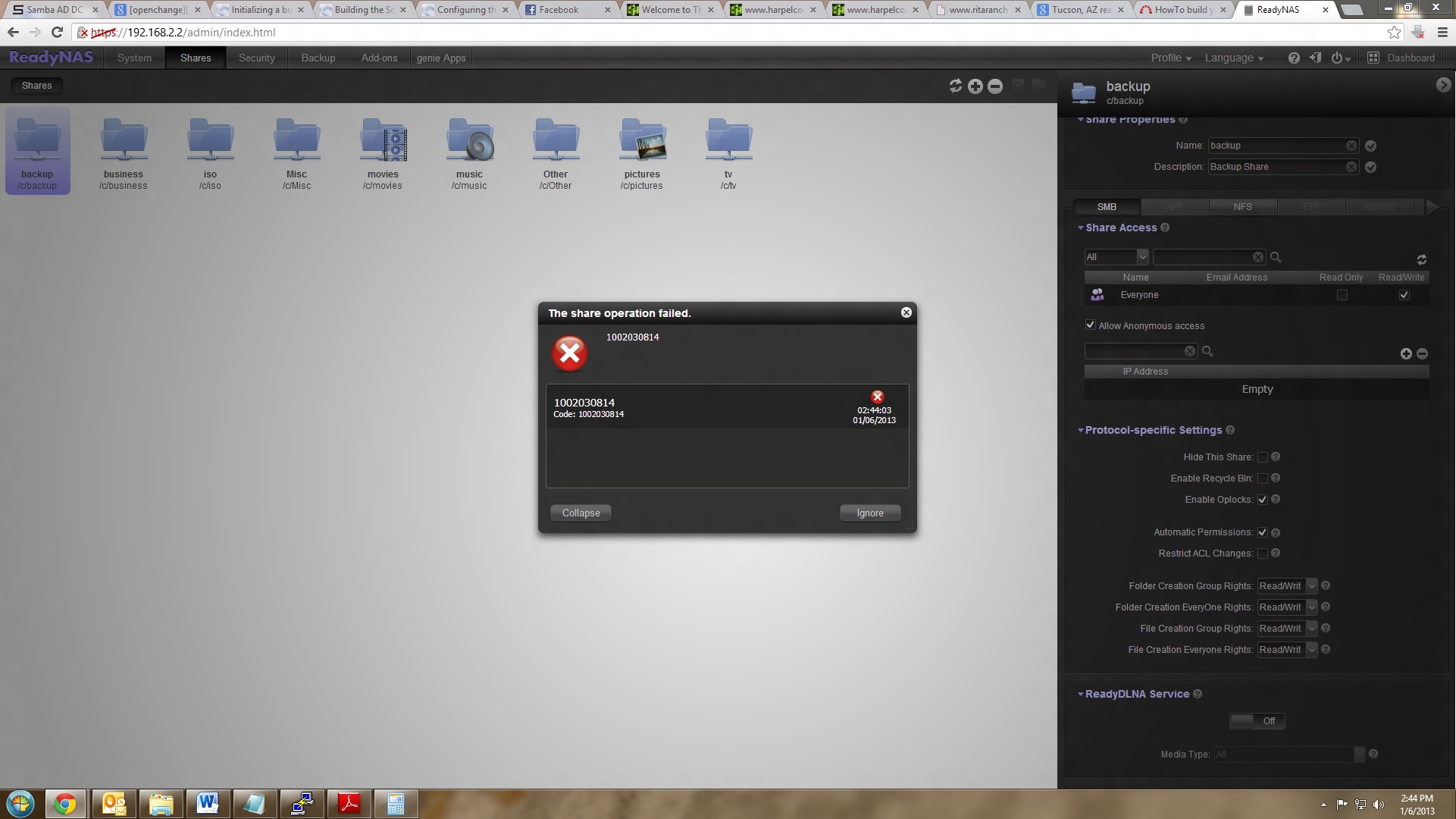
View full image at: http://7eDigital.com/permission_error.jpg
Error Code: 1002030814
I'm having an issue with my ReadyNAS that causes an error code every time a permissions option is changed I get error code: 1002030814. I have had this issue a couple days after getting the device setup, but all permission settings were applied without issue. Now it seems that settings are no longer being applied. I have tried resetting the permissions, but nothing seems to work. I'm trying to figure out whats causing this, and I don't want to work around the problem by logging in with SSH and manually setting the permissions.
View full image at: http://7eDigital.com/permission_error.jpg
1 Reply
Replies have been turned off for this discussion
 7eDigitalAspirantI called Netgear tech support and they attempted to fix the issue to no avail. So they attempted an OS re-install while leaving the data in tacked, but the issue still remains. There last remedy is to backup data to an external HDD and do a factory reset.
In an attempt to avoid backing up to an external HDD I connected both of the 2 hard drives in the ReadyNAS to a Linux box, but the partitions are marked as RAID and unknown. I assume the partition is ext3, but I was unable to force mount it. This is frustrating, but I suppose I'll backup to an external hard drive before the factory reset.
Related Content
NETGEAR Academy

Boost your skills with the Netgear Academy - Get trained, certified and stay ahead with the latest Netgear technology!
Join Us!
