NETGEAR is aware of a growing number of phone and online scams. To learn how to stay safe click here.
Forum Discussion

Shah079012
Mar 09, 2017Aspirant
ReadyNAS Ultra 6 Plus
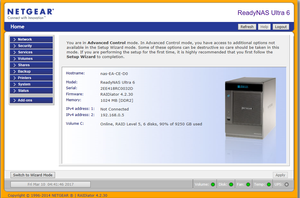
Good morning, can I please get a techincal contact to remotely login to my NAS (ReadyNAS Ultra 6) login code 52944 and latest screenshot below. Netgear ReadyNAS Ultra 6, Firmware 4.2.3.0 I have had...
Shah079012
Mar 10, 2017Aspirant
many thanks for taking a quick look, this seemed to fix the issue last time, i have tried os re-install already this morning a couple of times to no effect. I gave my login access previous and permission but im not exactly sure what he did for me. From all of the forums i have read on the net and on here I cant find any solid answers on how to remedy this other than "Replaced the SMB config file with the default one and now the share is accessible over SMB". that seemed to do the trick last time. though i cant find any instructions on how to do this. Are there any available?
many thanks for your assistance
Shah079012
Mar 10, 2017Aspirant
i can provide the log file printouts if that would help also
 Ki_Adi_MundiMar 10, 2017NETGEAR Employee Retired
I had remote access, so logs are not necessary.
Seems some settings lost in /etc/default/services, may try re-set something, can you enable CIFS in Services->Standard File Protocols by admin UI ?
- Shah079012Mar 10, 2017Aspirant
done
- Shah079012Mar 10, 2017Aspirant
actually just doing that seemed to work! unless you did something in the last minute
Related Content
NETGEAR Academy

Boost your skills with the Netgear Academy - Get trained, certified and stay ahead with the latest Netgear technology!
Join Us!
