NETGEAR is aware of a growing number of phone and online scams. To learn how to stay safe click here.
Forum Discussion

christianrogari
Nov 22, 2020Aspirant
ReadyNas 10200 - replacing bad disk on a RAID 1 configuration?
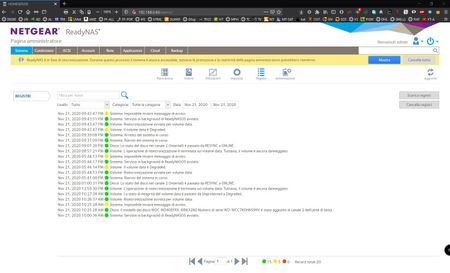
Hello to everyone, I'm having some problems on my ReadyNas 10200, already configurated in Raid1 with a Single HDD a couple of years ago, after added the second HDD a few days ago. Before adding the...

christianrogari
Nov 23, 2020Aspirant
good evening Sandshark,
when you talked about the downloadable zip file you mean the zip registry file which I could download from the registry tab or something else?....If you're talking about it, then I downloaded it today, but there's a lot of files inside and I can't understand what I need to search and check...inside the zip also there's a "volume" txt file, I opened it...there's many infos about the two disks, also about the disks' sectors but It seems to be alright...
Maybe is there any particular txt file that i could cut and copy here to let you check if there is something wrong?... maybe you might be able to find the problem to solve right away..............

StephenB
Nov 23, 2020Guru - Experienced User
christianrogari wrote:
If you're talking about it, then I downloaded it today, but there's a lot of files inside and I can't understand what I need to search and check...inside the zip also there's a "volume" txt file,
Please cut/paste mdstat.log into a reply, and then we can go from there. The "insert code" </> tool in the toolbar is useful for that.
It would also be useful to power down the NAS, and test drive 2 with WD's lifeguard program in a PC.
Related Content
NETGEAR Academy

Boost your skills with the Netgear Academy - Get trained, certified and stay ahead with the latest Netgear technology!
Join Us!
