NETGEAR is aware of a growing number of phone and online scams. To learn how to stay safe click here.
Forum Discussion

audrajhust
Oct 12, 2018Follower
Orbi RBR50 wifi connection not working and sending 404 - not found message
We have an Orbi RBR50 that I purchased and installed to create a stronger wifi network for streaming and multiple device usage. The only device it will let connect to it properly is my MAC and even then if I try to click on a link it sends an error message 404 - Not Found. If I try to login to the orbi wifi network throught say Netflix or Hulu or actually any of our devices it will not work properly. It says we are not connected to the internet or it won't allow the apps to actually run. Help please!
25 Replies
 tucsonticoVirtuoso
Please tell us more about your setup, i.e., what firmware is your ORBI running, what channels are you on for WiFi, what internet provider equipment do you have and how is it connected to your ORBI, etc.? The information in your original post is not enough to suggest any troubleshooting process other than to reset the ORBI to factory defaults, reload the currrent firmware and manually reconfigure it.
- FURRYe38Guru - Experienced User
What FW is currently loaded?
What is the Mfr and model# of the ISP modem the NG router is connected too?
What is the size of your home? Sq Ft?
What is the distance between the router and satellite(s)? 30 feet is recommended in between them to begin with depending upon building materials.
What channels are you using? Auto? Try setting manual channel 1, 6 or 11 on 2.4Ghz and any unused channel on 5Ghz.
Any Wifi Neighbors near by? If so, how many?
Try disabling the following and see:
MIMO, Daisy Chain, Fast Roaming, IPv6 and Set 20/40Mhz Coexistence to 40Mhz only. Save settings and reboot the router and satellite(s).
If you updated to recent FW v.210, try enabling Daisy Chain. Some have mentioned that this seems to be working in reverse order, enabling means disabled actually. Hoping NG support can have a look at this. So try this out as well.
https://community.netgear.com/t5/Orbi/Firmware-2-2-1-210-and-connection-problems-Skybell/m-p/1649275/highlight/true#M43001- VicManAspirant
I experienced the same problem, Netflix was not working and some 404 in web browsing, I just disable daisy chain and now everything is working fine
- ekhalilMaster
VicMan wrote:
I experienced the same problem, Netflix was not working and some 404 in web browsing, I just disable daisy chain and now everything is working fine
It's very strange that Daisy Chain has anything to do with this issue. Can it be that the reboot accompanying the change of the Daisy Chain setting was what really solved your issue? If that is the case then you might get the same issue again later....I'd look at "double router" setup when I see such an issue at browsing (404 not found).
- SherriebassAspirant
- SherriebassAspirantSame problem with Safari links, Netflix movies, appletv tv shows, and amazon prime movies. Grrrr!
- ekhalilMasterI think that the issue here is caused by double NAT.
If your Orbi is in Router Mode then please make sure that your ISP router is bridged and not working as another router in the network.
Another option would be to set Orbi in AP Mode.- SherriebassAspirantVermont telephone modemPace111
Connected to Cisco VEN501-NA
Hardware version V03 Date 05/13
Cisco p/n 40442286
Connected to:
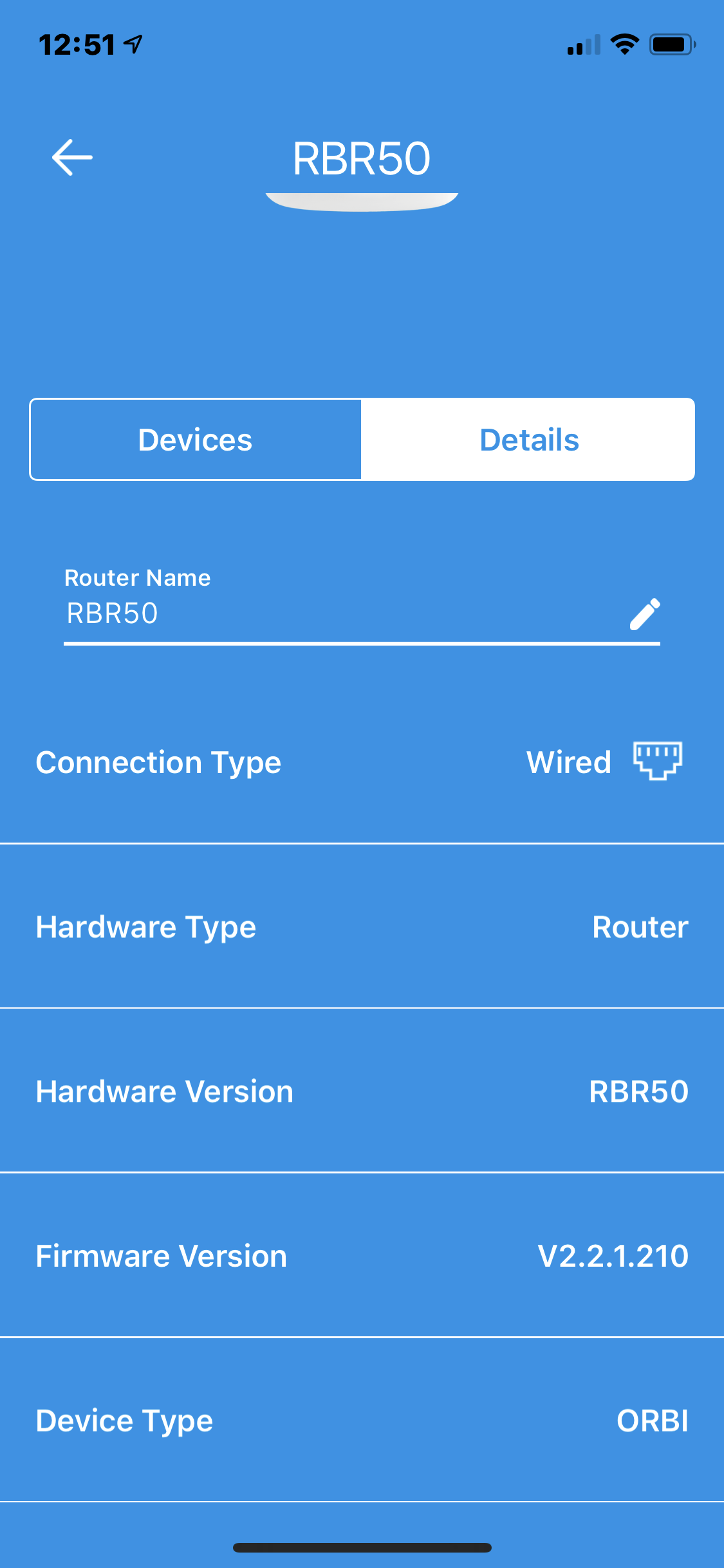
Orbi RBR50 modem “wired”
Firmware: 2.2.1.210
Connected via wifi to:
Orbi Sat #3/ 5GHZ
Hardware version RBS50
Firmware: V2.2.1.210
Also connected via wifi to:
Orbi Sat #2/5 GHZ
Hardware version RBS50
Firmware: V2.2.1.210
Also connected via wifi to:
Orbi Sat#1/5GHZ
Hardware Version RBS50
Firmware: V2.2.1.210
Also connected to:
Orbi Outdoor Satellite/5GHZ
Hardware: RBS50Y
Firmware: V2.2.1.204
Then connected to mac, ipad, iphones, Samsung tv, etc.
Problems loading some links to webpages, states 404 Not Found
Also: Apple tv connected via wifi, but wont launch any programs
- jdtx120Aspirant
tcl tv gpkeeps disconnecting from orbi wifi.
- FURRYe38Guru - Experienced User
What FW is currently loaded?
What is the Mfr and model# of the ISP modem the NG router is connected too?What is the size of your home? Sq Ft?
What is the distance between the router and satellite(s)? 30 feet is recommended in between them to begin with depending upon building materials.Whats the distance from the TV to the Orbi router or nearest satellite?
What channels are you using? Auto? Try setting manual channel 1, 6 or 11 on 2.4Ghz and any unused channel on 5Ghz.
Any Wifi Neighbors near by? If so, how many?
What WPA security modes are you using?Try disabling the following and see:
MIMO, Daisy Chain, Fast Roaming, IPv6 and Set 20/40Mhz Coexistence to 40Mhz only. Save settings and reboot the router and satellite(s).
jdtx120 wrote:
tcl tv gpkeeps disconnecting from orbi wifi.
- FURRYe38Guru - Experienced User
- lepackAspirantWent through the same disappointment with my Orbi. It just started throwing 404s and not allowing connection to many devices. Factory reset made it come back to life but frustrating to see that this issue hasn’t been resolved/addressed.