NETGEAR is aware of a growing number of phone and online scams. To learn how to stay safe click here.
Forum Discussion

Squuiid
Jul 07, 2023Luminary
XS728T fan replacement options
I wanted to create a post to help anyone looking for replacement (quieter!) fans for the XS728T switch. While the XS716T and XS708T are easy, with direct Noctua swap ins, the XS728T is an entirely di...

Squuiid
Jul 08, 2023Luminary
The fans linked in my fist post may well be a little under powered for the XS728T!
These are a better option after all.
ARCTIC S4028-15K

Cpgeek
Jul 28, 2023Aspirant
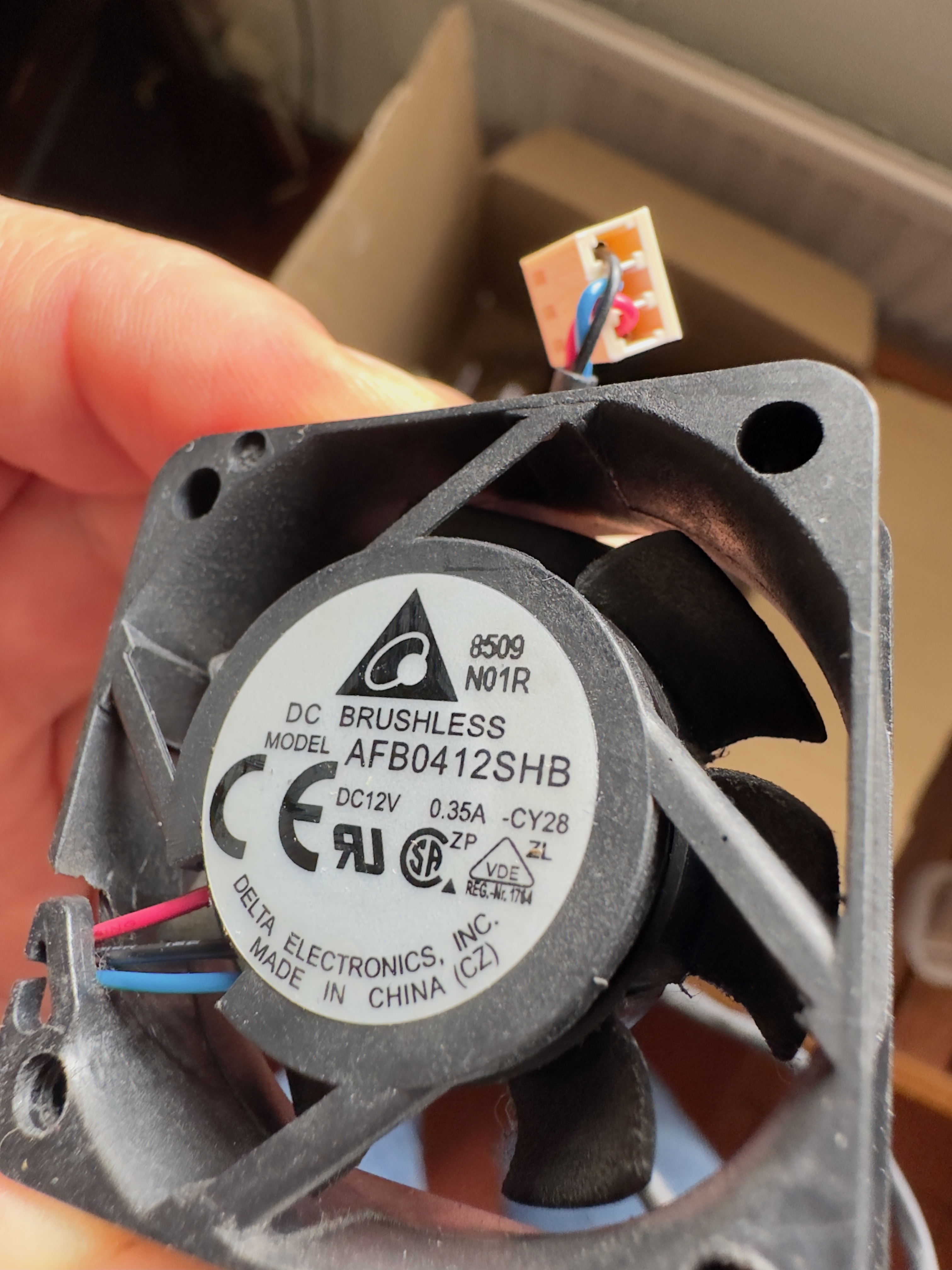
I am using an xs728t in a homelab environment (access to plenty of climate controlled air). In order to mitigate the INCREDIBLY loud fan noise from this thing, I went looking online for fan replacement options and found this post. I bought both the arctic 6k and 15k fans and appropriately made the pin modifications in the OP. I started with one of the 15k models and noticed that they didn't want to spin up at all. My best guess is that they didn't work because of requiring a higher starting voltage than the switch is giving (which of course is the problem with the noctua replacements) - I tried the 6k versions and they spin up just fine. they don't move a whole lot of air compared to the stock delta fans, but they still don't spin up to full blast while managing to keep the switch at a still pretty toasty but I think ok ~70c (please let me know if i'm wrong), HOWEVER, the switch's fan error light is on and in the web ui, it tells me that each of the fans is intermittently not functioning (each fan will say not functioning at some time or another and eventually say that it's normal again).
1. Is 70c an ok temp for these switches (or am I slowly killing my switch doing this)?
2. is there a more appropriate fan replacement that is quiet, moves adequate air, and doesn't cause the switch to say that the fan isn't functioning?
I have seen various places on amazon and ebay list that they have fans that work well as replacements for the xs728t (named specifically by model) that they guarantee to be compatible (i.e. not flag the error light / say non-functioning in the web ui) as well as being quieter, but none of them that I've looked at mention a fan model number and my attempts to reach out have either been answered by "we're a dropshipping company, I have no idea what fan this is" or in most cases with absolutely no reply at all (very frustrating).
If any one has any information on alternatives, I would be very much interested. Thank you! And thank you Squuiid for the op with the proper pinout changes.
- CpgeekJul 28, 2023Aspirant
Here is the output from the web UI illustrating my previous post. Please note that the fan statuses change seemingly at random with every refresh of the page. sometimes they all show "normal", sometimes all "not functioning" and typically a mix of the two.
Also of note, the stock delta fans have always worked and have never thrown an error. I'm also not sure exactly what's being detected as far as the status is concerned (my best guess is that it varies the voltage and that it sends back a tachometer signal and the fan isn't spinning fast enough for the software threshold?)
I'm not sure if I should just use it the way I have it and call it fine, or if I should be worried and seeking of other options.
- SpeckbertNov 24, 2023Aspirant
Is there now a correct solution or does the replacement work with the Arctic 6k fans? I'm also planning to replace the fans because the part is simply too loud for the office.
I have also seen the offers for the matching fans for the switch on ebay. But I'm a bit too unsure.Which fans did you ultimately install? Does it really run more quietly now? Squuiid
Best Regards
 iieeannJan 12, 2024Aspirant
Noctua PWM fans did not work with my XS708E v2, they refused to work at all even after correcting the pins.
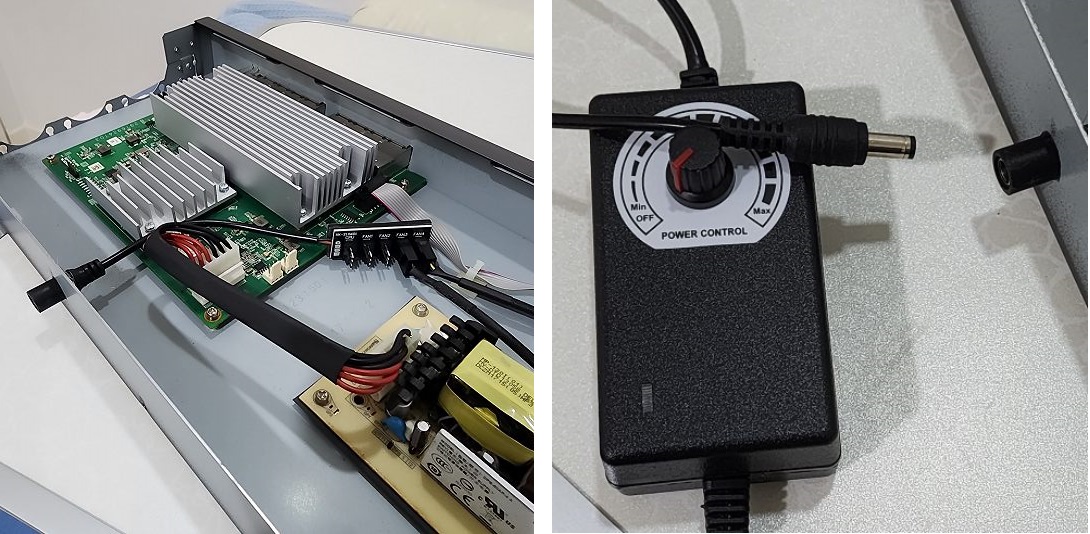
This is not the end of the world. I do not want to mod the circuit, so I purchased an external fan controller (NOT fan hub!) that comes with detachable end with 4 fan ports.
I need a hole for the connector, so I enlarge the security slot of the casing using a drill and file to make a hole just enough for the connector. Detachable end is sitting inside the case and hot glued to hold it. Picture attached. I can control the fan speed (same speed for all fans) using the knob, so i choose the speed where the fan noise is tolerable.
It seems like external fan controller is not commonly found in the market. There are many fan hubs available, but fan hubs have no speed control and the fan will spin at maximum speed.
I think this is so far a practical way to get Noctua fan to work in Netgear when they are not supported by the mainboard. No need soldering of anykind. The fan error LED on the switch is always on but that is not a problem for me.
Related Content
NETGEAR Academy

Boost your skills with the Netgear Academy - Get trained, certified and stay ahead with the latest Netgear technology!
Join Us!