NETGEAR is aware of a growing number of phone and online scams. To learn how to stay safe click here.
Forum Discussion

Stephanfo
May 09, 2017Aspirant
WAC510 low coverage since last firmware 1.2.5.11
Hi All,
Since I updated the WAC510 with the last firmware (1.2.5.11), I noticed a big drop of the wifi coverage. Any advise before to try to return to the previous firmware to test ?
Regarding my tests, I was able to cover all my house, since the update, only 2 rooms. I also did external test, but after 25 meters, the wifi is low, and all attempts to connect fail. I tried with all my 5 devices (Apple only, I guess only 5ghz), same results.
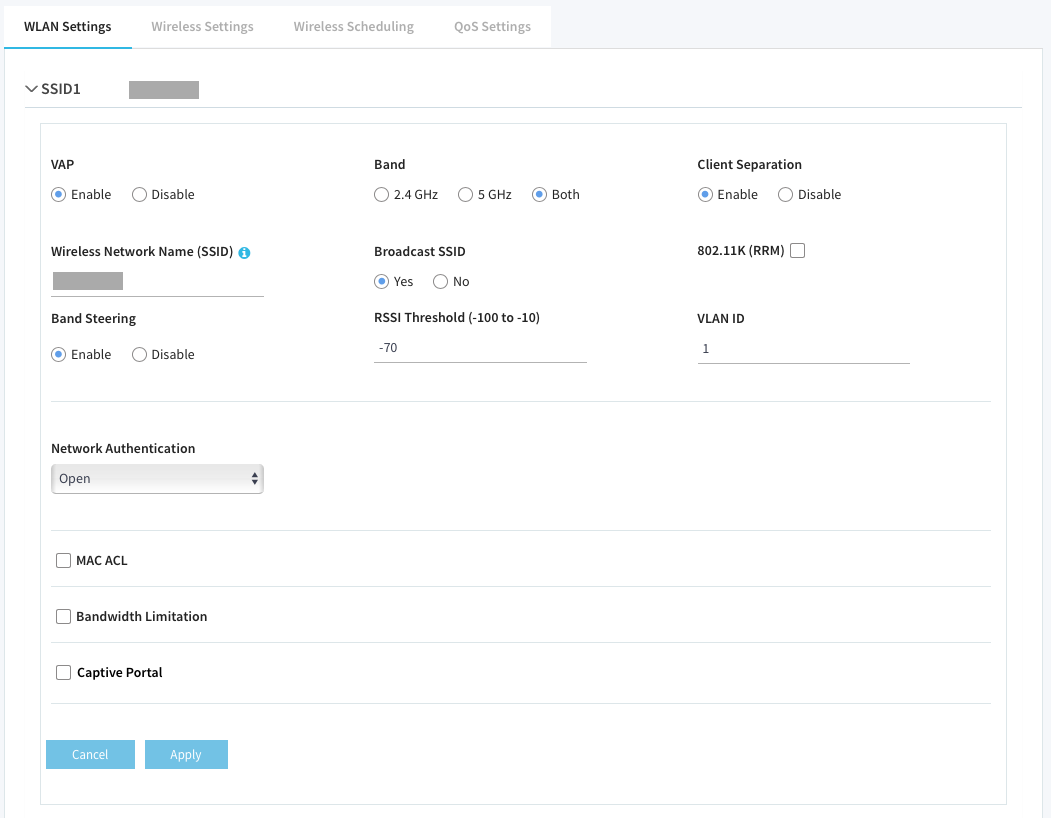
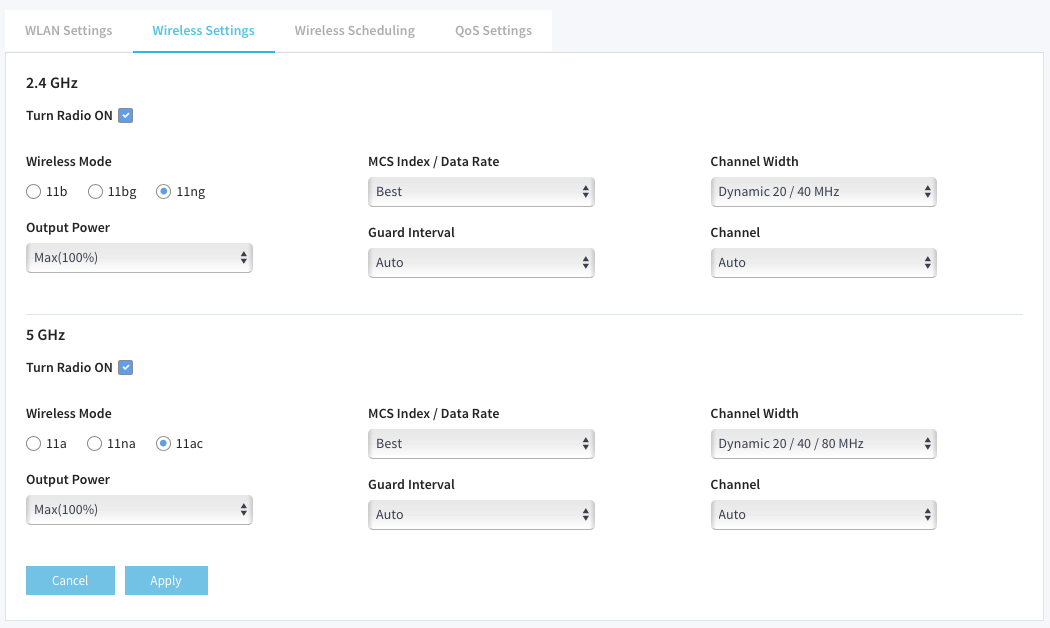
I didn't change anything in the configuration between both firmware.
Thank you for your support.
Stef.
Hi Stephanfo,
Welcome to the community! :)
Did you perform a factory reset on the WAC510 after upgrading the firmware? If not yet, I suggest you to perform a factory reset on the WAC510 then reconfigure it from scratch in order to start clean using the latest firmware version.
Hope it helps.
Regards,
DaneA
NETGEAR Community Team

5 Replies
Replies have been turned off for this discussion
- DaneANETGEAR Employee Retired
Hi Stephanfo,
Welcome to the community! :)
Did you perform a factory reset on the WAC510 after upgrading the firmware? If not yet, I suggest you to perform a factory reset on the WAC510 then reconfigure it from scratch in order to start clean using the latest firmware version.
Hope it helps.
Regards,
DaneA
NETGEAR Community Team
- DaneANETGEAR Employee Retired
I just want to follow-up on this. We’d greatly appreciate your feedback.
Regards,
DaneA
NETGEAR Community Team
- StephanfoAspirant
Hi all,
Yes, reset to defaults solved the problem. Thank all for your help.
For the information, after factory reset, the RSSI Threshold is set to -85.
Stéphane.
- donald24Tutor
Hey Stephanfo,
did you try a reset yet and has it helped?
Related Content
NETGEAR Academy

Boost your skills with the Netgear Academy - Get trained, certified and stay ahead with the latest Netgear technology!
Join Us!
