NETGEAR is aware of a growing number of phone and online scams. To learn how to stay safe click here.
Forum Discussion

CJinVA
May 11, 2020Guide
C7000v2 WIFI on/off Button is Blinking Green
All of a sudden yesterday I was getting very poor download speeds. Then in the evening it was fine again. It was fine this morning, but is now very slow again, IE 5MB/S. It is usually about 140. Anyway, the modem router is just past 1 year old--It figures. the wifi on off button is blinking green. Does that mean anything? Yesterday items on line were dropping connection and then reconnecting fairly often. thoughts?
13 Replies
- plemansGuru - Experienced User
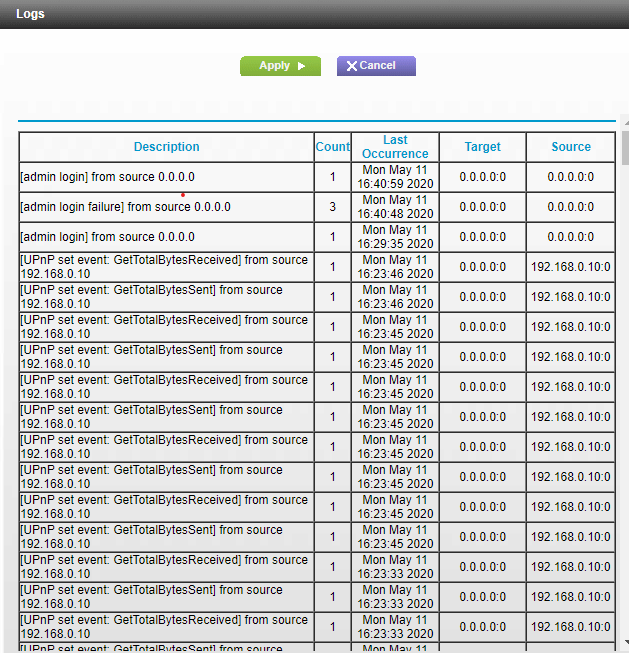
Do you have a screen snip of the cable connection page and logs?
That helps check the connection back to the isp.
Is it all devices having issues, just wired devices, just wireless devices?
I've never heard of the wifi on/off button blinking. its usually on or off depending on what its set at.
- CJinVAGuide
I could not figure how to paste them into this reply, but the download channel info is attached. The download light is blinking green which I think means it is searching for a channel. Upload lilght is solid green. Internet is solid green. 2.4 and 5 are blinking green but we have devices using both, and wifi on/off button is blinking green. Cox said there are no packet drops and it must be me. I am on a Windows 10 desktop. Sometimes the impact seems to be worse than other times, but it seems to effect both wired and wireless items at its worst.
- CJinVAGuide
- CJinVAGuide