NETGEAR is aware of a growing number of phone and online scams. To learn how to stay safe click here.
Forum Discussion

jaross913
Jul 12, 2021Aspirant
Daily modem errors in log losing connection
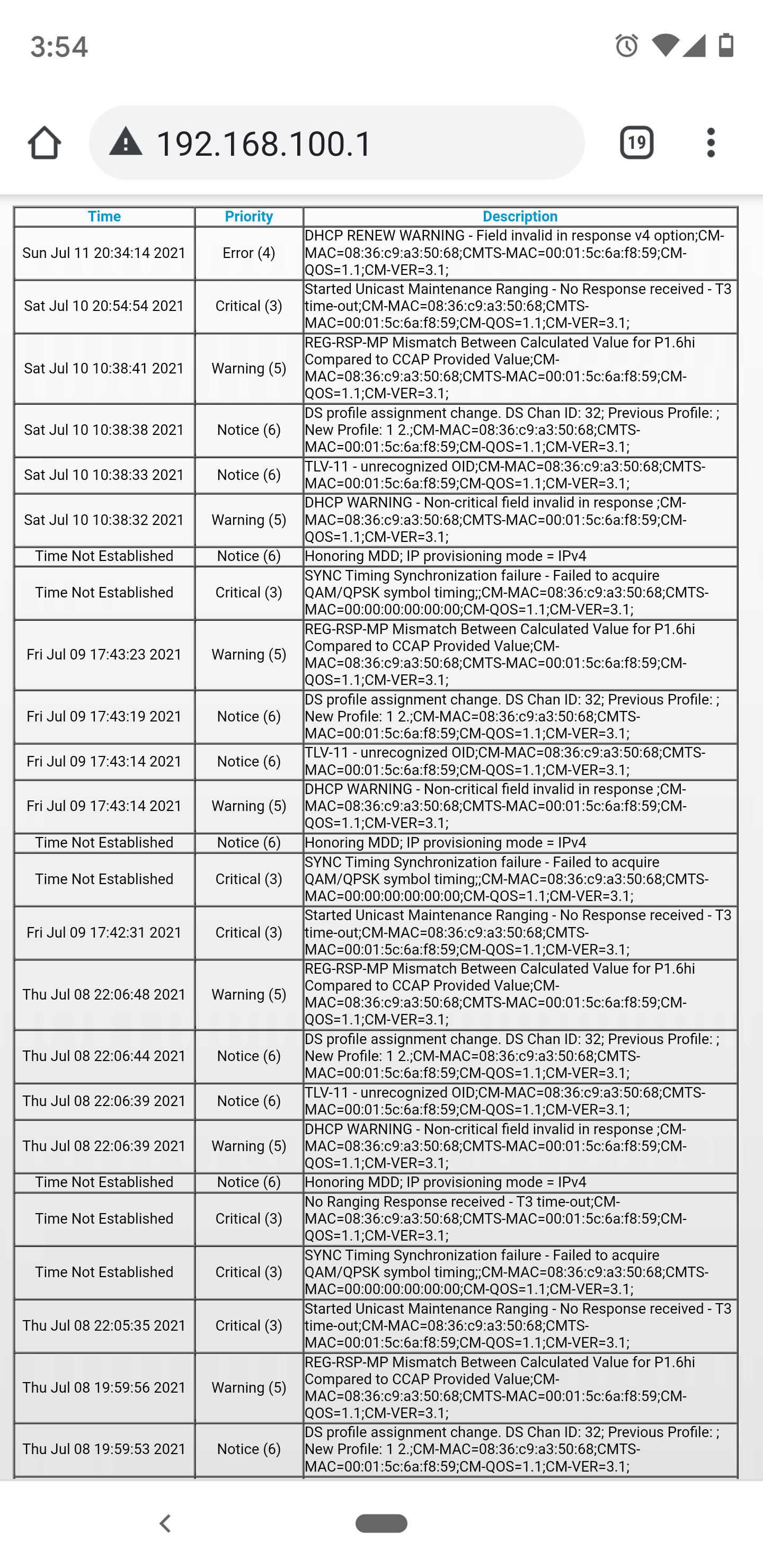
Modem needs reset almost daily, or more, to restore ISP connectivity. ISP says good signal on their end, but I'm not so sure. The log is very sketchy and I'm not sure what I'm looking at. Thoughts?
4 Replies
- plemansGuru - Experienced User
do you also have the cable connections page?
you use the cable connections and the logs to check signal
- jaross913Aspirant
 DarrenMSr. NETGEAR Moderator
I am seeing T3 timeouts in the logs this is typically a issue with your ISP connection you may want them to send a tech out to check your lines. Also does you modem have a cable splitter on it where the cable line comes out of the wall and splits between your modem and a cable box? If so you could try to remove that splitter and connect the modem direct to the wall.
DarrenM
- FURRYe38Guru - Experienced User
Have the ISP check the signal and line quality UP to the modem. Be sure the ISP provisions the modem correctly.
Be sure there are no coax cable line splitters in the between the modem and ISP service box.
Be sure your using good quality RG6 coax cable up to the modem.
https://community.netgear.com/t5/Cable-Modems-Routers/General-info-and-Troubleshooting-for-Cable-Modems/m-p/1530376#M12853
jaross913 wrote:
Modem needs reset almost daily, or more, to restore ISP connectivity. ISP says good signal on their end, but I'm not so sure. The log is very sketchy and I'm not sure what I'm looking at. Thoughts?