NETGEAR is aware of a growing number of phone and online scams. To learn how to stay safe click here.
Forum Discussion

NASty1
May 19, 2016Aspirant
Setting up a used readynas to use with my netgear account
I recently purchased the 31400 through e-bay auctions. When I try and use it through readycloud, it says " it finds no registered devices or shares." When I tried to register it, netgear informs me that it is already registered to someone else, and the registration procedure stops there. Netgear refuses to let me register it in my name. I don't understand why they can't. If it was just sold by the owner, what's the difference. And if it were stolen, it gives police a way of tracking it! (I hope it wasn't!) So my question is: How can I get access to the nas thru readycloud?
I don't know how it happened, but my ypgrade to OS 6.5 was incomplete. A day later I attempted the setup and it worked! Thanks for the suggestion. I'll probably never figure out how you get a partial install, but apparently that was the problem. THANKS !!!?
11 Replies
Replies have been turned off for this discussion
- JennCNETGEAR Employee Retired
Hello NASty1,
Use RAIDar to get it detect the NAS IP address. Do not use ReadyCloud to setup the ReadyNAS since that is a used unit and the ReadyCloud website is now using myNetgear accounts (started yesterday) which needs the ReadyNAS to have latest FW version. Your ReadyNAS units must be running on an older FW version so use http://NAS-IP/admin (ex. http://192.168.5.2/admin) to set it up.
Also, the disks you use with it should be empty, no partitions.
Regards,
 NASty1Aspirant
Sorry Jenn, what I intended to say was " I wanted to access it remotely using readycloud." It can't be done because the previous owner(?) registered it. Netgear won't allow me to put it in my name. I'll just use DDNS instead of readycloud! Thanks for replying!
- JennCNETGEAR Employee Retired
Hello NASty1,
Getting the message "Currently you have no registered or shared devices" when you log in to readycloud.netgear.com means the ReadyNAS you have does not have your ReadyCloud account entered to enable ReadyCloud. This has nothing to do with registering your ReadyNAS to support. If your ReadyNAS is already working in terms of local access and being able to get to its admin page, check the firmware version. The readycloud.netgear.com will only work with 6.5.0 version so make sure you update to that version. Then enable ReadyCloud under Cloud tab and enter your myNetgear account in an email format.
Regards,
 kohdeeNETGEAR Expert
NETGEAR's warranty doesn't allow for transfer of ownership, and MyNETGEAR ties into the support database. If you need support from Support on this, you would need to open a pay-per-incident event with them.
Regardless, you should still be able to join ReadyCLOUD even if the ReadyNAS is owned/registered by someone else.
1) upgrade to 6.5.0
2) toggle on ReadyCLOUD from the Admin Page Cloud tab and use NETGEAR account to authenticate.
What error do you see?
- NASty1Aspirant
I went to readycloud as admin on the nas. When I try and move the readycloud ON/OFF switch to ON, a window pops up asking for my name and password. After entering them, it times out, and another window opens saying "invalid user name or password." This sequence will repeat itself indefinately. If I try ready remote,which is ON, along with" internet available" and "services available" both with green checkmarks, and open "users". My ready remote user name is listed there, but when I select it, and click " invite user", it opens another window called "invite user" and wants me to enter an e-mail address. No matter which account I try to use, it doesn't find the email address,and sends me back to the remote users page. One big circle! Now here is something to think about! Prior to upgrading to OS 6.5, both units were connected to the cloud. I installed larger harddrives in the 314 prior to upgrading the system OS, and re-formatted everything. Now the 314 won't allow me to connect. If you got any idea's , let me know! Thanks for trying to help!!!
- kohdeeNETGEAR Expert
Make sure you have ReadyNAS OS 6.5.0 by refreshing the home page and seeing 6.5.0 on the System screen -- ReadyCLOUD requires it.
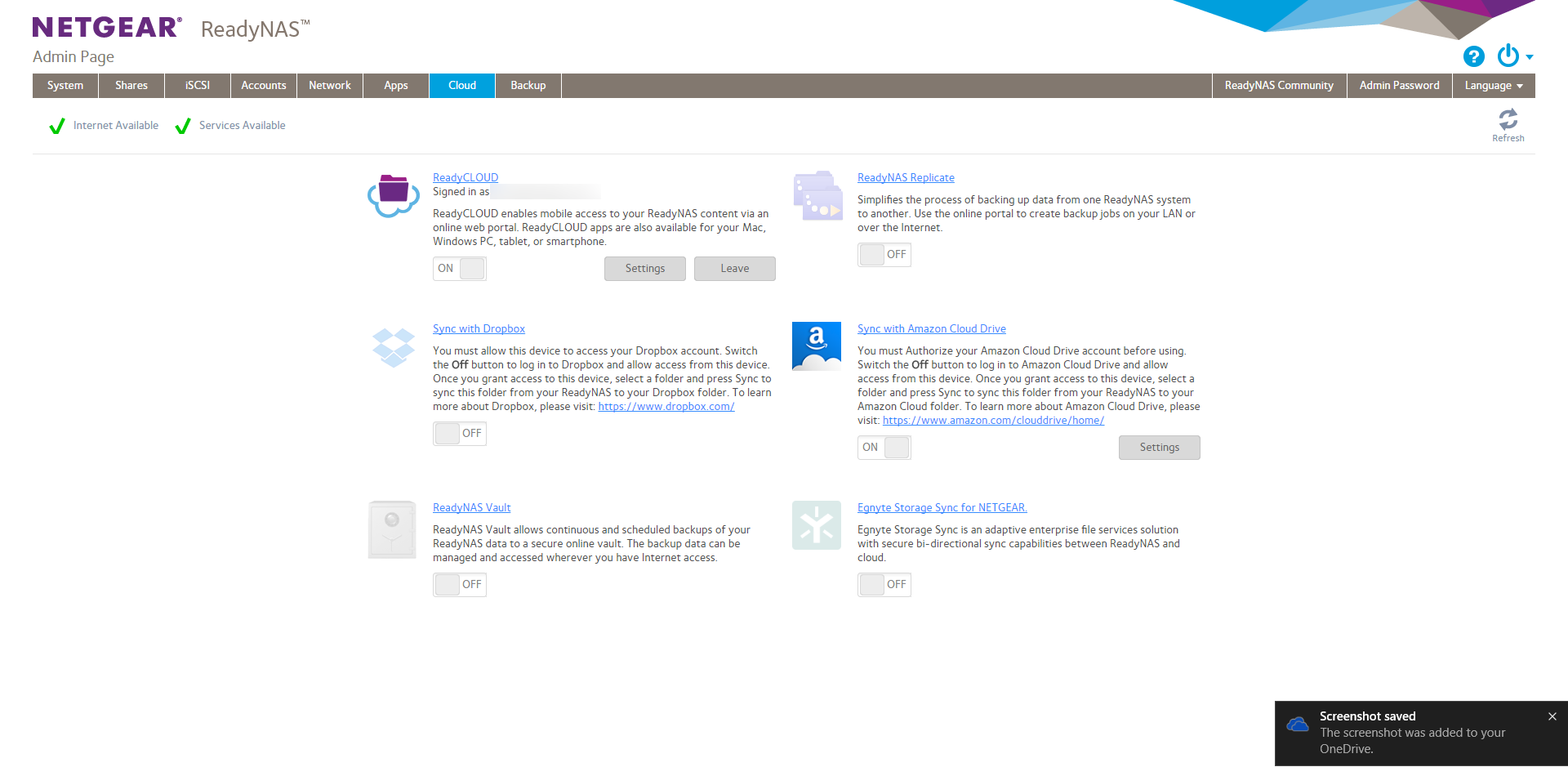
Remote is no longer in the UI, so maybe you have browser cache issue if you're on 6.5.0 and still having this problem. make sure you see the new Cloud screen, not the old one.
The new one:
- JennCNETGEAR Employee Retired
Hello NASty1,
It seems it has not fully updated the FW. Like Kohdee mentioned, make sure it is 6.5.0. If you have already updated this FW successfully, check the RAIDar, this shows the FW of the NAS. If it shows 6.5.0 then clearing the browser cache may help, or use another web browser.
Also, after migrating to myNetgear, your ReadyCloud account should now in an email address format.
Regards,
- NASty1Aspirant
I don't know how it happened, but my ypgrade to OS 6.5 was incomplete. A day later I attempted the setup and it worked! Thanks for the suggestion. I'll probably never figure out how you get a partial install, but apparently that was the problem. THANKS !!!?
- BrianL2NETGEAR Employee Retired
Hi NASty1,
We would like to know if you have read and tried the suggested steps by kohdee and JennC. We hope that you will update this thread soon.
Kind regards,
BrianL
NETGEAR Community Team


Related Content
NETGEAR Academy

Boost your skills with the Netgear Academy - Get trained, certified and stay ahead with the latest Netgear technology!
Join Us!
