NETGEAR is aware of a growing number of phone and online scams. To learn how to stay safe click here.
Forum Discussion

maf11
Sep 23, 2011Aspirant
ReadyNas Duo and Windows 7 Problem
I have just purchased a new laptop, windows 7 64bit. My previous laptop was running XP and everything was fine. I now have problems using the explorer on the shares on the NAS. I am able to see the to...

PapaBear1
Sep 24, 2011Apprentice
Sorry it has taken me 24 hours to get back to you, but I had some other tasks to do yesterday. I took my latest build, installed a scratch drive and performed a new install of Win 7 Home Premium 64 bit. After the installation was complete and the motherboard drivers were updated, I went through the network setup. (Wired connection, drivers needed) In the screen asking which type of network (Home, Work or Public), I chose Home (it will default to Public if you are not careful), and then renamed the work group to MSHOME (which it has been since it was set up under XP).
I then opened Windows Explorer, went down to where the network devices were listed and was able to navigate to all of my files. At the time I did this, the modem was off, and no anti-virus, anti-spyware applications nor third party firewalls were installed. The Win 7 firewall setting was at default. I am attaching a snip of the screen showing the Windows Explorer window.
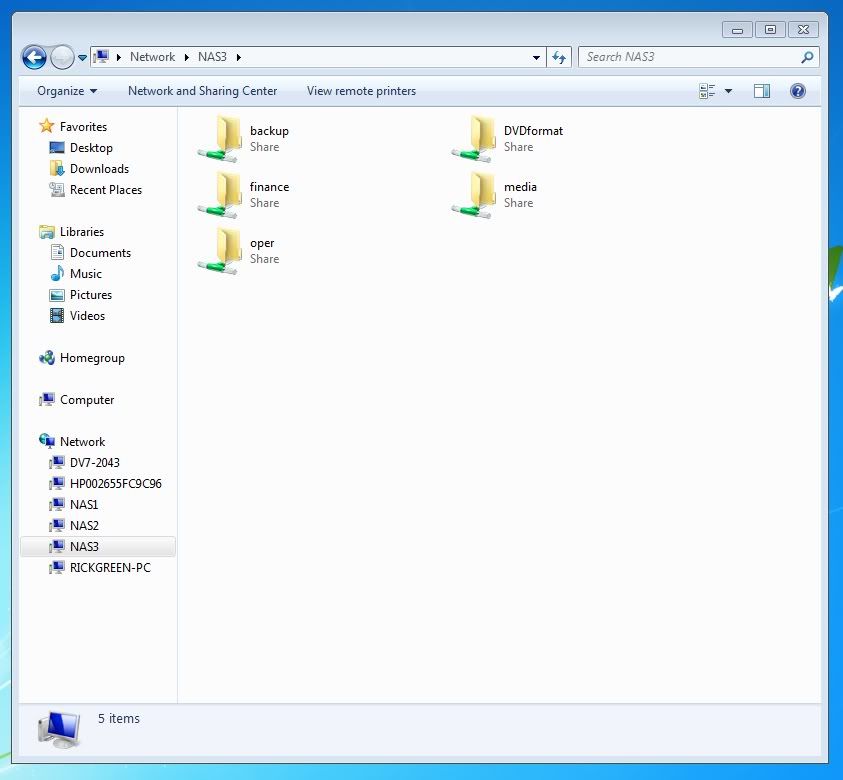
I then opened Windows Explorer, went down to where the network devices were listed and was able to navigate to all of my files. At the time I did this, the modem was off, and no anti-virus, anti-spyware applications nor third party firewalls were installed. The Win 7 firewall setting was at default. I am attaching a snip of the screen showing the Windows Explorer window.
Related Content
NETGEAR Academy

Boost your skills with the Netgear Academy - Get trained, certified and stay ahead with the latest Netgear technology!
Join Us!
