NETGEAR is aware of a growing number of phone and online scams. To learn how to stay safe click here.
Forum Discussion

dmitrof23
Oct 16, 2019Aspirant
System volume is full
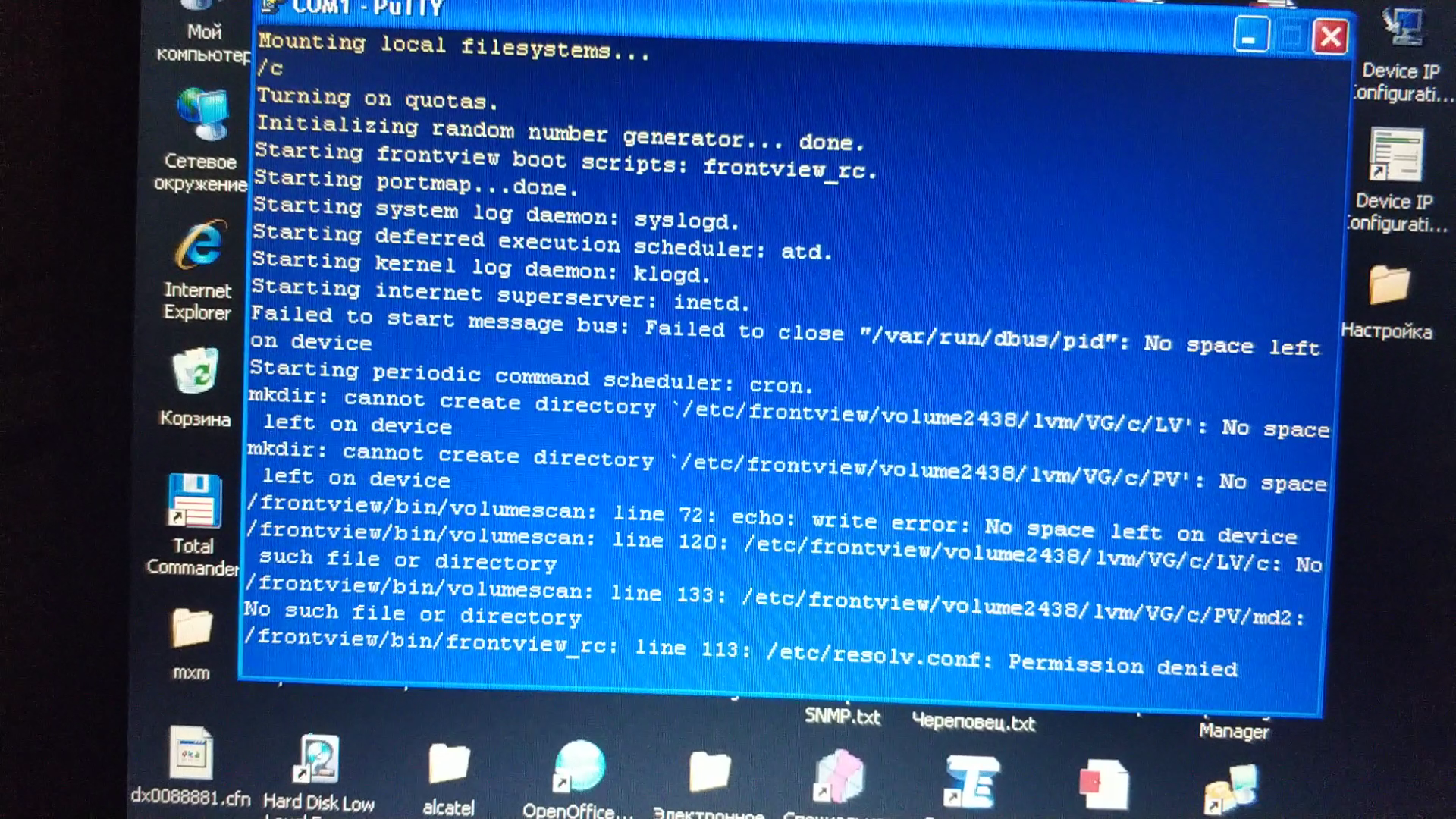
Hello. There was a problem that the web interface does not save the changes made (for example, does not even change the date and time). When connecting through the console via the COM port, even auth...
 Oct 16, 2019
You can try logging into tech support mode, and then sort out what's taking up the space in the OS partition.
After booting in tech support mode, you use telnet to connect; using root as the username and infr8ntdebug for the password.
After that
# rnutil chroot
which will start raid and chroot.
if the OS partition isn't mounted (not sure, as I haven't done this in a while), you can mount it with
# mount /dev/md0 /sysroot
StephenB
Oct 16, 2019Guru - Experienced User
You can try logging into tech support mode, and then sort out what's taking up the space in the OS partition.
After booting in tech support mode, you use telnet to connect; using root as the username and infr8ntdebug for the password.
After that
# rnutil chroot
which will start raid and chroot.
if the OS partition isn't mounted (not sure, as I haven't done this in a while), you can mount it with
# mount /dev/md0 /sysroot
- dmitrof23Oct 16, 2019Aspirant
How to enter technical support mode?
- Marc_VOct 16, 2019NETGEAR Employee Retired
Welcome to the Community!
If you have the ReadyNAS 3200 you can follow this guide on booting the NAS on Tech Supporrt mode.
https://kb.netgear.com/24868/How-do-I-access-the-boot-menu-on-my-ReadyNAS-3200-4200
HTH
Regards
- SandsharkOct 16, 2019Sensei
You cannot log into the cosole with the admin account, only as root (using the admin pasword).
- dmitrof23Oct 17, 2019Aspirant
Thank you very much, everything worked out. The free space is occupied by the proftpd.log file.


Related Content
NETGEAR Academy

Boost your skills with the Netgear Academy - Get trained, certified and stay ahead with the latest Netgear technology!
Join Us!