NETGEAR is aware of a growing number of phone and online scams. To learn how to stay safe click here.
Forum Discussion

Abhishek150971
Jul 28, 2017Aspirant
Volume Raid level Unknown
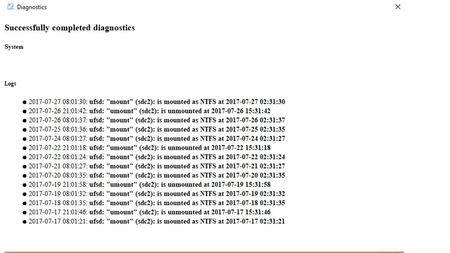
Hi, I have installed a 2nd Disk on my RN104. This shows a red dot next to the 2nd disk and the RAIDar show that the Volume Level Unknown, Inactive; 0 MB (0%) of 0 MN used. Also enclosed herewith ...

StephenB
Jul 29, 2017Guru - Experienced User
It looks like this was a used disk.
If so, try clicking on the disk and then click on format. It should be added to the existing array.
All data on the newly-inserted disk will be lost.
- Abhishek150971Aug 03, 2017Aspirant
The system is not allowing me to format the disk. The format button does not glow when i select the disk.
 aksAug 03, 2017Virtuoso
How did you insert the disk - with the ReadyNAS switched off or on?
You could leave the ReadyNAS switched on, remove the new disk, then re-insert with the power still on, a "hot swap", which should force the disk to be detected as a fresh disk causing it to be formatted and of course all data lost.
- StephenBAug 03, 2017Guru - Experienced User
Abhishek150971 wrote:
The system is not allowing me to format the disk. The format button does not glow when i select the disk.
Another approach is to remove the disk and unformat in a PC.
With windows you can do this by running windows disk manager, and then right-clicking on every "volume" on the disk, and then deleting it. Be careful to pick the right disk :smileysurprised:
Western Digital's lifeguard program also has an advanced (e.g. destructive test) which writes zeros. There's a short option, which is enough to remove the partition information on the disk.
Related Content
NETGEAR Academy

Boost your skills with the Netgear Academy - Get trained, certified and stay ahead with the latest Netgear technology!
Join Us!
