NETGEAR is aware of a growing number of phone and online scams. To learn how to stay safe click here.
Forum Discussion

Shah079012
Feb 27, 2017Aspirant
lost access to READYNAS ULTRA 6
Hi everyone I have a very tricky proble and I have tried a million ways to fix it. here goes
ReadyNAS Ultra6, up till recently has been active and working on my network just fine but recently w...
- Feb 27, 2017
The default admin password for RAIDiator 4 is 'netgear1' (no quotes)
Shah079012
Feb 27, 2017Aspirant
you are a god!!!!
Im such a noob

mdgm-ntgr
Feb 27, 2017NETGEAR Employee Retired
I am just a man.
Glad I could help.
- Shah079012Feb 27, 2017Aspirant
can i please ask one more noob question?
in the steps in https://kb.netgear.com/29770/I-can-no-longer-access-my-ReadyNAS-OS-6-storage-system-after-moving-Local-Area-Network-LAN?cid=wmt_netgear_organic
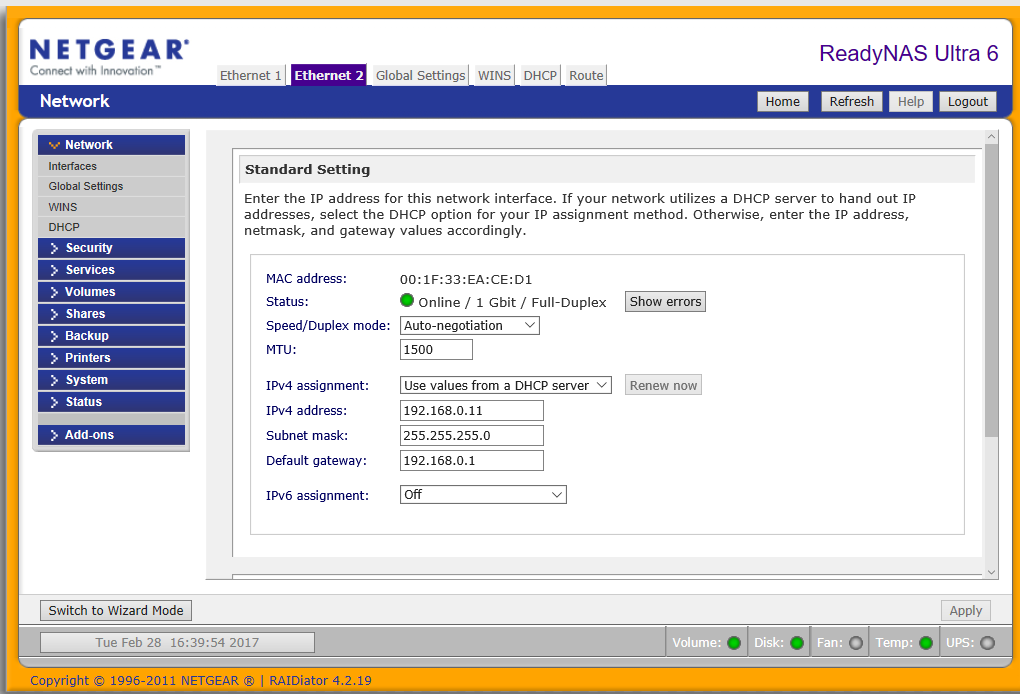
it shows a different interface to what i am looking at in Firmware 4.2.19
specifically under..
6. Change the IP address on the ReadyNAS to match the existing LAN subnet.
Go to Network > Links. Click on the gear icon beside the connected NIC and then click SettingsGo to the IPv4 tab.
Change the Configue drop down menu to Static.I cant find where to change the I.P. to static.. and am presented with the below
if under the IPV4 assignment i attempt to alter to "use valuss below" and manually input the I.P. per the instructions it auto reset when i "apply", obviously I am missing the sitting to turn dynamic off but am unsure as to where it is?
- Shah079012Feb 27, 2017Aspirant
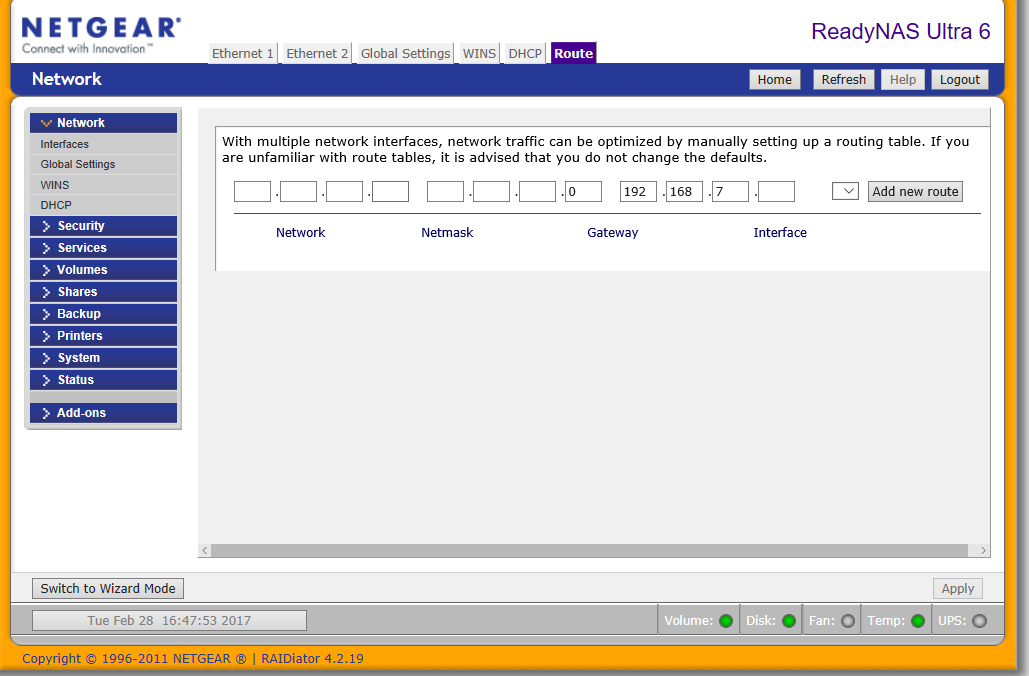
is it perhaps something to do with this?
- Shah079012Feb 28, 2017Aspirant
PS I have tried updating tot he newest firmware but the "check for update" uner "remote" fails and it appears there is no newer firmware version available anyway according to
http://kb.netgear.com/20684/ReadyNAS-Downloads
Related Content
NETGEAR Academy

Boost your skills with the Netgear Academy - Get trained, certified and stay ahead with the latest Netgear technology!
Join Us!
