NETGEAR is aware of a growing number of phone and online scams. To learn how to stay safe click here.
Forum Discussion

Remco96
Apr 02, 2017Aspirant
Need to restore from Time Machine but it can't find it!
I have a ReadyNas Duo V2 running on my home LAN for Time Machine with iMac. Two HDD 2TB are installed; perfectly OK. about 800 GB is in use (this is because of my Time Machine iMac backup). Now ...
Remco96
Apr 04, 2017Aspirant
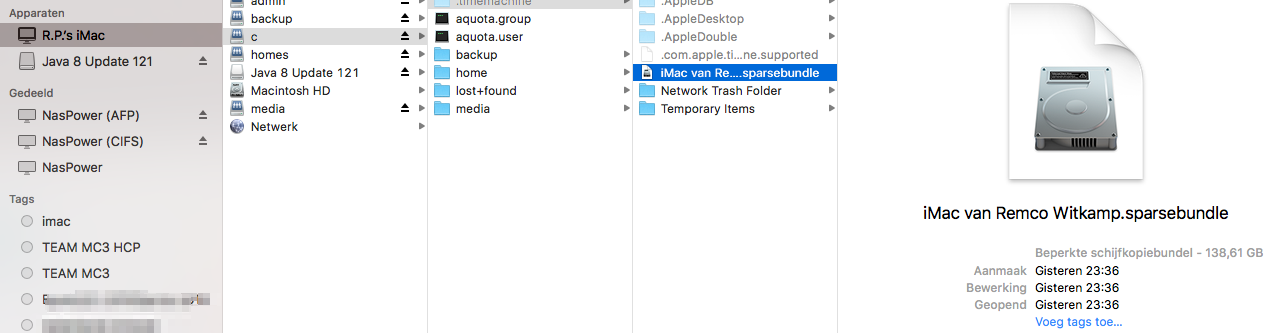
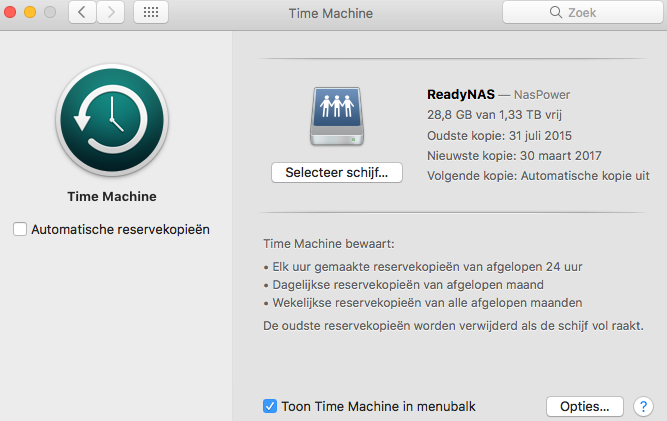
I made a connection via LAN and now I see a sparsebundle? But not the one I made last week before changing the HDD.

JennC
Apr 04, 2017NETGEAR Employee Retired
Hello Remco96,
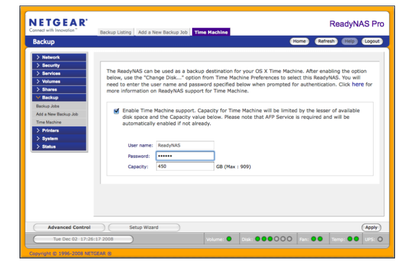
Not sure why "root" is there, I think I normally see that in the username box when connecting to NAS via Time Machine, it is like the default on that window that pops up but it should be ReadyNAS as the username and password should be the one you have set on the Frontview's Time Machine settings like the one in the image below:
Time Machine has nothing to do with CIFS so do not delete or change anything through CIFS or settings on the CIFS.
Regards,
Related Content
NETGEAR Academy

Boost your skills with the Netgear Academy - Get trained, certified and stay ahead with the latest Netgear technology!
Join Us!
