NETGEAR is aware of a growing number of phone and online scams. To learn how to stay safe click here.
Forum Discussion

Mitesh12
Sep 30, 2020Aspirant
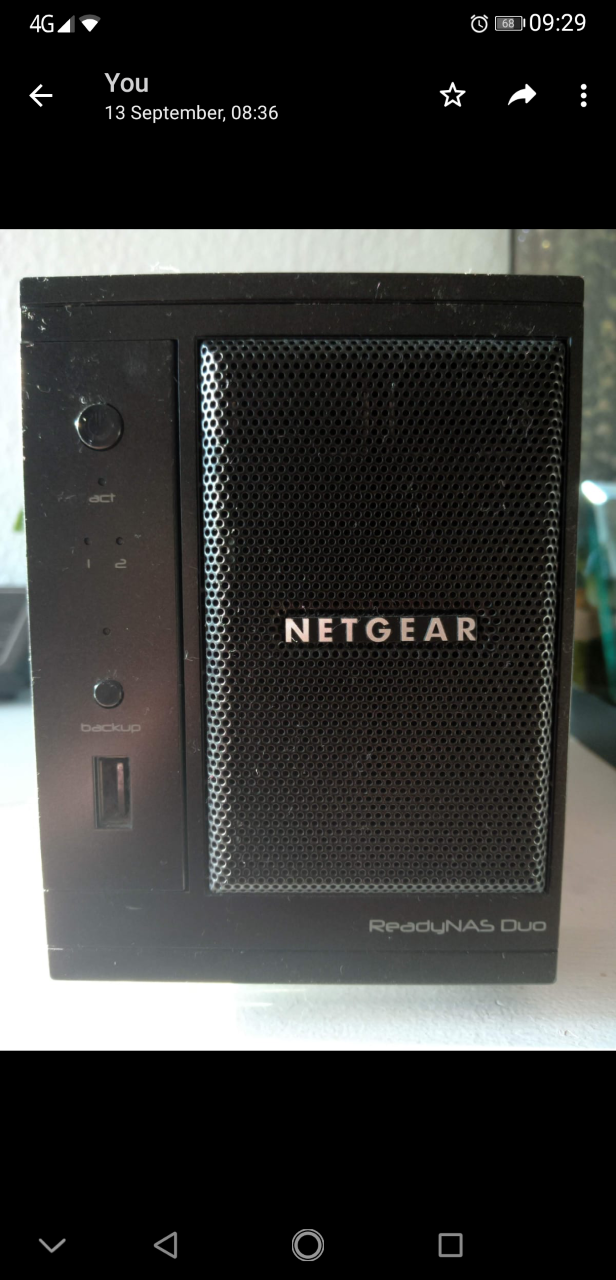
Netgear ReadyNAS Duo RND2120 v2
Hi lovely people
I have the Netgear ReadyNAS Duo RND2120 v2 with 2x 2TB with Raid 1
I’m thinking of put in 2 x 8TB or 10TB
When I go on to the Select your device to display Hard Disk Compatibility list: ( https://kb.netgear.com/20641/ReadyNAS-Hard-Disk-Compatibility-List )
The options available are :
- ReadyNAS RN2120
Or
- Legacy > ReadyNas Duo v2
Or
- Legacy > ReadyNas 2100
Which one do I choose?
Is it wreath upgrading?
you help will be greatly appreciated
Thank you very for your help
Mitesh
3 Replies
Replies have been turned off for this discussion
 StephenBGuru - Experienced User
Does your NAS say Duo on the front panel?
Or does it say Duo v2 on the front panel?
- Mitesh12Aspirant
- StephenBGuru - Experienced User
Thx.
Your NAS is limited to 2 TB disks, so you are unfortunately already at max disk size
As far as the HCL goes, you'd pick "legacy" and then "ReadyNAS Duo". However, Netgear doesn't keep the list up to date for legacy models, and your NAS ended production back in 2011. When you do need to replace disks, I suggest using either WD's Red Plus - WD20EFRX or Seagate's Ironwolf ST2000VN004. I don't recommend desktop drives (or WD's Red WD20EFAX), as many are SMR drives that aren't well suited to RAID.
Related Content
NETGEAR Academy

Boost your skills with the Netgear Academy - Get trained, certified and stay ahead with the latest Netgear technology!
Join Us!