NETGEAR is aware of a growing number of phone and online scams. To learn how to stay safe click here.
Forum Discussion

rxmoss
Mar 19, 2023Aspirant
ReadyNAS RN104 Dead Message
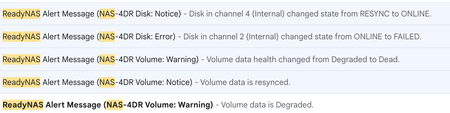
I have had no problems with my ReadyNAS RN104 for 7+ years in RAID 5, when a few days ago I got this message: "Disk in channel 4 (Internal) changed state from ONLINE to FAILED." I had been running wi...

StephenB
Mar 28, 2023Guru - Experienced User
Sandshark wrote:
I'm not familiar with partition tables enough to know if there is there something in a cloned partition table that makes you unable to expand beyond the size of the cloned drive. But that would make some sense since it's affecting more than one drive.
If it is due to cloning, then it might be worth trying removing, unformatting, and resyncing one of the cloned disks, and see what happens.
rxmoss
Mar 28, 2023Aspirant
Essentially, that's where I think I started with the 6TBs.
I had 3 6TB drives in there, degraded. I then installed a 4th new 6TB into slot 4 and it resynced and I still had 16TB with 4x 6TB.
Are you suggesting that I now take one of these 4 6TB drives and replace it with a wiped 6TB? Does it matter which one at this point?
Is there any likelihood that this will work?
Does it seem like this problem is related to the drive TYPE (eg. WD60PURZ) or is it due to the clone? If I were to move to, say, 8TB PURZ, could that possibly lead to a different result?
- StephenBMar 29, 2023Guru - Experienced User
rxmoss wrote:
Essentially, that's where I think I started with the 6TBs.
I had 3 6TB drives in there, degraded. I then installed a 4th new 6TB into slot 4 and it resynced and I still had 16TB with 4x 6TB.
Understood.
A guess (just a guess) is that your problem is related to the cloning process on the three 6 TB drives. Not the fourth drive you added later.
rxmoss wrote:
Are you suggesting that I now take one of these 4 6TB drives and replace it with a wiped 6TB? Does it matter which one at this point?
Is there any likelihood that this will work?
That is the suggestion - to be clear, we don't know if it will work.
This would need to be one of the cloned drives - not the fourth one. I suggest sdc, as that is the one showing the error.
Another option (which is a lot more work, but is far more likely to succeed) is to back up all your files, and then do a factory default with all the 6 TB drives in place. Then reconfigure the NAS and restore the files from backup.
rxmoss wrote:
Does it seem like this problem is related to the drive TYPE (eg. WD60PURZ) or is it due to the clone? If I were to move to, say, 8TB PURZ, could that possibly lead to a different result?
We don't think it's a drive compatibility issue, and I don't see how installing a larger drive would help.
Neither Sandshark nor I recommend using PURZ drives. Surveillance drives are intended for heavy write loads - typically 90% of the I/O in survellance systems is disk writes. Most NAS aren't used that way. I recommend either WD Red Plus or Seagate Ironwolf for your NAS. Note I do not recommend WD Red drives - just the WD Red Plus.
That said, I don't think you need to buy another set of drives. But I'd replace them with NAS-purposed drives when the time comes.
Related Content
NETGEAR Academy

Boost your skills with the Netgear Academy - Get trained, certified and stay ahead with the latest Netgear technology!
Join Us!
