Forum Discussion

jarodsmith
Sep 29, 2015Aspirant
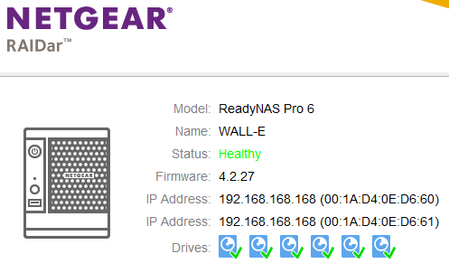
ReadyNAS Pro 6 web admin and data inaccessible
I have a ReadyNAS Pro 6 that began acting oddly as it would not display drives within the web admin, showed no volume, and would not allow the shares to be accessed across the network via Windows net...
- Sep 29, 2015
/usr/local/crashplan is using 3.3GB of the 4GB OS partition.
It is important that you configure things you install to store as much as possible on the data volume. Otherwise as has happened here you can easily fill the OS partition.


hooper
Oct 05, 2015Aspirant
No ssh access. Got in through telnet/ super secret tech support mode. Found some instructions on how to mount the drive. Deleted some files in the crashplan cache folder. Will look at the upgrade folder thanks!
How to cleanly exit tech support mode? Are there commands to unmount and shutdown?
Really appreciate the help.
How to cleanly exit tech support mode? Are there commands to unmount and shutdown?
Really appreciate the help.
 StephenBOct 06, 2015Guru - Experienced User
hooper wrote:
How to cleanly exit tech support mode? Are there commands to unmount and shutdown?I haven't needed telnet/tech support mode, but I think the normal shutdown command will work.
When you are back up, I suggest moving the crashplan cache to a folder on the C volume. That's pretty easy to do (just change an xml file) and in my case it frees up almost 2 GB of OS partition space.
It's possible to symlink other folders (/usr/local/crashplan/upgrade for instance), but I haven't done that myself. I'm assuming future crashplan upgrades won't have the same bug (never-ending downloads when they fail). Might be wishful thinking, we will see.
- hooperOct 06, 2015Aspirant
Thanks for the help! Between your help here and the other thread you linked I got things going again. For the life of me, I couldn't find a command to reboot from telnet mode. I had to use the button on the box.
Related Content
NETGEAR Academy

Boost your skills with the Netgear Academy - Get trained, certified and stay ahead with the latest Netgear technology!
Join Us!
