NETGEAR is aware of a growing number of phone and online scams. To learn how to stay safe click here.
Forum Discussion

Goneaway
Apr 18, 2018Aspirant
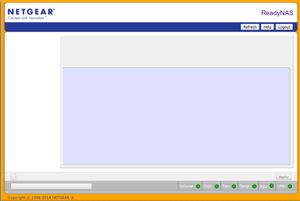
Blank admin page ReadyNas Ultra 4
Hi I have a major problem, since having one disc fail a while ago and now finally getting to put a new one in I notice I cant access admin page. I can acess files through FileBrowser app on iPho...

Marc_V
Apr 19, 2018NETGEAR Employee Retired
Hi Goneaway
Welcome to the Community!
Does clearing cache or using a different web browser help? Did the disk completed the re-sync? Please make sure that the new disk is fully re-synced.
Please make sure to have a backup of your data and perform an OS-Reinstall if you still cannot access the admin page.
Regards
Goneaway
Apr 19, 2018Aspirant
Thanks for answering!
I've not yet installed the new disk since I cannot access the admin panel I did not want to try anything new.
I have tried all possible browser and cache clearing, but to no avail.
How do I back up data from the NAS if I cannot access it?

Related Content
NETGEAR Academy

Boost your skills with the Netgear Academy - Get trained, certified and stay ahead with the latest Netgear technology!
Join Us!
