NETGEAR is aware of a growing number of phone and online scams. To learn how to stay safe click here.
hardware
178 Topics
GS110EMX: 10G ports throttle uploads to 250-300 Mbps
I've been going back and forth with Netgear support for over a week about this and I'm honestly at a loss. I'm hoping someone here can tell me if I'm crazy or if what they're telling me doesn't make sense, because it really doesn't add up to me. My Setup Switch: Netgear GS110EMX (firmware 1.0.2.8) Port 1: Internet uplink (1G, connected to router — standard fiber ISP) Port 9: Mac Pro via OWC Thunderbolt 4 to 10G Ethernet Adapter Port 10: Asustor AS6508T NAS (10G) Cables: Cat6A throughout This is exactly why I bought this switch — two 10G ports for my computer and NAS, with everything else on the 1G ports. Pretty standard home prosumer setup. The Problem Internet uploads are throttled to about 250-300 Mbps when my computer is on a 10G port. Downloads are fine at 830-880 Mbps. When I move the same computer to a 1G port with the exact same cable, uploads jump to 708 Mbps. That's more than double the speed on a port that's supposedly 10x slower. What I've Tested (at Netgear's request) I ran every test their L3 support team asked for. Here are the results: Internet Speed Tests (computer on 10G port 9): Flow Control Download Upload OFF 865 Mbps 306 Mbps ON (port 9 only) 879 Mbps 169 Mbps ON (both 9 & 10) 820 Mbps 137 Mbps Internet Speed Test — computer on 1G port (same cable, same everything): Download Upload 884 Mbps 708 Mbps iPerf3 between Mac and NAS (local, 10G ↔ 10G): Direction Speed Mac → NAS 3.73 Gbps NAS → Mac 9.40 Gbps Local 10G performance is excellent. The ports, cables, and NIC all work fine. What Netgear Says After all this testing, support came back and told me: This is "working as expected" and "within the design limitations of the switch" The 10G ports are "intended to be used as uplinks" — not for client devices A replacement would behave the same way My configuration is "not the intended use case" Why I'm Confused I don't understand how any of this is "expected behavior." Specifically: How does a 1G port give me faster uploads than a 10G port? If the 1G uplink is the bottleneck, moving to a slower port should give me equal or worse speeds. Not more than double. Nobody has explained this. Why are only uploads affected? Downloads through the 10G port hit 865 Mbps — nearly saturating the 1G uplink. The traffic crosses the same 10G/1G speed boundary in both directions. Why would only one direction have "buffer overflow" problems? Flow Control made things WORSE. They asked me to enable it. It dropped uploads from 306 Mbps to 137 Mbps. How is that a fix? The product page says "No Network Bottlenecks thanks to the 2 10-Gigabit/Multi-Gigabit Uplinks." Now support says those ports are only meant to be uplinks and my setup is unsupported. The user manual literally shows 10G client devices connected to ports 9 and 10 in its network diagrams. This switch used to work. I used the exact same setup with fiber in Chicago for years with no issues. I only noticed the problem after switching to fiber here in LA recently. Something changed. What I'm Asking Has anyone else seen this? Am I wrong to think a managed switch should be able to handle 10G devices sending traffic through a 1G uplink without losing 70% of the uplink's capacity? I've seen a couple other threads about similar issues with the GS110EMX and I'm starting to think this is a known design flaw that Netgear just doesn't want to acknowledge. At this point I just want to know if I should keep fighting for a replacement or just give up and buy a different switch. Any insight would be really appreciated. I've spent way too many hours on this already.
Advanced 802.1Q VLAN Doesn't Block Untagged Traffic?
I think the answer might be obvious. Lower-end Netgear switches are not managed using VLAN traffic, so they allow all untagged traffic to pass through. Is this correct? For example, a port is configured with VLAN ID 10 for untagged traffic and its PVID is 10. It will tag the traffic correctly and all the traffic will go to the correct subnet. However, if I manually configure my IP, I can access any other device on the link that is not VLAN aware. This could be another Netgear switch or a MoCA device. My configuration: Devices: GS308EP GS305EGS724TPv2 won't factory reset
I have reset before, but now it won't. I pushed in the factory reset button for 5 seconds and nothing happens (before it would flash the lights) and the Power light is amber. This switch hasn't even been used yet, it was a spare. Please help. I would hate to think it never got to be used, especially now that I need it. Thanks, ConradSolved2.8KViews0likes8CommentsXS724EMv2: UL listed / certified?
Hi. I'm searching for successor >=24 Port 10G-BaseT L2/L2+ Ethernet Switch as the current model XS728T is End-of-life. Netgear offers the XS724EM, which is also End-of-life, and the new XS724EMv2, which seems to be perfect for our use case. But as this is an important requirement for our international business the Switch must be UL listed or certified. Based on the datasheet the obsolete XS724EM is UL listed (UL listed (UL 1950)/cUL IEC 950/EN 60950), but I can't find any UL specification in the datasheet of the new XS724EMv2. So, I want to ask if anyone here can check the name plate on the XS724EMv2 switch if there is any symbol regarding UL or cUL. Thanks in advanceJGS524Ev2 not retaining config on reboot
similar to other folks that have posted before (e.g. https://community.netgear.com/discussions/business-smart-plus-click-switches/jgs524ev2--jgs516pe-loosing-some-vlan-configuration-after-reboot/2233853), the JGS524Ev2 is not retaining configs on reboot. more specifically vlans. not really finding troubleshooting steps. the device also fails to update to V2.6.0.50 from V2.6.0.48. it show the progress bar when i apply the change, but a couple seconds later drops back to the login page and nothing happened. any help is appreciated. thanks!Issue with PoE Interface on GS728TPPv2
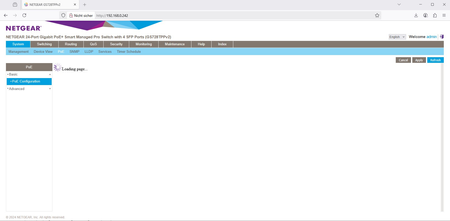
Hello everyone, I'm experiencing a persistent issue with the PoE interface on my NETGEAR GS728TPPv2 switch. The interface seems to be constantly loading and doesn't respond even after updating the firmware. Currently, I'm using firmware version 6.0.10.23. When I exported the tech support file, it included the message "Get PoE FW Failed! Please check PoE HW." Has anyone else encountered this problem? Any insights or suggestions would be greatly appreciated! Thank you in advance for your help. Yixiang