NETGEAR is aware of a growing number of phone and online scams. To learn how to stay safe click here.
Booting
2186 Topics
Netgear ReadyNAS Ultra 6 rebooting issue
I'm not an IT person: this will likely show in a way I'm talking about the issue. ;-) Our ReadyNAS started rebooting every day for the past few weeks. I thought cleaning the dust would help. As it wasn't doing anything I switched it off from the cable not using the back ON/OFF. Worsened the issue. I tried the reset button at the back using the NORMAL rebooting: became a loop "Checking FS". I wanted to do an OS reinstall but how do you confirm that choice on the menu: I tried the press and release button at the back but it's not working. Any video where I checked what I should be doing?95Views0likes2CommentsRN104 on 6.10.10 kernel location
Where on the filesystem should the kernel be located? My device has a current uptime of around 140 days, and I may need to restart it. Netgear-supplied package kernel-image is at 4.4.218-610090002, but dpkg -L kernel-image shows that this package contains no files and it has no dependencies, so I am concerned that if the system needs to be rebooted (e.g. because of power failure longer than the UPS can sustain it) it will not come back up. I have been able to install the upstream Debian package linux-image-marvell, which appears to be the kernel required here if none is otherwise available, but I am not sure if that has properly configured the bootloader. Now, the only files in /boot are the kernel, config and initrd from this kernel.86Views0likes3CommentsVPD for RNDP6000-200
I have a ReadyNAS Pro 6 (ReadyNAS RNDP6000-200) whose VPD was destroyed during a USB recovery. I have pre-damage logs confirming it is loader: RNDP6000-V2. The NAS is now booting OS 6.10.10 but reports no valid model/serial and keeps looping into setup mode. Could anyone help me with a copy of the VPD from one of their working Pro 6 / RNDP6000-V2 systems? I understand it will contain the donor serial number and that I will use it at my own risk. I only need the encrypted file named vpd from the boot flash. Here are some of the pertinent details from an old log file that may be helpful: ReadyNAS Pro 6 FLAME6-MB V2.0 hardware vendor: NETGEAR model: ReadyNAS Pro 6 model_valid: 1 version: 1 loader: RNDP6000-V2 max_chan: 6 xraid: 1 pcbid: 1 board_rev: 0001 system_rev: 0003122Views0likes4CommentsReadyNAS Pro 6 Business Edition RNDP6000 Booy Issue.
Apologies as I know this unit is not supported at all these days but has served me well so wanted to try and get this working again. OS 6 6.10.9 was installed (my initial OS 6 upgrade with the help of an excellent Tech support person a few years ago) and has updates and run flawlessly since. I recently tried a snapshot restore to go to some older files and the system hung/crashed. I couldn't access web Gui, so tried an OS reinstall and then all worked fine. Disks were doing a resync and all finished ok. Next morning the system was powered up but was powered up but hung with no PING or access at all. I have rigged up a Monitor, Keyboard and mouse and created a USB recovery key created. Thought I would try to update to ReadyNASOS-6.10.10-x86_64 via USB: 1. Insert USB in front USB port. 2. Rebooted with backup button pressed - BIOS loads and syslinux loads but just then monitor screen goes blank and the LCD screen stays on "ReadyNAS" I've tried pressing the reset or pressing the backup button to see if the options scroll but not go. Am I missing something here or should this boot into the USB? I'd like to get working even just to access/backup the current shares if possible, so don't want to go the factory reset if possible. Any advice would be appreciated. Many thanksSolved398Views0likes21CommentsREADYNAS 104 - has booted into safe mode with no drives?
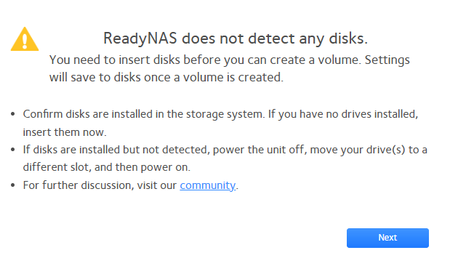
Hi, Can anyone please help? Booted up, seemed to be working OK (but very slow), Then froze with a "do_exit+4c8" error. Drive lights were on. Wouldn't shut down, so two hard power cycles, same error. Last cycle - it has booted into Safe Mode with no drive lights on. Going to admin page I get this: I haven't touched it since. Any advice greatly appreciated. Cheers, John88Views0likes1CommentReady Nas 314 Firm 6.10.10 Raid Inactive
Status on Radar shows raid level 5 inactive. I cannot log in thru Raidar to see errors or anything else. The drives icons show green check boxes and the lights on the unit are all green. I have power cycled the unit, Did not help. I reset the drives Did not help. Boots fine and sets network without a problem What can I do? Willing to pay for support to get these drives back Thanks for any help Dave 201-647-6887 [email protected]154Views0likes4CommentsMigrating Disks from NV+ to NVX
Hello Folks, I'm new here ... I have / had an old NV+ NAS with four 1TB drives. I hadn't used it for years and when I got it going again the other day, all was well for a few hours, backing up my MBP with TimeMachine, until - I'm guessing here - the PSU failed mid-backup, tripping the ring main breaker; the plug fuse (13A!) is Ok and it won't restart. Rather than try and repair or replace the PSU (my regular MO), I decided to buy a used NVX complete with disk trays - looking forward to the performance upgrade! So I've moved the four 1TB drives - in order - from the NV+ to the NVX and powered it up 'Normally'. Error message says that it can't mount the RAID disks ... Ok, so I boot into 'OS reinstall' mode, which seemed to be Ok until the same error message appeared. Any clues or ideas how to proceed? I'd really like to retain / recover the data on the RAID set. I haven't yet tried connecting over the network ... will try this next and see if RAIDar can see it. Many thanks in advance.395Views0likes7Comments