NETGEAR is aware of a growing number of phone and online scams. To learn how to stay safe click here.
Share
3 Topics
“WAX625/628 UI Bug: PMF Support Value Persists Between Client Detail Modals”
Hi, This is a small UI issue I noticed on the WAX625/628 Firmware V11.8.0.9. It’s not critical at all, but I thought it might be helpful to share in case it can be fixed in a future update. Summary When opening the Monitoring → Connected Clients detail modal for different clients, the “PMF Support” value sometimes does not refresh correctly. If the first client has PMF Support = “Yes”, and the next client is on an SSID where PMF is disabled (so the PMF row should be hidden), the modal hides the row — but the underlying DOM still keeps the previous “Yes” value. This means the PMF Support value is carried over between clients, even when it should not appear at all. Example (actual DOM output) Even when PMF is disabled and the row is hidden: *(I could not paste the raw HTML here because the forum rejects posts containing HTML tags, so I attached an image instead.)* Impact Very minor UI issue Can cause incorrect values to be read if automating the UI or parsing the DOM Not visible to regular users Again, nothing critical — just a small inconsistency. Steps to reproduce Open Connected Clients Open detail modal for a client with PMF Support = Yes Close it Open detail modal for a client on an SSID where PMF is disabled → The row hides, but the value stays “Yes” internally Expected The PMF Support element should clear or refresh when switching clients. If this could be cleaned up in a later firmware/UI update, that would be great. Thanks for maintaining the product — overall the WAX625 and WAX628 has been very stable in my environment.181Views1like0CommentsWiFi 6E 6Ghz Access Point WAX630E with NETGEAR Insight Remote Management
Today NETGEAR has announced a new Insight Managed WiFi 6E Access Point. The new WAX630E is a 6Ghz Tri-band, multi-gig access point that brings the latest WiFi 6E performance to small and medium-sized businesses at an affordable price. Discover our first WiFi 6E Access Point WAX630E. “Wi-Fi 6E provides a wide, open, fast superhighway to provide the required capacity and speed. The new WAX630E is the perfect onramp for SMBs.” NETGEAR's Doug Cheung - Direct of Product Line Management of SMB wireless. In Doug's latest business blog we compare WAX630E WiFi 6E AP to the WAX630 WiFi 6 AP Read the Forbes preview of the WAX630E AP. Watch a short interview with Doug - NETGEAR Director of SMB Wireless 20KViews4likes0Comments
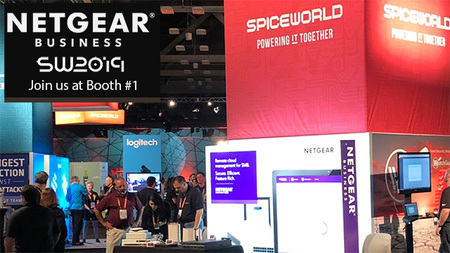
Join NETGEAR Business at SpiceWorld 2019 Booth No. 1 #SpiceWorldATX
SpiceWorld 2019 has arrived! Sep 23-25 in Austin, TX. You won't want to miss the NETGEAR Business team located in Booth #1. Get hands on with a large range of profesional networking products including: Insight Remote Management, Orbi Pro, Pro Switches, Mesh WiFi Access Points and more! If you're lucky you might even win some NETGEAR Insight Hardware in the Passport to Prizes event. (GC510PP PoE Switch and a WAC540 Mesh Wifi Access Point.). At SpiceWorld: Shaheen Kazi, Director of Product Line Management for Insight will be presenting Monday 23rd 1:15PM - 2:15PM Austin Convention Center Room 19 A-B. "An Insiders Look into Insight Pro True Cloud Networking Management for IT Pros". All NETGEAR Business products on display at SpiceWorld 2019: Insight Switches (GC110, GC110P, GC108P, GC108PP, GC728XP) Smart Pro Switches (GS108Tv3, GS110TPv3, GS110TPP) Unmanaged Switches (GS305P, GS108LP, GS108PP, GS116LP, GS116PP) Fully Managed Switches (M4300-96X, M4300-16X, M4300-8X8F) Orbi & Orbi Pro (SRK60, SRC60, RBS50Y) Wireless & Router (WAC540, WAC564, BR500) We're excited to met you at SpiceWorld 2019.Solved14KViews0likes2Comments