NETGEAR is aware of a growing number of phone and online scams. To learn how to stay safe click here.
mr6150
52 Topics
M3 (MH3150) with USB-C to Ethernet adapter (USB2ETH) does not charge and has no Ethernet connection.
Hello, I purchased the M3 along with the original Netgear USB-C Ethernet adapter, but unfortunately, this combination doesn't seem to work—even though the adapter is supposed to be compatible with the M3. I have configured the M3 settings for charging and tethering, and the adapter's green and orange LEDs light up as soon as a LAN cable is connected; however, no data transfer actually takes place. I cannot access the internet or the router itself through this connection. The adapter is supposed to work via plug-and-play, but it doesn't. The M3 appears to be running the latest firmware. At first, I tried using it without a power supply; later, I connected a USB-C charger to the adapter hoping that would solve the issue, but it didn't work. I also noticed that the router doesn't charge at all when connected via the adapter; it only charges when I plug the charging cable directly into the router, bypassing the adapter. Is there a trick to this? Is the adapter defective, or is the information on the product page—stating that it is compatible with the M3—incorrect? Regards,
Netgear Mobile App blocked notifications
Hello everyone. I've been unable to find a solution to this issue. It's weird enough that Android has this app under System apps. But the OS will not allow notifications from the Mobile App "All notifications from this app are blocked". When I go to App notification and switch the enable button, the OS disables it again. The android os is version 13. Has anyone here found a solution? Thank you.Solvedbattery nighthawk m6 (mr6150) swelling
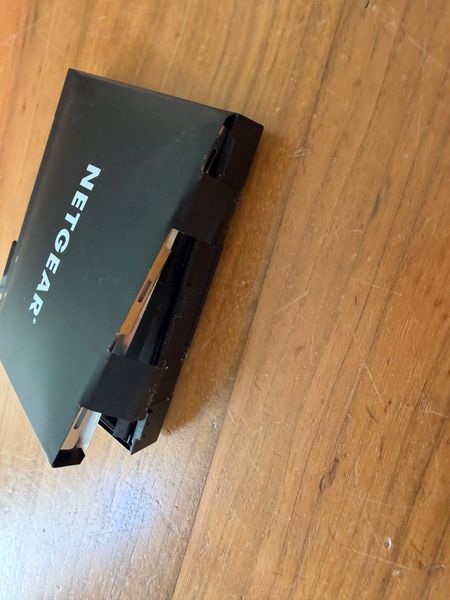
hi, got a 2.5 year old nighthawk m6 (mr6150) and just notices the battery starts dangerously swelling! this should not happen... it has just been sitting in a cabinet as backup. i bought it at amazon.nl but they do not want to replace it as it is out of warranty. this seems like a dangerous production problem of either the battery or the charging electronics. i do want netgear to know about this. also i am a bit afraid to put in a new battery... anyone else had this? what should i do? thanks frankerror 1028
I keep getting error 1028 while my laptop is connected by WiFi to the Nighthawk MR6150-100NAS. When I look it up, it says Error 1028. All my other devices are working, but not the laptop. I checked for updates, but it says my device is up to date. Is there a solution for this? I use my laptop for work, and being constantly interrupted is very annoying.MR6150 4G+5G Mode make Loop and Reboot
Hello, I am using a Netgear MR6150. After updating to firmware version NTGX65_12.01.74.00, the device entered a reboot loop. At first I thought the firmware update had completely broken the device, but after some testing I found the following: If I remove the SIM card, the device boots normally. If I enable Airplane Mode before rebooting, the device also boots normally with the SIM card inserted. As soon as I disable Airplane Mode and the cellular connection initializes, the device immediately reboots and enters a boot loop. I changed the network mode to 4G Only, and the device appears to work normally. The reboot loop seems to occur only when 4G+5G mode is enabled. Because of this, I suspect the issue is related to 5G connectivity rather than the SIM card itself. Has anyone experienced a similar issue with firmware NTGX65_12.01.74.00? Are there any known fixes, modem settings, carrier profile updates, or workarounds that can prevent the reboot loop while using 5G? Any help would be greatly appreciated.Nighthawk M6 to Brother printer
Having issues connecting my Brother HL-L2305W printer. The my network name does not show up and having issues trying to manually enter it. Hoping im just doing something wrong or missing something. Any ideas or a detailed explanation. Best I found for connecting is this YT Video: https://m.youtube.com/watch?v=bCJ6DtDEkFgSolvedNighthawk M6 Pro MR 6450 - leider schaltet sich das Gerät im Camper ab
Hallo zusammen, ich habe einen Nighthawk M6 Pro gekauft und will ihn nun im Camper verbauen. Aktuell ist der Akku entfernt und dann per USB-C an den Stromanschluss angeschlossen. Erst funktioniert es einwandfrei - aber nach >5 Min schaltet sich der Router aus. Die Zeit ist immer unterschiedlich. Wie kann ich einen Reibungslosen betrieb im Camper sicherstellen ? Danke TotoCamperSolved1.3KViews0likes6CommentsUpdate-Problem bei M6 / MR6150
Hallo, am 11.02.26 erhalte ich von Neatgear eine Mail mit "Important: Security Firmware Update Required". Die "aktuelle" Firmware auf dem M6 ist die Version NTGX 65_12.01.54:00 vom 2024/04/12, also fast 2 Jahre alt. Also versuche ich am 12.02.26 die Firmware herunterzuladen. Das gelingt weder über die mobilen Daten, noch über Data-Offloading über den Router, weder über die Netgear App noch über die Einwahl auf dem Router über die IP via Browser. Es wird angezeigt, dass die Firmware aktuell ist. Heute am 22.02.26 wird mir auf dem Router, der App und via Browser angezeigt, dass ein Update vorhanden ist. Ein Download / Installation ist über keine Möglichkeit möglich. Beim Antippen eines "Buttons" passiert nichts. Nach mehrfachen Fehlversuchen wird irgendwann ein Fehlerhinweis angezeigt. Meine persönliche Meinung: über einen so langen Zeitraum keine Updates anzubieten finde ich persönlich schon bedenklich. Wenn aber Netgear schon Mails wegen Sicherheitsuptates verschickt und diese dann nicht liefern kann, ist nicht der Sicherheitsstandard, den ich von einem Router-Hersteller erwarte. Ich benutze nicht nur den M6 als mobilen Router, sondern je nach Einsatzgebiet auch mobile Router anderer Hersteller. Da sind Updates kein Problem, die werden geliefert und die funktioniern. Ich hoffe, hier im Forum Hilfe zu finden, wie ich den Router updaten kann. Vielen Dank94Views0likes0CommentsDemande de conseil avant achat
Bonjour à toutes et tous, Pour notre futur tour d'Europe en camping-car, je pensais prendre un Netgear M6 ou M3 afin d'utiliser un forfait Holafly. Ce dernier utilise des cartes eSIM. Quelqu'un saurait-il si cela est faisable? Avec un adaptateur eSIM à insérer dans le routeur. Par avance, merci pour votre aide. Cordialement. Jean-LouisNighthawk M3 – Cannot change SSID for 2.4 GHz / 5 GHz without factory reset
Hi, I have an issue with my Netgear Nighthawk M3. I can only change the SSID for the 2.4 GHz and 5 GHz bands immediately after a factory reset. After normal setup, the “Apply” button stays red in the WiFi settings and changes are not saved. Because of this, I cannot set the same SSID for both bands, which is important for my use case. This is reproducible: After factory reset: SSID can be changed After normal operation: changes cannot be applied Is this a known firmware issue, and is there any workaround or fix? Thanks!