NETGEAR is aware of a growing number of phone and online scams. To learn how to stay safe click here.
Forum Discussion

Rajita
Feb 15, 2019Aspirant
Multicast issues with M4100-26G v2
Hi,
I am trying to implement multicast using IGMP snooping. I am using single switch and 2 systems (1 for multicast client and 1 for multicast server)I have following setup of switch:
In switchin...
Rajita
Mar 07, 2019Aspirant
It does not change anything. Looks like the firmware issue.
Steps
1- Test Setup
LinuxPC1<--->NetgearSwitch<---->LinuxPC2
Both linux systems have IGMP V3 support
2- IGMP Configuration:(Querier disabled)
- Configure filter unregistered.
- Enable IGMP snooping and configure IGMP Vlan. Vlan is set to 1 in our case as we have non tagged multicast.
3- Send multicast from Linux PC1. On Linux PC2 sniffer is not showing multicast frames as expected. Send a join request from Linux PC2(its IGMPV3 request as checked on wireshark.) On linux PC2 sniffer starts showing packets and MFDB table has a entry. So far so good.
4- Now the problem: After some time(to be precise after Group member ship interval), sniffer on Linux PC2 is not showing any multicast frames. Verfified that LinuxPC1 is still sending frames. There is no entry in MFDB table now.
5- I configured querier now with IGMP V2. Thought this may solve the issue. Netgear has IGMP V1 and V2 support. Linux PCs auto learned the environment as verfied by sending join request again from LinuxPC2. No multicast frames were recieved on Linux PC2 as verfified from sniffer. No entry in MFDB table too. Sniffer is snowing the queries from Netgear and request being sent in reply from Linux PC.
So what is the problem here?
- LaurentMaMar 07, 2019NETGEAR Expert
Hi, sorry for your issue. It must be a configuration issue with IGMP here.
Please make sure the IGMP Snooping, IGMP Querier(v2) and IGMP Fast Leave are properly configured at the VLAN level (not at the port / physical interface level). Can you follow the direction from this post (I indicated how to configure IGMP for VLAN 2, please replicate it in your case for VLAN 1): https://community.netgear.com/t5/Pro-AV-over-IP-Switches/M4300-configuration-as-AV-network-access-switch/m-p/1717479#M114
I know the other post in for M4300 and you have a M4100, but the menus are consistent in the GUI.
Please let us know.
- RajitaMar 08, 2019Aspirant
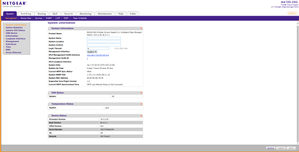
I have attached my swicth configuration. Please let me know if you face any issue opening the same.My setup as I explained earlier is:
1- Ubuntu System having two interfaces. (192.168.0.1/16 and 192.168.1.43/24)
2- Netgear M4100-26G
3- Another Ubuntu System (192.168.1.37/24)
4- Interfaces of both ubuntu systems are connected to netgear switch. From 192.168.0.1/16 I have netgear web interface opened.
5-192.168.1.37 is sending IP multicast frames at group address 239.1.1.1.
6-192.168.1.43 is subscribing to 239.1.1.1 group by sending IGMP request.
Issues:
1- Join request with IGMP version 2 doesn't work.
2- I had to force igmp version 3 on 192.168.1.43. Only then I started recieving multicast frames on system 192.168.1.43 and can see the entry in MFDB table. In this case After 260 seconds netgear stops sending the frames.
- RajitaMar 09, 2019AspirantAnd Why querier ip is not coming as 0.0.0.0?check the Wireshark capture and config images.

Related Content
NETGEAR Academy

Boost your skills with the Netgear Academy - Get trained, certified and stay ahead with the latest Netgear technology!
Join Us!
