NETGEAR is aware of a growing number of phone and online scams. To learn how to stay safe click here.
Forum Discussion

train_wreck
Jul 18, 2016Luminary
VLANs greyed out, cannot change
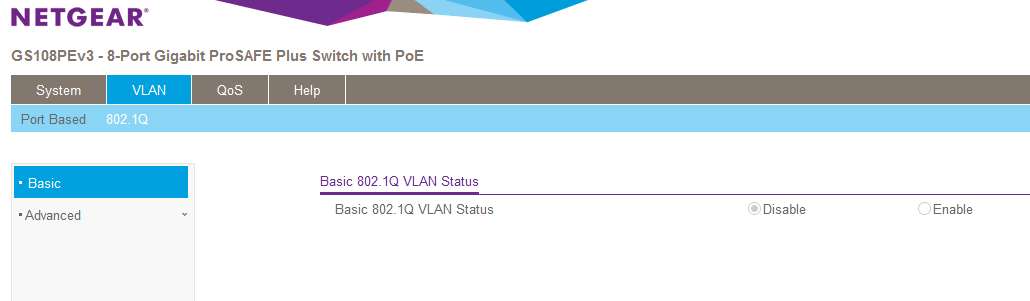
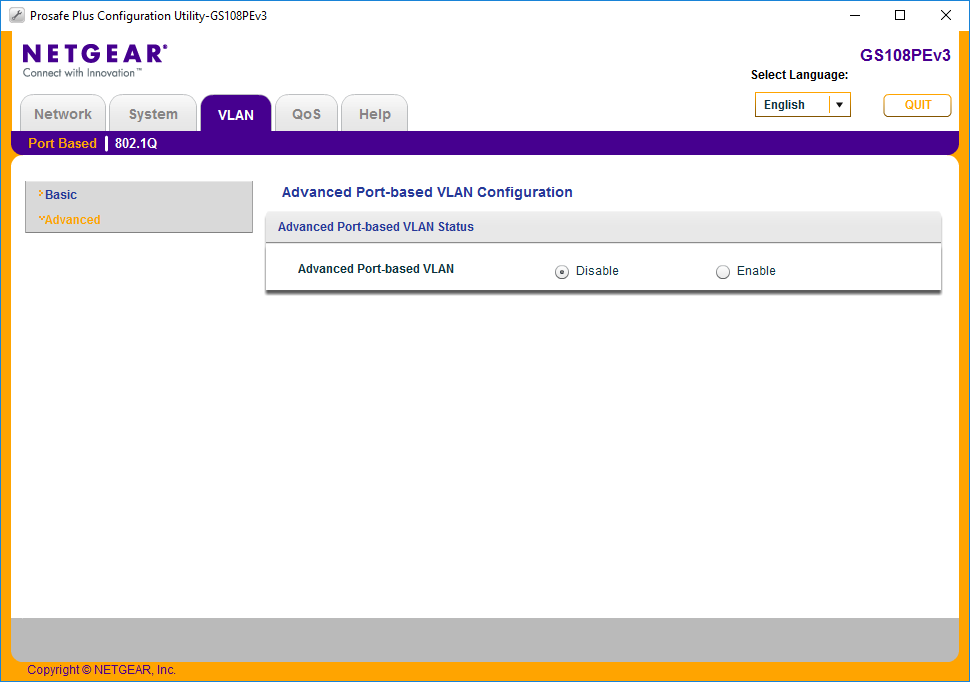
We have a Netgear GS108PEv3 that is installed at a remote office. It has a 802.1q configuration as follows:
P1,2,6 untagged ID 10
P3,4,7,8 untagged ID 20
P5 tagged 10 and 20
I am needing to change the VLAN configuration. I have browsed to the web GUI and used the "Prosafe" utility, but the option buttons in both are greyed out.
The switch is still working in its current configuration, but I need to change it. Can I recover from this, or has the switch become corrupted & require default reset?
Yes, I unfortunately had to go to the site & reset the switch. As of now it is working & remotely changeable, but I have to say my confidence in the future is not high....
6 Replies
- DaneANETGEAR Employee Retired
Hi train_wreck,
Let us isolate the problem. Kindly answer the questions below:
a. Was it working fine before? What I mean is, were you able to make any changes via the ProSAFE Plus Configuration Utility while you are remotely connected?
b. Have you tried to reboot the GS108PEv3 switch?
c. What is the current firmware version of the GS108PEv3 switch?
d. What is the current version of the ProSAFE Plus Configuration Utility you are using?
e. Have you tried using other PC/laptop to isolate the problem?
I look forward to your response.
Regards,
DaneA
NETGEAR Community Team train_wreckLuminary
a. Yes I was previosuly able to change settings remotely. I had made a change a few months ago this way.
b. It has been unplugged/replugged numerous times. Each time, it boots & loads the current configuration, but the options to change settings are still greyed out.
c. Latest firmware - 2.00.08
d. Also latest utility - 2.3.19
e. Yes, multiple PCs have tried the web UI and the utility, and I also tried browsing to the web UI on an Android phone. All same result.
It is really looking like I am going to have to factory reset..... :(
- DaneANETGEAR Employee Retired
Hi train_wreck,
Just want to follow-up on this. Are you able to perform a factory reset on your GS108PEv3 switch? If yes, is it now working fine?
Regards,
DaneA
NETGEAR Community Team
- JohnRoNETGEAR Employee Retired
Hi train_wreck,
We’d greatly appreciate hearing your feedback letting us know if the information we provided has helped resolve your issue or if you need further assistance.
If your issue is now resolved we encourage you to mark the appropriate reply as the “Accepted Solution” so others can be confident in benefiting from the solution. The Netgear community looks forward to hearing from you and being a helpful resource in the future!Thanks,


Related Content
NETGEAR Academy

Boost your skills with the Netgear Academy - Get trained, certified and stay ahead with the latest Netgear technology!
Join Us!
