NETGEAR is aware of a growing number of phone and online scams. To learn how to stay safe click here.
Forum Discussion

coolgreany
Mar 19, 2022Guide
SXR30 Router loses Internet Connection every few days
I have an Orbit pro Wi-Fi 6 SXR30 Router and SXS30 Satellite unit.
Firmware is on auto update and currently running 4.0.1.100
I've had the router since November 2021 and it has been fairly solid up until beginning of February. I was away on a trip and came home March 6th and my Wi-Fi was down (solid magenta light on unit).
I rebooted spectrum cable modem and restarted router. All was well for a few days and it crapped out again.
It has now lost internet connection about six times in the last 10 days.
I can only think it's something to do with the new firmware that was rolled out the end of January. I have a desktop and Amcrest Security Camera NVR connected to the router by Ethernet cable (no changes recently). I have already swapped out the network cable between the router and modem.
If I can avoid it I'd like to avoid a factory reboot. Any thoughts?
Can I roll back the firmware to see if that eliminates the problem?
19 Replies
- plemansGuru - Experienced User
I've got that same unit but did a factory reset with mine. its been rock solid.
You can try downgrading the unit a version.
I'd actually make a backup before you do.
that way if it doesn't help and you do need to do a factory reset, at least you can reinstall using the backup.
and if that doesn't help, try a new install process without the backup.
Thanks plemans , well, as I was typing this, it just went down again. This time I noticed the computer hardwired to the router had no connection so it's just not a wifi issue.
Did you have a similar problem recently after the latest firmware update? I saw from my firmware history, the firmware Auto Upgraded to 4.0.1.100 on February 2nd and we left town February 6th (returned March 6th).
I just rolled back the firmware to Version 4.0.0.114
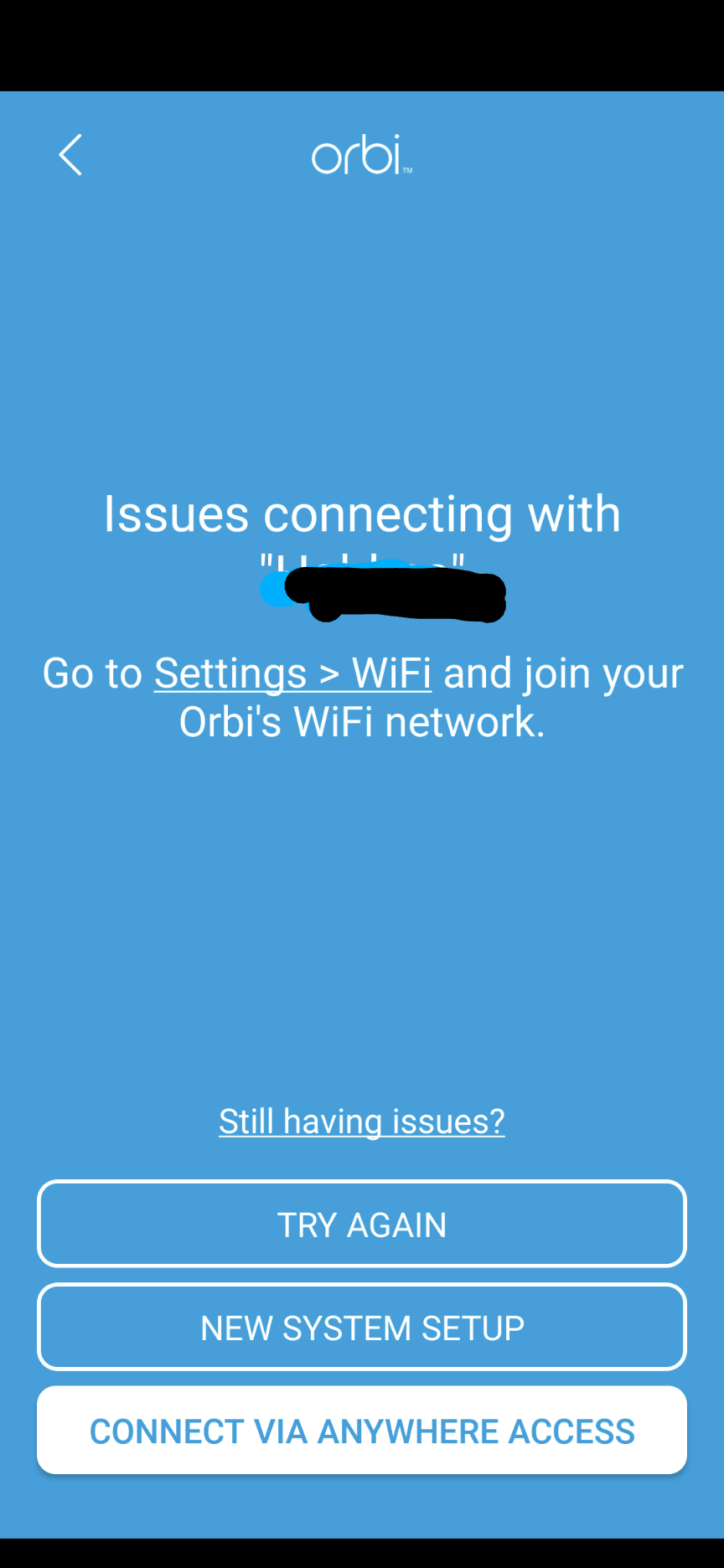
I may do a factory reboot as a last resort but also might see if there's any issue with my modem that might be causing it.Since you have the same unit, are you able to use the Orbi Mobile App (I'm on Android). I've had zero success and I can't get past the screen shown below.
- plemansGuru - Experienced User
the pro series is insight managed. and it should come with 5 years of insight included.
I'd try that app.
- NiffydroidInitiate
I too have a SXR30. Its fairly new so it was running the old firmware for a week or two and it was rock solid. Now it's been updated it just randomly drops. Super annoying when you're streaming or working. (I know it the router as my devices end up reverting to the cable supplier router) This is not something I expect for something that costs this much.
I'll give a downgrade a go and see if it helps.
- plemansGuru - Experienced User
Niffydroid the good thing about it is this is the pro forum and its a pro device. I'd make your own forum post about it. As the pro equipment gets more attention from the mod's and firmware team. With your own thread, they're more likely to contact you for help with logs/etc to try to fix the issue.
I thought I had this fixed but sadly, no.
I thought the recent firmware update V4.2.0.122 referencing "Fixes an issue where the NTP server can be blocked by ISPs in the U.S." was the issue but I continue to experience disconnects.
Here's the log from tonight's disconnect:
|
192.168.1.30 is me on my laptop where I logged in to check the router log right after being disconnected.
192.168.1.27 is one of two Amazon Echo dots I have. Surely the Echo Dots are not causing this?
"[admin login] from source 192.168.1.30, Wednesday, April 27, 2022 18:57:31
[DHCP IP: 192.168.1.27] to MAC address 02:0f:b5:1d:fd:a1, Wednesday, April 27, 2022 18:57:28
[DHCP IP: 192.168.1.30] to MAC address 9c:29:76:fb:bf:08, Wednesday, April 27, 2022 18:51:44
[DoS Attack: ACK Scan] from source: 162.125.19.9, port 443, Wednesday, April 27, 2022 18:49:07
[DHCP IP: 192.168.1.30] to MAC address 9c:29:76:fb:bf:08, Wednesday, April 27, 2022 18:32:12
[DoS Attack: NULL Scan] from source: 49.233.171.134, port 59431, Wednesday, April 27, 2022 18:27:21
[DoS Attack: ACK Scan] from source: 162.125.19.130, port 443, Wednesday, April 27, 2022 18:27:04
[DoS Attack: SYN/ACK Scan] from source: 162.241.216.182, port 443, Wednesday, April 27, 2022 17:25:15
[DoS Attack: SYN/ACK Scan] from source: 162.241.216.182, port 443, Wednesday, April 27, 2022 17:25:15
[DHCP IP: 192.168.1.19] to MAC address 54:60:09:46:cc:e6, Wednesday, April 27, 2022 17:02:58
[DHCP IP: 192.168.1.24] to MAC address f4:f5:e8:22:50:ec, Wednesday, April 27, 2022 17:02:23
[DHCP IP: 192.168.1.30] to MAC address 9c:29:76:fb:bf:08, Wednesday, April 27, 2022 17:00:15
[DHCP IP: 192.168.1.14] to MAC address f4:f5:d8:b5:0e:5c, Wednesday, April 27, 2022 16:51:07
[DHCP IP: 192.168.1.10] to MAC address d8:eb:46:a4:d9:72, Wednesday, April 27, 2022 16:50:32
[DHCP IP: 192.168.1.6] to MAC address 30:d1:6b:aa:ba:77, Wednesday, April 27, 2022 16:50:30
Any thoughts? I work from home and I'm getting ready to chuck this mesh router in the bin and return to my old router.

Related Content
NETGEAR Academy

Boost your skills with the Netgear Academy - Get trained, certified and stay ahead with the latest Netgear technology!
Join Us!