NETGEAR is aware of a growing number of phone and online scams. To learn how to stay safe click here.
Forum Discussion

davidcasper1
Sep 28, 2016Follower
WNCE4004 will not connect
This problem has already been raised - but was closed with no answer. See:
In my case I am trying to connect to an Arris cable-modem/router. It has both 2.4G and 5G connections. But neither works. It always configures and then says:
"The selected network is no longer available. Please make sure the existing network equipment is within the proximity of the Extender". Of course proximity is not the issue here.
The previous discussion meandered to trying different security settings, which I have done - but to no avail. Also the WPS mechanism did not work, which is why I am manually trying to configure. This had previously been working with a TP-Link router and before that a Netgear router. I have done a factory reset too.
Any ideas?
20 Replies
- fscout42Aspirant
Hi, it's already a while ago, since this topic came up. But just want to say I encounter the same problem. I just bought an extender EX7300 and replaced my EX6200 which I still use it but in another configuration. I thought this EX7300 is downward compatible. But obviously not. I wanted to connect the wnce4004 to the new extender but no luck. It refuses to connect to the EX7300 extender. Tried WPS and manual via ethernet cable connected to my laptop. And it's indeed not the wnce4004. Cause it connects fast and easy to my Vodafone easy.box as well as to my ex6200. But not to my new EX7300. So what is wrong with that?
Any ideas and maybe a solution? So far I've found nothing which could help to connect the wnce4004 to the EX7300.
Thanks a lot.
- sultonAspirant
I have exactly the same problem described by Davidcasper1.
I upgraded to a SuperHub 3.0 router, which provides Wi-Fi access perfectly fine to all my devices (Mobile Phones and Laptop), but unfortunately it is unable to connect to my Netgear gaming adaptor (Model: WNCE4004).
Both my Netgear gaming adaptor and my SuperHub 3.0 router have been reset, but I am not able to connect the two devices together by Push ‘N’ Connect button (WPS) or by connecting the Netgear gaming adaptor to my laptop via an Ethernet cable and connecting the device up by the web set up page www.mywifiext.com. In the latter case when I go through set up my SuperHub 3.0 Wi-Fi signal is found by my Netgear gaming adaptor and it has 100% signal but when I go to complete the process I get the message stating device is not close enough to the Router when I am in the same room.
I have tried the advice given on this thread and changed the security settings on the SuperHub 3.0’s config pages to WPA2, but unfortunately this does not work.
Can you let me know if there are any other setting available I can change on the Netgear gaming adaptor to gain access to my Wi-Fi?
Please get back to me. JamesGLNETGEAR Employee Retired
Hi sulton.
Check the firmware of the adapter. Make sure it has the latest one.
http://kb.netgear.com/app/answers/detail/a_id/23920?cid=wmt_netgear_organic
- sultonAspirant
Hi JamesGL,
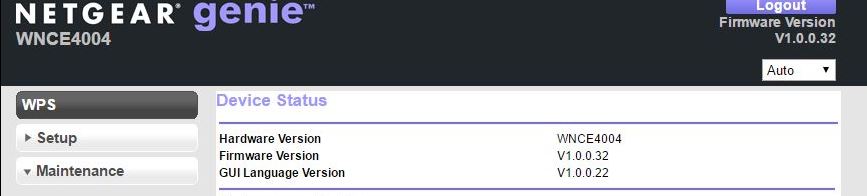
I am currently running V1.0.0.32, which I believe is the latest version.
Do you have any further suggestions?
- sultonAspirantHi JamesGL
Please note I tired to connecting to another router ( non SuperHub route) , but unfortunately no luck.
The WiFi adaptor went through the setup process and got to final confirmations page, but unfortunately disconnect from the setup page 1minute after pressing the confirmation button. Please note the wifi adaptor was had solid green light, but i could not connect to the Internet after this process. - sultonAspirantHi JamesGL,
The WNCE4004 Netgear WiFi adapter is not fit for purpose as it cannot connect to any WiFi network.
Please get back to me with the contact information of the person dealing with faulty products.