NETGEAR is aware of a growing number of phone and online scams. To learn how to stay safe click here.
Forum Discussion

jisaacmurray
Dec 19, 2018Aspirant
No volume exists
Hi all,
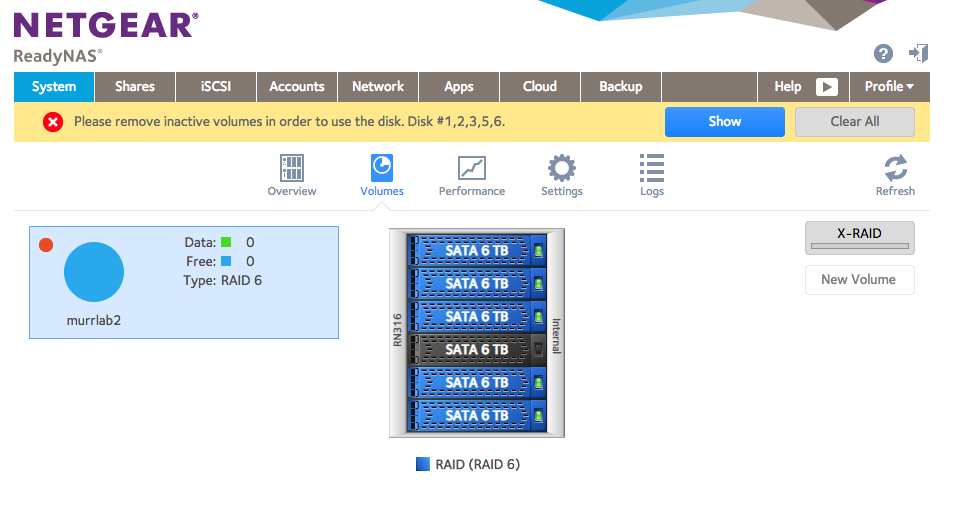
I've experienced an unexpected behavior on my RN31600 (Firmware 6.1.6) after a drive failure (slot 4) I swapped the failed drive for a new one but instead of rebuilding the RAID volume as expected I get a message to "Please remove inactive volumes in order to use the disk. Disk #1, 2, 3, 5, 6" and also that "No volume exists"if I go to the 'shares' page. I haven't found any insight into solutions - looks like other people that have posted with similar errors ended up needing to use Netgear's data recovery service, but I thought I should post in case there is an obvious fix to try that I'm not aware of.
Hi jisaacmurray,
L3 has now remotely accessed the NAS and making correction to it. The NAS will be rebooted into Normal mode afterwards.
Regards,

5 Replies
Replies have been turned off for this discussion
- JohnCM_SNETGEAR Employee Retired
Hi jisaacmurray,
Welcome to the Community!
It is possible that other disks might have failed while the new disk is syncing. You may download the logs and then provide it to us so we can further check this. You can upload it to a file sharing site and then PM me the download link.
Regards,- JohnCM_SNETGEAR Employee Retired
Hi jisaacmurray,
L3 has now remotely accessed the NAS and making correction to it. The NAS will be rebooted into Normal mode afterwards.
Regards,
- jisaacmurrayAspirant
Thanks to JohnCM_S and the L3 who logged into our system and rebuilt it, our share is now working normally. They were very helpful! Thanks!
 StephenBGuru - Experienced User
jisaacmurray wrote:
(Firmware 6.1.6)
This is ancient firmware (Feb 2014). You should update it after you get your problem resolved.
- JohnCM_SNETGEAR Employee Retired
Hi jisaacmurray,
Please enable SDM (Secure Diagnostic Mode) on your NAS. We will try to fix the problem on your NAS. You may enable that by going to System>Settings>Support. Please PM me the 5-digit port number after enabling it.
Regards,
Related Content
NETGEAR Academy

Boost your skills with the Netgear Academy - Get trained, certified and stay ahead with the latest Netgear technology!
Join Us!