NETGEAR is aware of a growing number of phone and online scams. To learn how to stay safe click here.
Forum Discussion

ambrosecruz
May 22, 2017Aspirant
RN 214 on AD is read-only
Hello All,
Recently i have updated the firmware of the Readynas to 6.7.1.
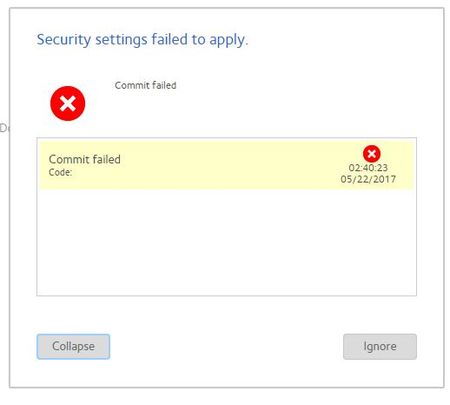
When i try to browse the files from the Nas it is giving me only in read only mode and and i am unable to write ...
xiao123
May 22, 2017NETGEAR Expert
Hi ambrosecruz,
Please enable Everyone Read/Write permission, or enable the login ads user Read/Write permission at share File Access page, then try to access share, you would be able to wrtie and paste data.
ambrosecruz
May 23, 2017Aspirant
And also even 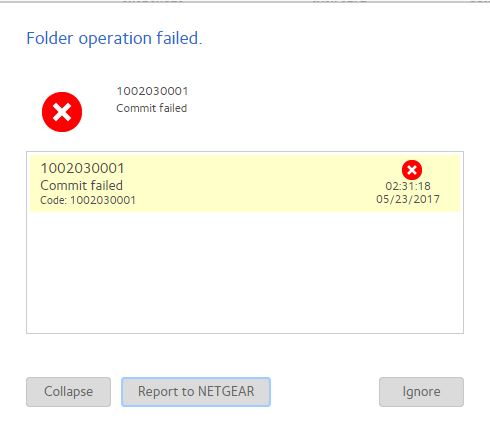
- JennCMay 23, 2017NETGEAR Employee Retired
Hello ambrosecruz,
Can you click Refresh ADS accounts under Accounts > Authentication and see if that helps?
Also try rebooting the NAS.
Regards,
- ambrosecruzMay 25, 2017Aspirant
Hello,
I have tried this serveral times but no luck.
- xiao123Jun 03, 2017NETGEAR Expert
ambrosecruz wrote:
Hello,
I have tried this serveral times but no luck
Hi ambrosecruz,
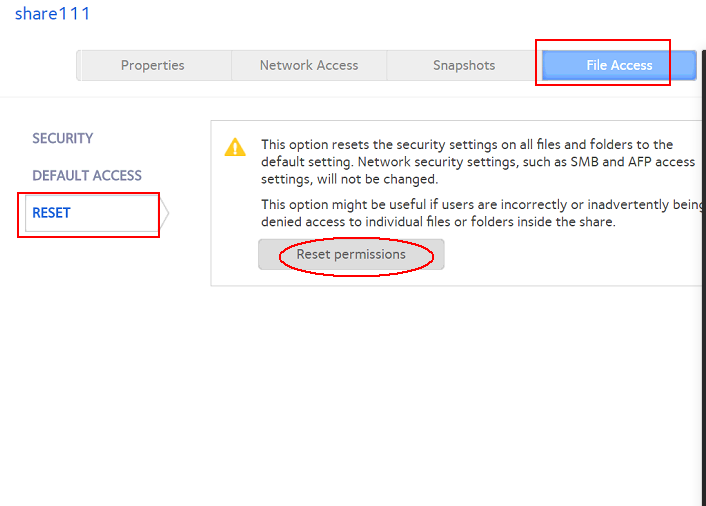
If you don't care the previous file access perssion settings, please try reset permission as bellow,
then you would find the Everyone permission chage to be Read-Only at file access page, change it to be Read-Write, try to access your share and write data again via windows client.

Related Content
NETGEAR Academy

Boost your skills with the Netgear Academy - Get trained, certified and stay ahead with the latest Netgear technology!
Join Us!
