NETGEAR is aware of a growing number of phone and online scams. To learn how to stay safe click here.
Forum Discussion

nickjames
May 13, 2017Luminary
Volume operations causing slowness across SMB
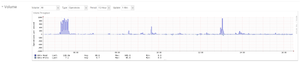
Greetings! I'm trying to understand the behavior that I'm experiencing, whether or not its expected and most importantly, how can I improve it. We are a graphic design shop. We use a lot of Adob...

StephenB
May 27, 2017Guru - Experienced User
Also, if you aren't using NIC bonding, you might want to try that. Network congestion at peak usage times might also be a factor.
mdgm wrote:
If you've got a high workload RAID-5 probably isn't the best choice. I'd consider using RAID-50.
There is some basic information on RAID-50 here: http://www.techrepublic.com/blog/the-enterprise-cloud/raid-50-offers-a-balance-of-performance-storage-capacity-and-data-integrity/ If you try that, you'll go with a 6 disk array (with 4 disks you'd use RAID-10 - which is also an option if you are replacing the drives anyway).
I'm not keen on RAID-0 for a production shop that needs high availability - so I'd disagree with cpu8088 on that idea. But I agree that red pro or golds will give better performance on small file transfers.
But since you have 2 free slots, you could alternatively switch to flexraid and add a RAID-1 SSD volume (2x1TB), shifting your main project share to the SSD volume. You can do that w/o rebuilding the current volume. That's also cheaper than replacing all your mechanical disks.

TeknoJnky
May 27, 2017Hero
A lot of good discussion and recommendations here.
As Stephen mentioned, I suspect your first bottleneck is network.
Most x86 nas devices are capable of faster than gbit ethernet.
I suspect that what is happening during your sluggish period is the file is being saved and fully utilzing the network connection, causing the other connections to be sluggish.
Similarly how if you ever used bittorrent wiithout speed restrictioned or tried to streamed HD across a slow internet connection, its hard for any other connections to get through at the same time.
So I would look into a switch that supports NIC bonding, bonding can nearly double your throughput during multiple connections.
Regarding the folder with 22k subfolders; I would definately recommend splitting those up into smaller groups as you mentioned. For my media storage I have 0-9, ABCDEFG, HIJKLMN, OPQRSTU, VWXYZ folders to split my movies across.
But 22k folders should only affect performance whenever a user accesses that project folder. Consider what happens; a user opens the project folder, the nas has to respond with all files/folders in it, it has to read the directory entries off the array, process and send that information across the network, the local pc then has to read that info and display it in explorer or whatever application dialog has requested the folder/file list.
Frankly I am amazed anyone can find anything in a folder with 22k items in it.
However, 22k folders should not really have any bearing on performance on saving already opened files, or accessing other parts of the array filesystem.
Finally another option I don't think has been mentioned, but might also help alleviate the performance is putting more RAM in your nas.
Extra ram will be used as additional cache/buffer to help cushion against high workloads.
Related Content
NETGEAR Academy

Boost your skills with the Netgear Academy - Get trained, certified and stay ahead with the latest Netgear technology!
Join Us!
