NETGEAR is aware of a growing number of phone and online scams. To learn how to stay safe click here.
Forum Discussion

derekcannady
Dec 23, 2021Guide
RAX120 V2 Constant Random Reboots
The router reboots frequently sometimes every 30 minutes. I have noticed that the router reboots under heavy system load of +50% on the processor. The only way I have been able to drastically lesse...
- Jun 11, 2022Installed beta firmware 1.2.3.33 on it and then turn fan on in debug.htm. Just check mark it , don’t click on apply.
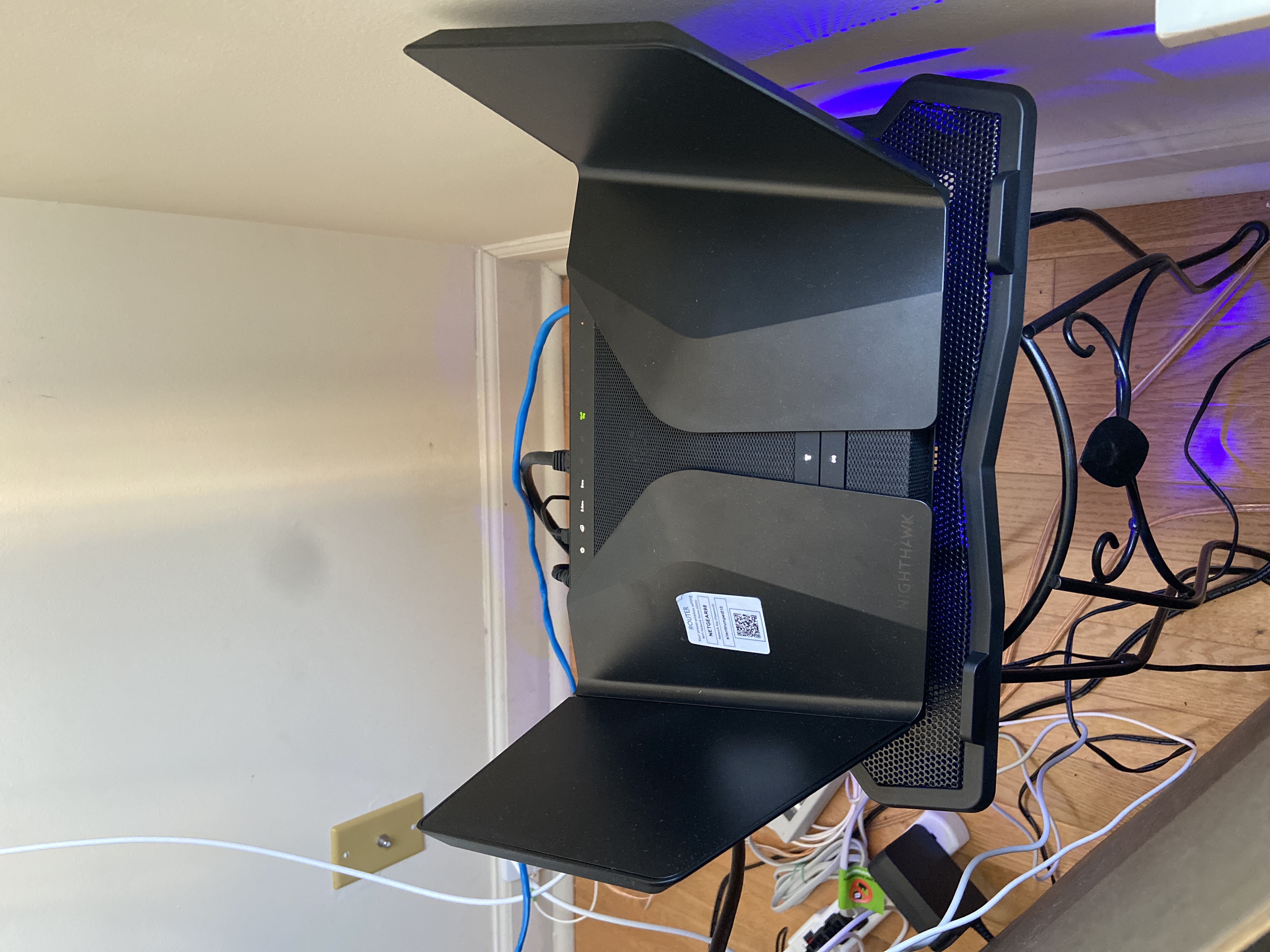
And bought a cool pad from amazon $10 . 4 days in a row no restart and router works perfect.
Laptop Cooling Pad,ESGAMING Laptop Cooling Stand Laptop Cooler 10-15.6 Inch 2 USB Ports 2 Fans with Blue LEDs https://a.co/d/dXVVnxw
petterpan
Jan 21, 2023Aspirant
Same, makes me think they did something concerning the performance or security of the device to mitigate the rebooting issue.
no6969el
Jan 21, 2023Guide
Yeah even though mine has not rebooted yet I still feel like its not working at top speed. Before I go into further complaining I may do some network testing with both of my routers to see if this one is running any better than my cheap older Asus 63U.
- no6969elJan 23, 2023Guide
I am very concerned about this process. When I contacted support they advised me not to install FW from the forum.
I understand this could be a case of one department not talking with another or perhaps someone on the inside trying to get this fixed without proper approval but I will will post the response here so maybe it can be handled internally.
Email from Netgear Tech Support:
Good day!
I am sorry if there is a misunderstanding between us. I don't recommend you to install the beta firmware that is going around the forum. Our L2 Department are the one who will give you the file and install it to the router. We in our department don't have an access for the version of the firmware, we just know that there is a beta firmware for this device. We only recommend the customer to install the firmware available in our support site (http://support.netgear.com/product/).
Thank you for choosing NETGEAR.
Regards,
Gay
Netgear Support Expert- FURRYe38Jan 23, 2023Guru - Experienced User
Please know that this FW IS From NG and the engineering team that worked to fix the reboot issue ONLY on the RAX120v2. User can only get this from here in the forums.
Some NG support group may not be aware of it and it won't be on NG support site for download. This is an internal FW patch for users with v2s only. It is sanctioned by NG and is only for the v2 and users seeing the reboot issue. Once NG engineering get this fully tuned in, NG will make it official and release it ON NG download site.
Thank you.
- bachreeJan 23, 2023Initiate
How do I request this beta firmware to cease the random restarts? Mine likes to restart at about 6pm every other day or so. I have confirmed that it is the router that is restarting and not the modem
I see that the official FW V1.2.8.40 was released in September 2022 and addressed security vulnerabilities. Is the beta FW older than that which makes the device vulnerable?
It is a V2 and Serial starts with #6JY225U